- Type
- Lesson plan
- Ages
- Ages 11-13
How can we use logical thinking and structured code to program the Agent to replicate physical builds efficiently?
Overview
This unit guides students through computational thinking by pairing physical modeling with block programming. Working across nine sessions, learners explore core computer science concepts such as loops, conditionals, and nested structures to improve the efficiency of their code. By analyzing long, repetitive commands, students discover how to streamline algorithms into concise, logical sequences.Minecraft Education serves as the digital testing ground alongside physical classroom manipulatives. Students complete guided challenges from Coding FUNdamentals Block 1, control an in-game Agent, and physically act out algorithms using Lego pieces and floor mats. This concrete-to-digital approach ensures students understand not just what code runs, but why structured algorithms work.
Learning objectives
By the end of this lesson students will be able to:
- Program the Agent to navigate directions and place blocks accurately.
- Refine algorithms using repeat loops, nested loops, and conditionals to increase code efficiency.
- Model structural builds physically using Lego bricks and recreate them digitally using block code.
- Collaborate with peers to test, record, and assess original coding challenges.
Blocks and items used in this lesson


Key vocabulary
- Agent
- A programmable helper in Minecraft that executes coded movement and building actions.
- Code Efficiency
- Writing an algorithm using the fewest and clearest instructions necessary to solve a problem.
- Conditional
- A programming statement, such as if-then-else, that performs different actions depending on whether a condition is true or false.
- Nested Loop
- A loop placed inside another loop to repeat sets of instructions across multiple dimensions, such as building rows and layers of a cube.
- Negative Conditional
- A conditional rule that executes an action when a specified condition is not met.
Before class
Lesson sequence
- Foundations of Code Efficiency
Introduce block coding basics on the interactive whiteboard. Present a long, repetitive string of code and prompt students to discuss why efficiency matters and how to refine the sequence. Work through initial challenges together as a class before students log in independently to complete Coding FUNdamentals Block 1 Lessons 1 and 2, gathering periodically on the carpet to debrief.
- Conditionals and Nested Loops
Demonstrate how conditionals, such as if_then_else and negative conditionals, control programmatic choices. Introduce nested loops using the physical structure of a cube to illustrate repeated rows and columns. Guide students through challenge 1 of Lessons 3, 4, and 5 on the whiteboard before they work through each lesson independently.
- Collaborative Team Challenges
Group students into teams for Coding FUNdamentals Lesson 6, with one student hosting the world. Teach students how to capture a screen snip of their completed code. Teams solve the challenges cooperatively and upload their code snippets to Padlet as evidence of their learning.
- Physical Modeling with Mats and Lego
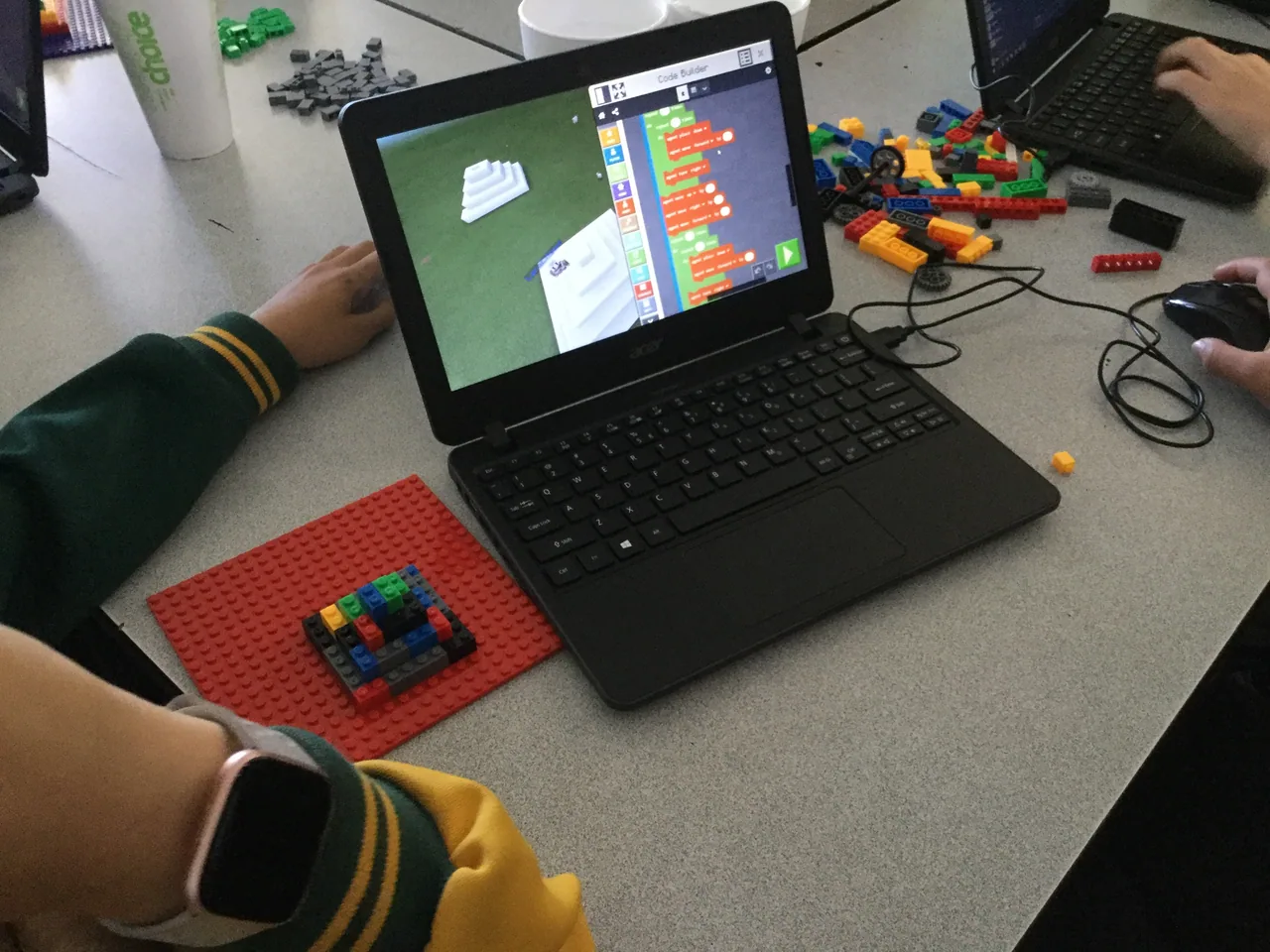
Demonstrate building a cube on a clear Beebot mat by stepping through grid squares and placing blocks step by step. Have a student record the actions on the board while the class refines the steps into loops. Students then use Lego blocks and figures to physically act out algorithms before entering the code into Minecraft to see if the Agent duplicates their Lego cube.
- Complex Builds and Peer Assessment
Review physical algorithm modeling by demonstrating a more complex structure, such as stairs. In pairs, students construct a custom Lego item and write matching code for the Agent to build it. Partners swap creations, build a Lego challenge for each other, and verify that the recorded code accurately reproduces the target item.
Assessment: success criteria
- Direct the Agent forwards, backwards, left, and right using block code.
- Explain how repeat loops, nested loops, and conditionals make code more efficient.
- Act out an algorithm using Lego blocks and program the Agent to reproduce the build.
- Write and verify accurate code to match a physical challenge set by a peer.
Differentiation
Allow students to walk their algorithm on the Beebot grid mat with a partner before assembling their code blocks.
Challenge students to design complex multi-level structures, such as stairs, using the minimum possible number of nested loops.
Knowledge check
5 questions to check understanding after the lesson. Tap an answer to see if it is right; the score appears at the end.
1Which in-game character do students program to move and place blocks?
Answer: A. The curriculum focuses on writing block code to guide the Minecraft Agent.
2What physical materials do students use to act out their code before programming it?
Answer: B. Students use Lego blocks and figures to test and represent their algorithms physically.
3Where do student teams upload snips of their completed code as evidence?
Answer: C. The lesson directs students to take a snip of their code and add it to Padlet.
4Which coding structure is demonstrated using the construction of a cube?
Answer: D. The teacher introduces nested loops using a cube to demonstrate repeating rows and layers.
5How do students evaluate one another during the final coding challenge?
Answer: A. Students create a Lego item for a peer and verify that the recorded code successfully duplicates it.
Resources
- Lesson package (.zip)Everything the author attached to this lesson in one download.
- Digital Technologies Year 6 Minecraft Coding PlannerTerm Planner for Year 6
- Block 1 Lesson 1 Coding Fundamentals Educator Guide
- Block 1 Lesson 2 Coding Fundamentals Educator Guide
- Block 1 Lesson 3 Coding Fundamentals Educator Guide
- Block 1 Lesson 4 Coding Fundamentals Educator Guide
- Block 1 Lesson 5 Coding Fundamentals Educator Guide
- Block 1 Lesson 6 Coding Fundamentals Educator Guide
- Coding the Agent Student ExamplesExamples of students work translating between code and Lego builds
Frequently Asked Questions
How long does this entire coding unit take to teach?
This unit is designed as a multi-week program covering nine lessons, progressing through the six Coding FUNdamentals Block 1 modules before moving into physical Lego modeling and peer challenges.
What equipment is required for the offline portion of the lessons?
Teachers need a clear Beebot floor mat, building blocks, and sets of Lego bricks with minifigures so students can physically walk through and assemble their structures before writing code.
How is code efficiency taught to students who are new to programming?
Instruction begins with the teacher displaying long strings of repetitive code on an interactive whiteboard. Students discuss how to refine those lines using repeat loops, nested loops, and conditionals to achieve the same result with fewer blocks.
Adapted from Coding the Agent by Victorian Minecraft Innovators on Minecraft Education, last updated Apr 28, 2021. This classroom version, the timings and the quiz were written by 9Minecraft Education.