- Type
- Lesson plan
- Ages
- Ages 8+
- Duration
- 45 min
- Level
- Beginner
- Includes
- Quiz: 5 questionsMinecraft world
How can teams use strategic communication, coding, and shared criteria to design and evaluate 3D builds together?
Overview
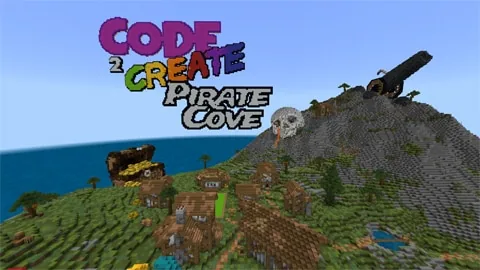
Code 2 Create: Pirate Cove introduces learners to collaborative esports through creative build battles. Working in small crews aboard pirate ships, students combine computational thinking, spatial awareness, and strategic communication to construct themed models under a time limit.
Minecraft Education serves as both the arena and the assessment environment. Students leverage coding tools to build, evaluate peer submissions using in-game voting platforms, and can even preserve their creations using structure blocks for 3D printing.
Learning objectives
By the end of this lesson students will be able to:
- Apply coding and computational thinking skills to construct a collaborative 3D build.
- Establish and apply shared criteria to evaluate peer builds objectively.
- Communicate and coordinate effectively within a small team during a timed build battle.
- Record personal reflections and future improvement targets inside a player journal.
Blocks and items used in this lesson


Key vocabulary
- Structure Block
- A specialized block used to capture, save, and export 3D models from the game.
- Peer Assessment
- The process where students review and score each other's work against agreed rules.
- Shoutcaster
- A commentator who provides live analysis and descriptions of match events.
- Computational Thinking
- Solving problems by breaking them down into logical, repeatable steps.
Before class
Lesson sequence
Suggested timing: about 45 minutes in total.
- Briefing and Criteria Setup10 min
Introduce the pirate theme and propose a build challenge suited to the group's skill level. As an optional warm-up for 3D visualization, present a 2D geometric shape for students to translate into three dimensions. Work with the class to agree on the scoring criteria that will determine the winning build.
- Team Build Battle20 min
Organize students into crews of four to six players stationed on the pirate ships. Teams strategize, code, and place blocks to complete their challenge. Spectating students can cheer or take on official esports roles such as shoutcasters, media reporters, team coaches, or gameplay analysts.
- Peer Assessment and Voting5 min
Allow students to inspect the opposing builds against the agreed criteria. Spectators and participants cast their votes by moving onto designated voting platforms within the allotted time.
- Journal Reflection and Goal Setting10 min
Guide learners through their Professional Play journals using structured prompts. Students evaluate their collaboration, identify individual strengths, analyze team performance, and set actionable goals for the next match.
Assessment: success criteria
- Teams demonstrate collaborative planning and apply coding tools toward their 3D build.
- Spectators and players use pre-established success criteria to cast votes on the voting platforms.
- Students complete journal entries analyzing their teamwork, personal strengths, and future improvement goals.
Differentiation
Provide teams with simple 2D reference images of geometric shapes to guide their block placement in the 3D space.
Encourage advanced teams to export their completed models using the structure block for 3D printing or assign them technical roles like shoutcaster or match analyst.
Knowledge check
5 questions to check understanding after the lesson. Tap an answer to see if it is right; the score appears at the end.
1What is the recommended number of players per team in Pirate Cove?
Answer: B. The lesson activity notes recommend organizing students into teams of 4 to 6 players.
2How do student spectators register their final votes for the winning build?
Answer: C. Students indicate their choice under a time limit by standing on the allocated voting platforms.
3Which tool in the lesson is highlighted for exporting builds to 3D print them?
Answer: B. The source notes that players can 3D print their builds using the in-built structure block.
4When should the criteria for evaluating the builds be decided?
Answer: A. Setting clear success criteria before the match starts ensures student judges know how to evaluate builds objectively.
5What is the main purpose of the Professional Play journal?
Answer: D. Students use the journal to practice self-evaluation, understand team roles, and set goals for future improvement.
Resources
Frequently Asked Questions
How can students stay engaged if they are not building during a round?
Spectators can take on active esports roles such as shoutcasters giving live match commentary, media reporters documenting builds, or team coaches and analysts advising on strategy before casting their votes.
Do students need advanced coding experience to play?
No, the lesson is suitable for beginners. Teachers can adjust the complexity of the build prompt to match the class, starting with basic geometric shapes before moving to complex pirate structures.
Adapted from Code 2 Create: Pirate Cove by Minecraft Education on Minecraft Education, last updated Apr 15, 2025. This classroom version, the timings and the quiz were written by 9Minecraft Education.