
- Type
- Lesson plan
- Grade
- Early years (Pre-K to Grade 2)Primary (Grades 3-5)Middle school (Grades 6-8)High school (Grades 9-12)
- Ages
- All ages
- Duration
- 1 hour
- Level
- Beginner
How can teachers and students effectively capture and present meaningful evidence of learning in Minecraft?
Overview
Documenting student growth within an interactive digital environment requires flexible formative and summative evaluation strategies. This guide walks educators through capturing evidence of learning, reflection, and technical skill directly within Minecraft Education as well as through external digital sharing platforms.
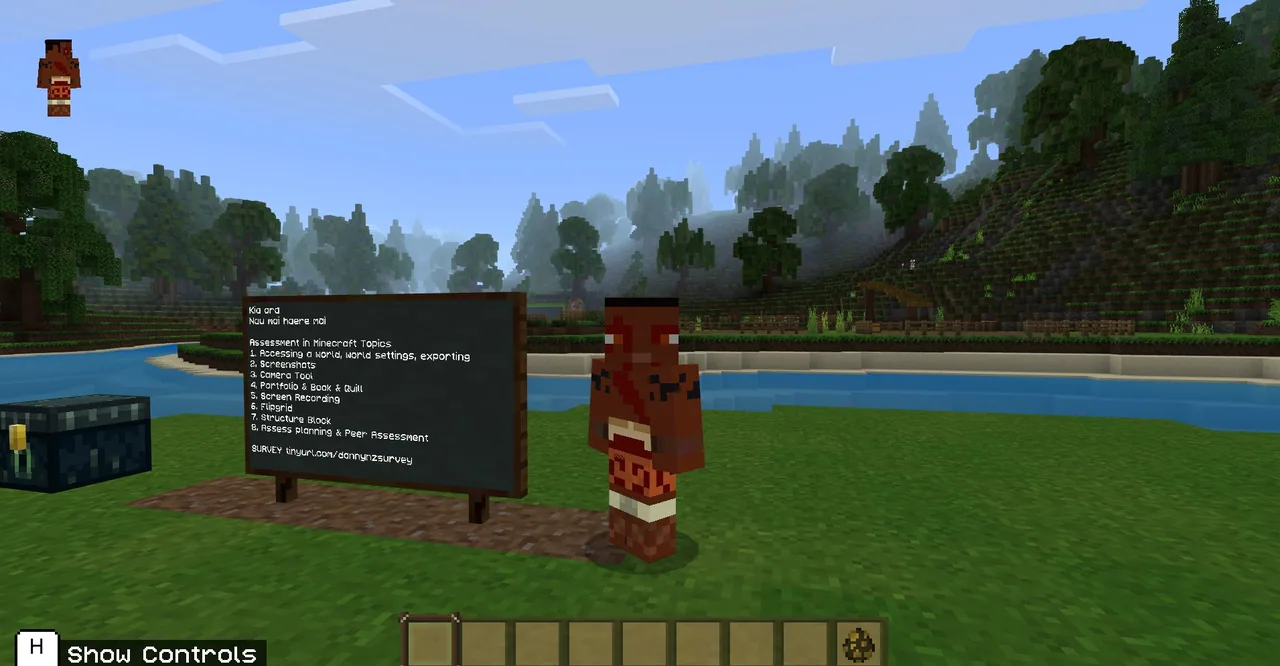
Using a provided environment based on the Ngā Motu world, learners and teachers test a variety of capture utilities. Participants practice documenting their builds and thinking through in-game devices such as the Camera and Portfolio, Book and Quill, Structure Blocks, device screenshots, and video recordings.
Learning objectives
By the end of this lesson students will be able to:
- Capture in-game evidence using the Camera tool, Portfolio, and Book and Quill.
- Export and document student progress using platform screenshots and screen recording techniques.
- Utilize external tools like Flipgrid to share video walkthroughs and verbal reflections.
- Demonstrate how Structure Blocks can save or document specific student-built structures.
Blocks and items used in this lesson


Key vocabulary
- Portfolio
- An in-game item that collects photographs taken with the Camera and allows captions to be added.
- Book and Quill
- An item that enables players to write multi-page text notes and insert pictures to document their work.
- Structure Block
- A specialized block used to capture, save, and export 3D building data inside the game.
- Formative Assessment
- Ongoing checks and documentation used to guide and improve student learning during an activity.
Before class
Lesson sequence
Suggested timing: about 60 minutes in total.
- Introduction to Documentation Tools10 min
Review the purpose of collecting formative and summative evidence during creative building tasks. Introduce the supporting Minecraft Class Treaty and Planning Sheet to frame behavioral expectations and project goals.
- In-Game Documentation Practice20 min
Load the Ngā Motu practice world and equip the Camera, Portfolio, and Book and Quill. Have participants take pictures of specific structures, arrange them in the Portfolio with captions, and compile written notes inside a Book and Quill.
- External Captures and Structure Blocks15 min
Demonstrate device-level screenshots across PC, Mac, Chromebook, and iPad hardware. Practice using Structure Blocks to capture distinct builds, followed by quick screen recording setups to record live walkthroughs.
- Peer Feedback and Reflection15 min
Pair participants using the Peer Feedback Form to review each other's collected portfolios and recordings. Discuss how platforms like Flipgrid allow learners to record brief video explanations of their final builds.
Assessment: success criteria
- Participant compiles a completed Portfolio or Book and Quill containing photos with relevant descriptive text.
- Participant demonstrates taking an accurate device screenshot or brief screen recording of their world.
- Participant correctly places and configures a Structure Block to highlight a custom build.
- Participant completes a Peer Feedback Form evaluating another learner's documented evidence.
Differentiation
Focus primarily on using the Camera and Portfolio items to take and label basic snapshots before attempting external recording.
Incorporate Structure Blocks and recorded video walkthroughs on Flipgrid with comprehensive verbal explanations.
Knowledge check
5 questions to check understanding after the lesson. Tap an answer to see if it is right; the score appears at the end.
1Which in-game item is specifically used to collect photos taken with the Camera and add written captions?
Answer: B. The Portfolio stores photos taken with the Camera tool so players can add captions to them.
2What is the primary function of a Structure Block mentioned in this training?
Answer: A. Structure Blocks allow players to define, save, and capture specific blocks and creations.
3Which downloadable template from the lesson helps students review each other's documentation?
Answer: C. The Peer Feedback Form is supplied specifically for students to give feedback on work.
4What external video platform is highlighted for sharing student-recorded Minecraft walkthroughs?
Answer: A. The source specifically mentions using Flipgrid as a way to share recordings and reflections.
5What famous New Zealand setting is the supplied training world based upon?
Answer: B. The introductory notes specify that the supplied world is based on the Ngā Motu Maori World.
Resources
- Lesson package (.zip)Everything the author attached to this lesson in one download.
- Minecraft Class TreatyAn editable PowerPoint Template for teachers to use with students
- Peer Feedback FormAn editable PowerPoint File that teachers can use to get students to provide peer assessment
- Minecraft Planning SheetAn editable PowerPoint file that teachers can use for students to plan solo, or group builds
Frequently Asked Questions
Is this lesson intended only for teachers, or can students participate?
While originally designed as professional development for educators, the provided world and activities can easily be adapted for students to practice documenting and reflecting on their own projects.
Which platforms can students use to take device screenshots?
The training covers screenshot techniques across a variety of hardware including Windows PCs, Macs, Chromebooks, and iPads.
Adapted from Assessment in Minecraft Education Edition - A Guide For Teachers by Danny Bedingfield on Minecraft Education, last updated Feb 4, 2022. This classroom version, the timings and the quiz were written by 9Minecraft Education.





































