How can teachers use the core mechanics of Minecraft Education to design engaging learning experiences across different subjects?
Overview
This professional development lesson introduces teachers and school staff to the fundamentals of Minecraft Education. Participants explore navigation, item placement, and diverse transportation modes while considering how game-based learning supports project-based learning and student collaboration across various subjects.
By directly experiencing player movement, inventory management, and block construction, educators gain the practical skills needed to design classroom activities. The session guides teachers to reflect on student accessibility, subject-specific builds, and lesson structures that enrich their existing curricula.
Learning objectives
By the end of this lesson students will be able to:
- Navigate within a 3D environment using standard movement and placement controls
- Construct a basic structure using items selected from the creative inventory
- Compare different movement options, including walking and rail travel
- Identify lesson structures and building tasks that align with specific grade-level curriculum topics
Blocks and items used in this lesson


Key vocabulary
- Inventory
- The menu where players browse, select, and manage blocks and items for building.
- Rail Transport
- A movement method using laid tracks and carts to travel across distances in a Minecraft world.
- Pedagogy
- The methods and practices an educator uses to deliver instruction and support student learning.
Before class
Lesson sequence
Suggested timing: about 70 minutes in total.
- Controls and Navigation15 min
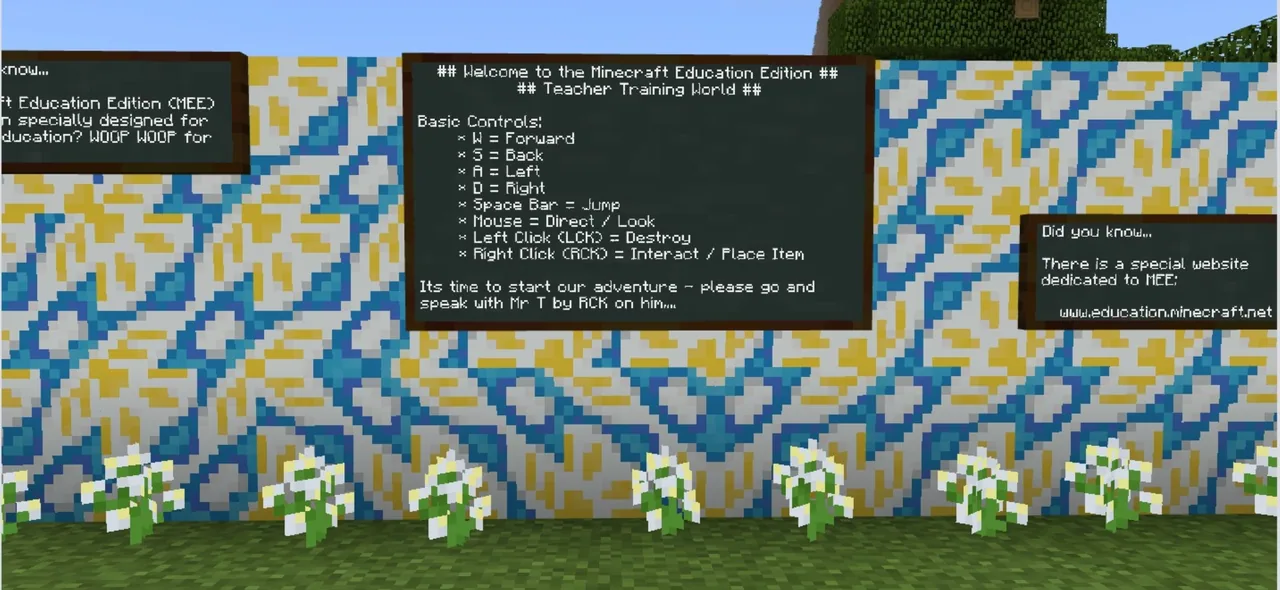
Demonstrate basic player controls for looking, walking, jumping, and placing blocks. Allow participants time to practice navigating the space and discuss how to adjust or simplify controls for younger learners.
- Inventory and House Construction25 min
Guide educators through opening their inventory, selecting materials, and constructing a simple house. Emphasize how practicing these steps mirrors the initial onboarding process their own students will experience.
- Exploring Transit and Lesson Models15 min
Have participants ride a rail line to examine alternative transport systems in the game. Prompt discussions around how moving through distinct areas can serve as a way to organize lesson stages or showcase student projects.
- Curricular Reflection and Feedback15 min
Ask educators to share specific structures or worlds their students could build tomorrow to support current units of study. Conclude by collecting participant feedback to guide future staff development sessions.
Assessment: success criteria
- Participant successfully maneuvers through the world and places building blocks.
- Participant retrieves materials from the inventory to complete a simple house.
- Participant identifies at least one practical classroom build mapped to their subject area.
- Participant submits written or verbal feedback reflecting on their learning experience.
Differentiation
Pair beginners with a colleague to practice basic keyboard and mouse navigation side by side.
Prompt confident users to design a specialized thematic environment or complex rail circuit tailored to a specific lesson plan.
Knowledge check
5 questions to check understanding after the lesson. Tap an answer to see if it is right; the score appears at the end.
1What initial structure do participants construct to practice using their inventory?
Answer: C. The workshop directs educators to explore their inventory and build their first house.
2Which alternative mode of travel do teachers test during the session?
Answer: A. The source specifically notes that participants travel via rail to experience a different mode of transport.
3What question should workshop leaders ask regarding younger learners?
Answer: B. Leaders are prompted to ask how controls could be made more accessible to younger students.
4Why are participants asked to leave feedback at the end of the session?
Answer: D. Feedback is collected to help the trainer reflect upon and improve future workshops.
5How does the training suggest Minecraft Education can be used across the curriculum?
Answer: C. The session investigates lesson ideas demonstrating that the platform can support all curriculums and subjects.
Frequently Asked Questions
Is a specific template world required to run this session?
The training references the Lesson Hub Volume I template world, but the core exercises such as movement, inventory management, building a house, and rail travel can be conducted in any standard creative world.
What age group is this training material suitable for?
While written primarily for faculty professional development, the foundational skills covered apply to learners of all ages who are new to the platform.
Adapted from Teacher Training World by Andy Turner on Minecraft Education, last updated Feb 14, 2018. This classroom version, the timings and the quiz were written by 9Minecraft Education.