- Type
- Lesson plan
- Ages
- Ages 11-13
- Includes
- Quiz: 5 questions
How can coding and virtual simulation help us design, automate, and repeat scientific experiments?
Overview
Scientific inquiry requires establishing clear hypotheses, controlled environments, and repeatable methods. By framing research questions around measurable variables, learners discover how evidence-based testing helps validate or challenge scientific assumptions.
Minecraft provides a versatile simulation sandbox where accelerated cycles, day-and-night phases, and programmable tools allow students to run experiments that might be impractical in a standard classroom. Using the Agent and command blocks, students automate repetitive tasks to collect reliable data across multiple trials.
Learning objectives
By the end of this lesson students will be able to:
- Formulate a testable hypothesis concerning plant growth under artificial lighting conditions.
- Deconstruct experimental tasks into sequential steps using planning flowcharts.
- Write code or use command blocks to automate repetitive setup and planting tasks.
- Gather and compare data across multiple trials to reach evidence-supported conclusions.
Blocks and items used in this lesson


Key vocabulary
- Hypothesis
- A proposed explanation or prediction that can be tested through scientific investigation.
- Control Condition
- The standard baseline setup kept constant to provide a comparison against experimental changes.
- Experimental Condition
- The test environment where one specific variable is altered to observe its effect.
- Iteration
- The process of developing, testing, and refining code in small, repeated steps.
- Command Block
- An in-game block that executes specific text commands to alter the environment or manage events.
Before class
Lesson sequence
- Demonstration and Inquiry
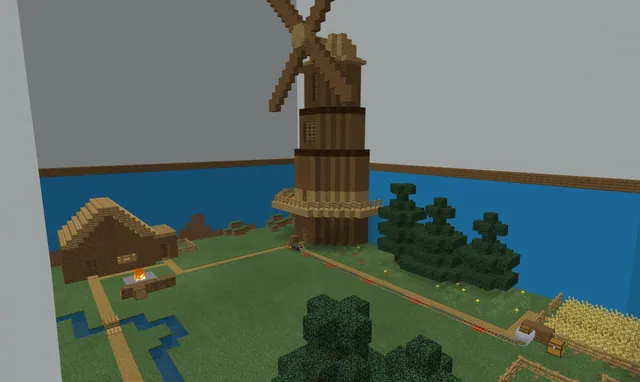
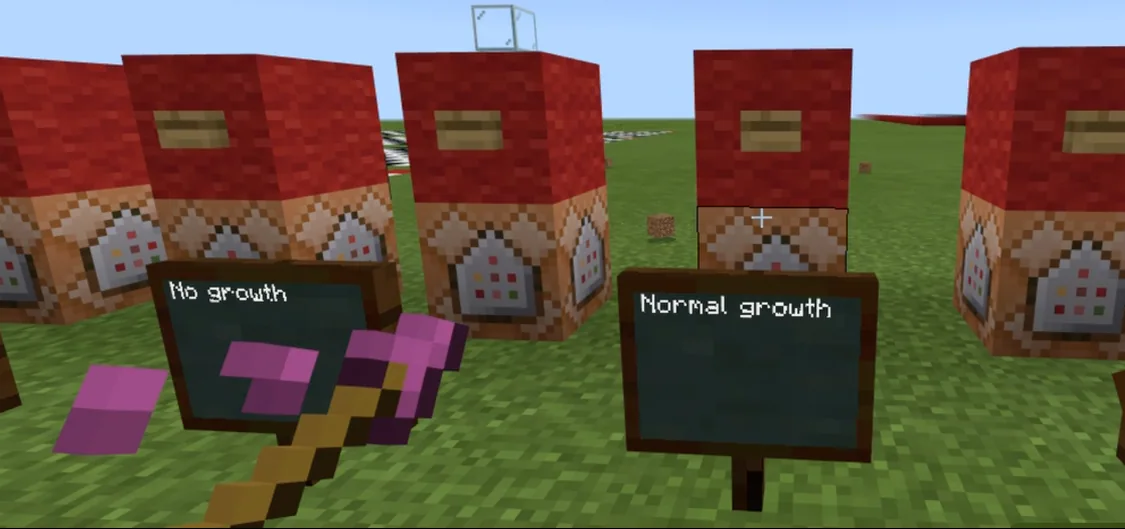
Introduce the model farming experiment through the demonstration video. Pose the central question: Will plants continue to grow at night if exposed to artificial light sources such as torches?
Lead a group discussion on how this test could be conducted manually versus using code or command blocks, focusing on the value of automation for repeatability.
- Deconstruction and Flowcharts
Organize students into small teams to break down the investigation into distinct tasks. Have groups identify components such as planting one bed, planting multiple rows, managing growth cycles, and controlling light exposure.
Each team creates a flowchart illustrating the procedural logic and the flow of activities before writing any in-game code.
- Peer Review
Teams swap their flowcharts with another group to compare logic, discuss potential issues, and provide constructive feedback. Allow time for groups to revise their plans based on peer suggestions.
- Iterative Coding and Testing
Students launch a Minecraft world and begin constructing their experiment. Learners program their Agent or set up command blocks, starting small with a single bed before expanding.
Emphasize an iterative workflow: code a component, test it in the world, save progress, and refine before adding more complexity.
- Data Collection and Extended Inquiry
Teams run their completed farm experiment multiple times, recording observations and compiling evidence to answer the core hypothesis.
Once finished, students apply the same scientific and coding methods to design, code, and carry out their own unique experiment, presenting their findings to the class.
Assessment: success criteria
- The student designs a flowchart that accurately breaks down the experiment into manageable steps.
- The student implements code or commands that successfully automate repetitive experimental tasks.
- The student records data across multiple trials to determine the effect of artificial light on plant growth.
- The student clearly explains findings using gathered evidence during the final presentation.
Differentiation
Allow students to assemble farm plots manually and focus their coding solely on automating the planting of a single bed.
Have students design an original experiment investigating other in-game variables, such as movement rates or custom command-block timers.
Knowledge check
5 questions to check understanding after the lesson. Tap an answer to see if it is right; the score appears at the end.
1What specific question does the introductory farming experiment aim to test?
Answer: B. The lesson's exemplar experiment examines whether torches provide enough light for crops to grow through the night.
2What is the primary benefit of using code or command blocks during experiments?
Answer: D. Coding allows students to handle repeated tasks efficiently and create reliable conditions across multiple trials.
3What planning step should teams complete before programming in Minecraft?
Answer: A. Students are instructed to deconstruct the experiment and create a flowchart plan before writing in-game code.
4How does the lesson recommend students handle the coding process?
Answer: C. Coding is described as an iterative process where students build, test, and save frequently in small chunks.
5What is the next task for students after concluding the initial farming experiment?
Answer: B. Once the farming model is complete, students use the exemplar to design and run their own independent experiments.
Frequently Asked Questions
Can students run the initial farming experiment without using code?
Yes. Students can set up and run the experiment manually to establish a baseline, though incorporating code or command blocks helps them understand how automation creates efficiency and consistency.
Why is Minecraft suitable for conducting scientific experiments?
The virtual environment simulates real-world physical rules while offering accelerated day-and-night cycles and programmable conditions that make testing easier to observe and control than in a physical classroom.
Adapted from STEM Experiments by Victorian Minecraft Innovators on Minecraft Education, last updated Apr 27, 2021. This classroom version, the timings and the quiz were written by 9Minecraft Education.