- Type
- Lesson plan
- Ages
- Ages 11-18
- Includes
- Quiz: 5 questions
How can recursive coding algorithms be used to model the natural and geometric shape of Mount Fuji in Minecraft?
Overview
Students explore the geography, history, and cultural significance of Mount Fuji through introductory research on Japanese culture and landscapes. Investigating the natural form of this iconic landmark helps learners connect physical geography with geometric structure.
Using Minecraft Education and Code Connection, students program their Agent inside MakeCode to construct Mount Fuji. Rather than placing blocks by hand, learners practice advanced computer science concepts by implementing recursive functions to automate the mountain build.
Learning objectives
By the end of this lesson students will be able to:
- Investigate the cultural significance and geographical characteristics of Mount Fuji and Japan.
- Establish a working link between Minecraft Education and Code Connection.
- Formulate and apply recursive functions in MakeCode to control the Agent.
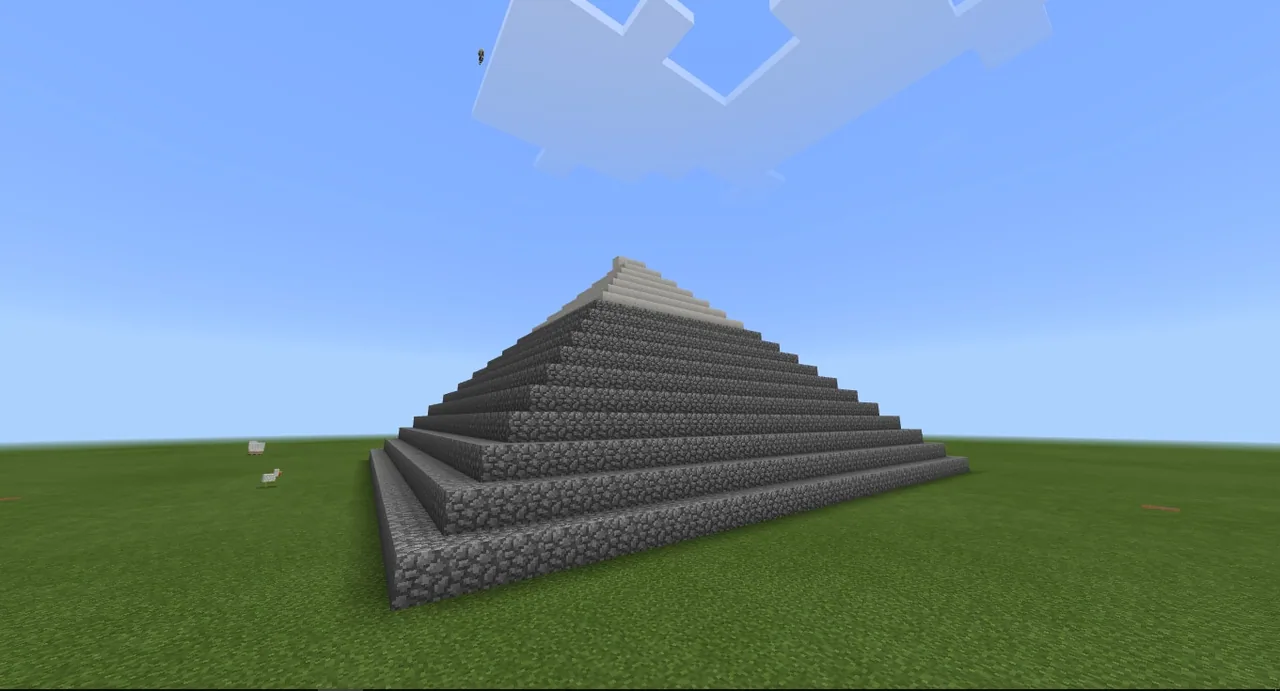
- Construct a complete model of Mount Fuji using only the Minecraft Agent.
- Document the build process using the in-game camera, exported code files, and digital portfolio tools.
Blocks and items used in this lesson


Key vocabulary
- Mount Fuji
- An iconic, geometrically shaped mountain and cultural landmark in Japan.
- Code Connection
- A utility that connects Minecraft Education to programming environments such as MakeCode.
- Agent
- A programmable helper in Minecraft that executes building and movement commands.
- Recursive Function
- A programming routine that repeatedly calls itself to solve smaller instances of the same task.
Before class
Lesson sequence
- Culture and Geography Brainstorm
Facilitate a class discussion to discover what students know about Japanese culture. Direct students to conduct web research using encyclopedia sources to examine the geography, history, and geometric profile of Mount Fuji.
- Software Setup and Connection
Guide students to launch Minecraft Education and establish a bridge to Code Connection, selecting MakeCode as their coding editor.
- Agent Programming with Recursion
Instruct students to write code for the Minecraft Agent to build Mount Fuji. Emphasize that all building must be done by the Agent and encourage the use of recursive functions to handle the tiered geometric structure.
- Documentation and Presentation
Have students use the in-game camera to photograph their completed mountain. Students then export their code and compile their work into an Office Mix presentation or a portfolio website.
Assessment: success criteria
- The student links Minecraft Education to Code Connection and accesses MakeCode successfully.
- The model of Mount Fuji is built entirely through Agent automation rather than player placement.
- The submitted code demonstrates the use of recursive functions to generate the mountain structure.
- The digital portfolio includes captured screenshots, exported code, and explanations of Mount Fuji.
Differentiation
Review basic Agent movement and block-placement loops before introducing recursive function structures.
Encourage students to adjust their recursive calculations to accurately reflect Mount Fuji's specific slope and summit proportions.
Knowledge check
5 questions to check understanding after the lesson. Tap an answer to see if it is right; the score appears at the end.
1Which entity must students program to construct Mount Fuji?
Answer: A. The lesson specifies that students build Mount Fuji exclusively using the Minecraft Agent.
2Which specific programming approach are students encouraged to use in MakeCode?
Answer: B. The activity asks students with coding experience to implement recursive functions for the build.
3What application is used to connect Minecraft Education to MakeCode?
Answer: C. Students establish a link between Minecraft Education and MakeCode using Code Connection.
4Which country's culture and geography do students examine at the start of the lesson?
Answer: D. The lesson introduces students to Japanese culture and the geography of Japan through Mount Fuji.
5How can students document their finished project according to the lesson?
Answer: A. The source outlines using the camera tool, exporting code, and creating digital portfolios or Office Mix presentations.
Frequently Asked Questions
Are students permitted to build parts of Mount Fuji by hand?
No, the lesson emphasizes that the mountain must be generated entirely through commands given to the Minecraft Agent using Code Connection.
Is a pre-made Minecraft world file required for this lesson?
No downloadable world is supplied; students can set up Code Connection in a standard Minecraft Education world to run their programs.
Adapted from Mount Fuji & Code Connection by Yunus Emre Calik on Minecraft Education, last updated Jan 19, 2018. This classroom version, the timings and the quiz were written by 9Minecraft Education.