- Type
- Lesson plan
- Ages
- Ages 6-13
- Skills
- CommunicationCreativity
How can we represent our personal identity and appearance using pixel art and haiku poetry?
Overview
This introductory lesson invites students to explore personal identity by asking who they are, what they look like, and what they care about. Combining literacy with visual design, students examine how digital characters are formed from pixels, draft their own portrait on grid paper, and compose a short autobiographical haiku.
Students then enter Minecraft Education to build their digital portrait vertically block by block and display their poem on a sign or board. The activity serves as an accessible introduction to the game, teaching beginners how to configure a flat Creative world, navigate the inventory, place and break blocks, document their work, and export their project files.
Learning objectives
By the end of this lesson students will be able to:
- Identify the structural features of a haiku poem.
- Compose an autobiographical haiku poem about personal identity.
- Design a personal self-portrait using a grid paper pixel layout.
- Construct a vertical pixel portrait and display poetry using signs or boards in Minecraft.
Blocks and items used in this lesson


Key vocabulary
- Pixel
- A small square of color that joins with others to form a digital image.
- Skin
- The visual appearance or costume of a character model in Minecraft.
- Haiku
- A short poetic form focused on expressing an idea through counted syllables.
- Board
- An in-game writable surface that provides space to display longer text.
Before class
Lesson sequence
- Pixel Me: Grid Planning
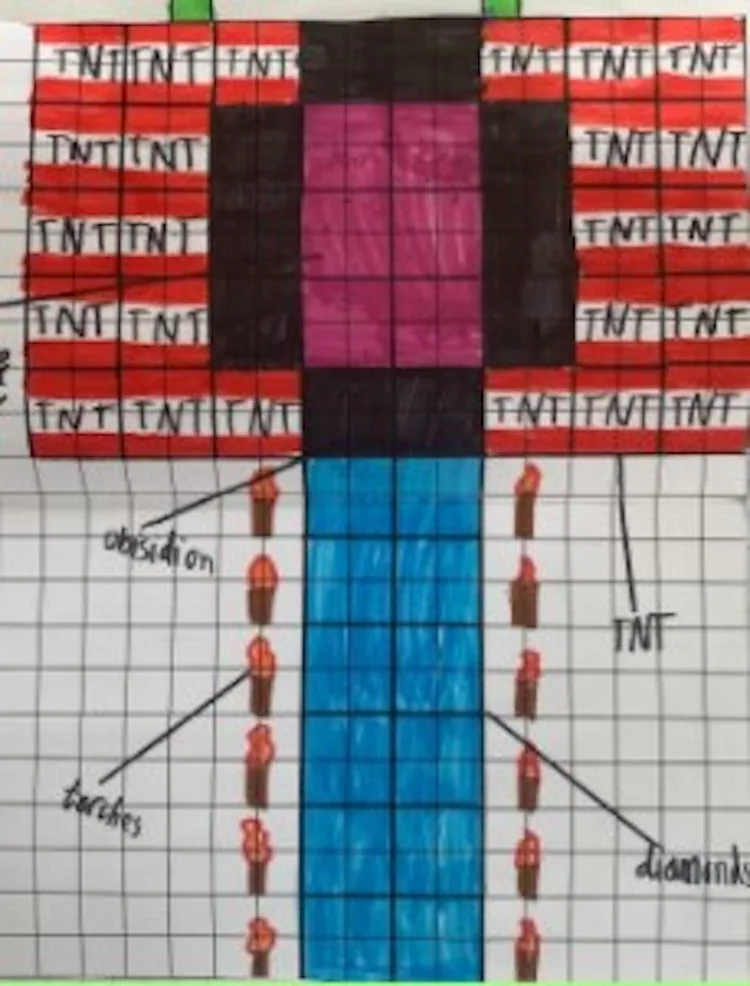
Show students examples of Minecraft skins and NPC characters to explore how pixelated images work. Discuss what they observe about facial features and blocky shapes. Students then use grid paper to map out an individual pixel self-portrait representing themselves as a Minecraft character.
- Haiku Me: Writing Identity Poems
Introduce the structure of haiku poetry using short, engaging examples. Have students write an original 'About Me' haiku focusing on who they are and what they care about. The poem will serve as the text companion to their visual portrait.
- Minecraft Setup & Basic Controls
Acknowledge that students have different experience levels and guide the class together step by step: log in, pick a skin, generate a new flat world in Creative mode, and name it Haiku Me [Student Name]. Walk through inventory access and demonstrate how to place and break blocks.
- Building the Portrait and Displaying Poetry
Students recreate their grid-paper portrait in the world using blocks, building vertically for easier viewing and photographing. Once the portrait is built, students place a sign or board directly in front, write their haiku upon it, and sign their first name on the final line.
- Capture, Export, and Reflect
Demonstrate how to capture the completed artwork and text using a screenshot or the in-game camera. Instruct students to save and export their world file to the class area so their work is preserved across shared computers. Students may also use Immersive Reader to listen to their classmates' poems.
Assessment: success criteria
- Student writes an original haiku poem reflecting their personal identity.
- Student produces a completed pixel design on grid paper prior to digital construction.
- Student constructs a vertical pixel portrait matching their planned layout in Minecraft.
- Student places a readable sign or board displaying their haiku and name.
- Student successfully saves and exports their world file to the designated portfolio location.
Differentiation
Provide syllable-counting support for the haiku and a pre-drawn portrait boundary on grid paper, using Immersive Reader to verify the written board text.
Fast finishers can experiment with detailed color shading across their vertical portrait or capture multiple perspective shots using the camera tool.
Knowledge check
5 questions to check understanding after the lesson. Tap an answer to see if it is right; the score appears at the end.
1What world type are students directed to generate for this project?
Answer: B. The lesson steps guide students to create a flat world set to Creative mode.
2Why are students encouraged to build their pixel portraits vertically?
Answer: A. Vertical construction allows students to view and capture the completed face and accompanying text cleanly from the ground.
3Where do students map out their pixel portrait before entering Minecraft?
Answer: C. Students first learn about pixels and plan their personal representation on grid paper.
4Which in-game item is suggested to hold the student's haiku poem in front of the build?
Answer: C. Signs or boards are introduced to display the haiku lines and student author name.
5Why must students export their Minecraft world files at the end of class?
Answer: A. Because files remain on the local machine, exporting ensures students on shared laptops can import their work onto another computer later.
Resources
- Lesson package (.zip)Everything the author attached to this lesson in one download.
- Minecraft - Haiku PoetryStudent Project ppt file
- Minecraft - Pixel PortraitStudent Project ppt file
- Haiku Pixel ME Work SamplesStudent on-paper examples prior to working in Minecraft
Frequently Asked Questions
How can students check the text of their poems inside the game?
Students can use the built-in Immersive Reader tool on their signs or boards to have the haiku read aloud, which helps verify syllable pacing and text accuracy.
Why is it important to pace the Minecraft setup as a whole class?
Classrooms often include both experienced players and complete beginners, so walking through world creation and controls together ensures no student is left behind.
Adapted from Haiku Pixel ME by Victorian Minecraft Innovators on Minecraft Education, last updated Apr 27, 2021. This classroom version, the timings and the quiz were written by 9Minecraft Education.