- Type
- Lesson plan
- Ages
- Ages 8+
- Duration
- 45 min
- Level
- Beginner
- Includes
- Quiz: 5 questionsMinecraft world
How can teams use effective communication, coding, and shared criteria to design and evaluate 3D creations?
Overview
Maker spaces and design challenges offer a dynamic environment for students to build computational thinking, collaboration, and spatial visualization skills. In this lesson, learners participate in a structured build battle that challenges them to plan, communicate, and execute creative projects as a team under clear success criteria.
Using Minecraft Education, teams utilize coding and 3D modeling tools alongside the in-game structure block to bring maker-themed concepts to life. Spectators take on active roles such as analysts or shoutcasters before evaluating peer entries on voting platforms and recording self-assessments in personal play journals.
Learning objectives
By the end of this lesson students will be able to:
- Collaborate within a team to plan and construct a 3D design based on a maker-space theme.
- Apply coding and 3D visualization skills to translate concepts into the game environment.
- Assess peer builds objectively using pre-determined success criteria.
- Reflect on team dynamics and personal performance using a structured journal.
Blocks and items used in this lesson


Key vocabulary
- Structure Block
- An in-game tool used to capture, save, and export 3D builds.
- Success Criteria
- A clear set of standards used to judge the quality and completion of a task.
- Shoutcaster
- A commentator who provides live play-by-play reporting during a match or competition.
Before class
Lesson sequence
Suggested timing: about 45 minutes in total.
- Introduction and Criteria Setting10 min
Introduce the maker space theme and propose the build challenge. Collaborate with the class to define clear success criteria for evaluating entries. If extra spatial practice is needed, present a 2D geometric drawing for students to visualize as a 3D model.
- Team Formation and Role Assignment5 min
Organize students into teams of four to six players. Assign non-building participants to support roles such as shoutcasters, media reporters, team coaches, or gameplay analysts.
- Maker Build Battle15 min
Teams work collaboratively in the game to construct their themed object using building and coding skills within the allotted time, supported and observed by spectators.
- Peer Assessment and Voting5 min
Spectators and classmates examine each team's completed structure against the agreed criteria. Students then cast their votes within a strict time window by standing on designated voting platforms.
- Journal Reflection and Goal Setting10 min
Prompt students to write in their Professional Play journals using guided reflection questions. Have learners evaluate their team communication, identify personal strengths, and set actionable goals for future collaborative matches.
Assessment: success criteria
- The team actively collaborates and demonstrates strategic planning during the build phase.
- The completed project accurately represents the assigned theme using 3D design or coding.
- The student evaluates peer builds fairly using the pre-established success criteria.
- The student completes a journal entry evaluating team performance and identifying goals for improvement.
Differentiation
Provide a simple 2D reference diagram of a geometric object for students to directly recreate in the 3D space.
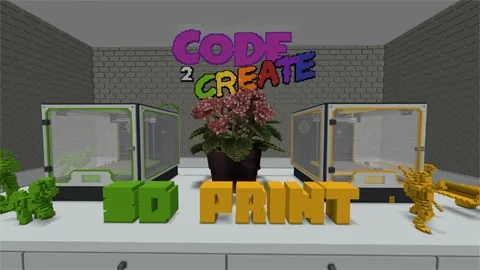
Have students reverse-engineer their completed in-game 3D build by drawing it as a 2D sketch or use the structure block to export their model for 3D printing.
Knowledge check
5 questions to check understanding after the lesson. Tap an answer to see if it is right; the score appears at the end.
1Which in-game feature is used to 3D print or export builds in this lesson?
Answer: A. The lesson specifically notes the use of the in-built structure block to 3D print builds.
2What is the recommended number of players per team for the build battle?
Answer: C. The student activities suggest organizing teams of 4 to 6 players.
3How do students register their votes for the winning team after the battle?
Answer: B. Students vote for the winner by physically standing on the allocated voting platforms in-game.
4What tool do students use to document their self-evaluations and performance reflections?
Answer: D. The teacher notes and activities specify that students record their self-evaluations in a Professional Play journal.
5Which of the following is a role spectating students can take on during the build battle?
Answer: C. The lesson suggests spectating students can act as shoutcasters, media, coaches, or gameplay analysts.
Resources
Frequently Asked Questions
How can 3D spatial thinking be reinforced before the build battle begins?
Provide teams with a 2D drawing of a geometric shape and ask them to translate it into a 3D in-game build, or have them build a shape in Minecraft and sketch it in 2D.
Where can teachers find additional resources to support this esports format?
Educators can consult the Esports Educator framework for further guidance and instructional strategies related to classroom competitive gaming.
Adapted from Code 2 Create: 3D Print by Minecraft Education on Minecraft Education, last updated Apr 15, 2025. This classroom version, the timings and the quiz were written by 9Minecraft Education.