- Type
- Build challenge
- Duration
- about 60 min (suggested)
How can we design a playground that offers welcoming, engaging, and balanced play experiences for children of all abilities?
Overview
Inclusive play spaces are vital for healthy childhood development. When a park incorporates sensory-rich elements alongside varied physical and emotional opportunities, every visitor can find an appropriate level of challenge and experience meaningful success. Designing such spaces requires empathy, thoughtful planning, and an understanding of universal access.
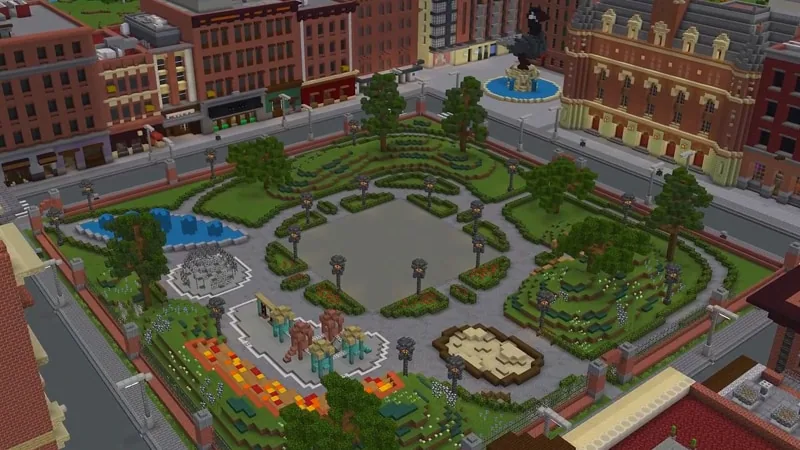
Using Minecraft as a digital design studio, students take on the role of community architects. They build interactive playgrounds tailored to a wide range of ability levels, ensuring that sensory, social, and physical play opportunities are open to all children.
Learning objectives
By the end of this activity students will be able to:
- Identify sensory, physical, and emotional play needs for children with diverse abilities.
- Design and construct an accessible playground in Minecraft that supports varied skill levels.
- Communicate design choices that remove play barriers and encourage inclusive participation.
Blocks and items used in this lesson


Key vocabulary
- Accessible
- Designed so that people of all ability levels can enter, use, and enjoy a space.
- Sensory-rich
- Offering a variety of sights, sounds, textures, and movements that stimulate the senses.
- Inclusion
- Ensuring that everyone is welcomed, valued, and able to participate equally.
- Barrier
- An obstacle that prevents someone from fully participating in an activity or space.
Before class
Lesson sequence
Suggested timing: about 60 minutes in total.
- Warm-up: Understanding Play Spaces10 min
Guide students to reflect on playground experiences that engage the senses and support physical, emotional, and social development. Discuss what makes a space welcoming to everyone regardless of ability.
- Explore: Inclusive Feature Planning10 min
Have students plan park features that offer sensory-rich play and balanced challenges suited for varied ability levels before starting their digital builds.
- Build: Constructing the Park30 min
Students build their accessible play spaces in Minecraft, focusing on inclusive structures that allow all children to play, explore, and succeed.
- Share & Reflect: Park Walkthrough10 min
Learners present their builds to peers, explaining how their specific design choices welcome children of all abilities and remove barriers.
Assessment: success criteria
- The playground contains sensory-rich features that support physical, social, or emotional growth.
- Structures provide accessible play opportunities tailored for children with different abilities.
- The student clearly explains how their design allows all visitors to experience success.
Differentiation
Focus on designing a single accessible play structure with distinct sensory elements before expanding the rest of the park.
Examine five types of accessibility barriers—attitudinal, informational, organizational, physical, and technological—to add multi-layered inclusive solutions.
Knowledge check
5 questions to check understanding after the lesson. Tap an answer to see if it is right; the score appears at the end.
1What is the main goal of the Accessibility Park build challenge?
Answer: A. The challenge asks students to build an accessible playground that offers varied experiences for children of all abilities.
2Which three core skills are directly highlighted in this lesson?
Answer: D. The lesson specifically targets character, communication, and creativity as core skills.
3According to the challenge prompt, what kind of challenge should the play area provide?
Answer: B. The prompt states that the park should provide just the right level of challenge and offer opportunities to succeed.
4Which of the following is NOT one of the five barrier types mentioned in the extension activity?
Answer: C. The lesson lists attitudinal, information/communication, organizational/systemic, physical, and technological barriers.
5Which subject areas are connected to this build challenge?
Answer: C. The source identifies Art and Design, Social and Emotional Health, and Special Education as the core subjects.
Resources
Part of the Social Studies and SEL curriculum
This is lesson 1 of 12 in Social Studies and SEL.
- Accessibility Park
- Build Your Emotion
- BuildAbility
- CyberSafe: Good Game
- Empathy Train
- Empathy Village
- Inspiring Self-Awareness
- Modeling Gratitude
- Reflect World
- Stranger in Crimwell Village
- Teacher Appreciation
- The Mindful Knight
Frequently Asked Questions
Can this build challenge be completed individually or in teams?
Students can work individually or collaborate in small teams to brainstorm, divide park zones, and build a cohesive accessible playground.
What is the BuildAbility world referenced in the extensions?
BuildAbility is an exploration world designed to teach learners about five core accessibility barriers: physical, attitudinal, technological, informational, and organizational.
Adapted from Accessibility Park by Minecraft Education on Minecraft Education, last updated Jun 12, 2025. This classroom version, the timings and the quiz were written by 9Minecraft Education.