- Type
- Lesson plan
- Topics
- ScienceComputer Science
- Grade
- Primary (Grades 3-5)
- Ages
- Ages 8-10
How can a coded model demonstrate the ways a volcanic eruption in the geosphere impacts the atmosphere and biosphere?
Overview
In Earth science, distinct systems interact during natural events. A volcanic eruption demonstrates how the geosphere directly impacts surrounding environments by releasing lava that burns plant life in the biosphere and ejecting gases and ash into the atmosphere.
Using Minecraft Education and Code Builder, students excavate an interior chamber inside a mountain, log precise world coordinates, and script a sequential eruption. Their code sets the scene to night, launches fireworks into the air to model airborne ash, places lava to trigger a forest fire, and detonates TNT to blast the mountain peak.
Learning objectives
By the end of this lesson students will be able to:
- Model the interactions between the geosphere, biosphere, and atmosphere during an eruption.
- Distinguish between relative coordinates and world coordinates in Code Builder.
- Use advanced shape commands to generate a hollow sphere inside a landform.
- Program a timed sequence of actions using pause commands and block placements.
Blocks and items used in this lesson


Key vocabulary
- Geosphere
- The solid, rocky parts of the Earth, including mountains, rocks, and minerals.
- Biosphere
- The regions of Earth where living organisms exist, such as forests and plant life.
- Atmosphere
- The blanket of gases surrounding the Earth that receives ash and smoke during an eruption.
- World coordinates
- Fixed, absolute position coordinates that pinpoint exact locations in the Minecraft world.
- Relative coordinates
- Position values based on the player's current location, represented with tildes (~).
Before class
Lesson sequence
- Hollow the Chamber and Record Coordinates
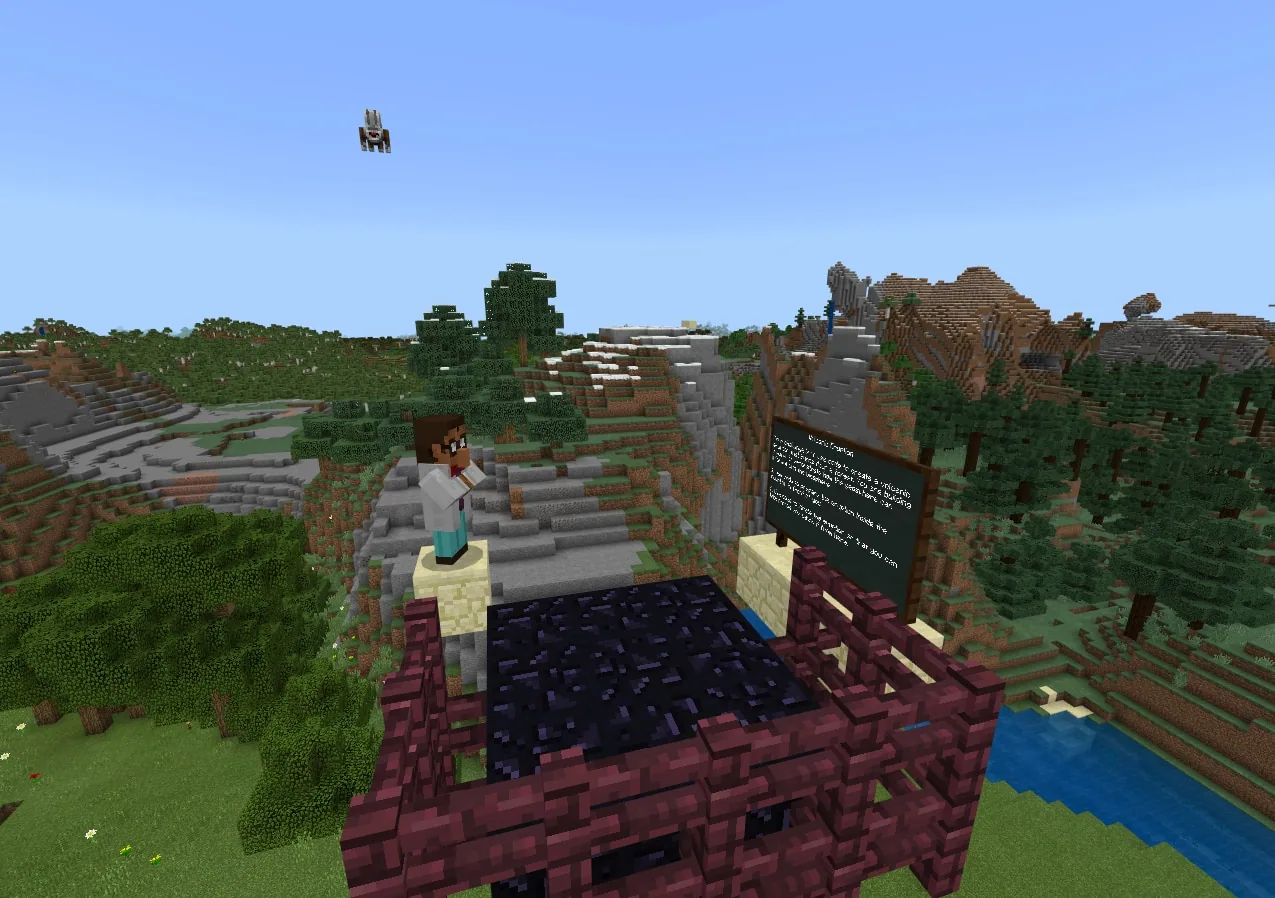
Students fly to the mountain and descend into the 5-block deep opening. They run an advanced shape command to create an air sphere with a radius of 5 centered at their position (~0 ~0 ~0). Caution students not to enlarge the radius, as doing so will break the mountain sides.
Inside the hollow chamber, students construct a 5-block stone column at the center, stand on top, and record its world coordinates. They then locate and record coordinates for at least three downhill points on the mountain where lava can flow directly into the forest.
- Set Up Atmospheric Fireworks and Test Commands
Students locate the dispensers near the summit, load them with firework rockets, and record the world coordinates of the sandstone block in front of them (such as 1587 94 183).
Students then build and individually test three chat commands: 'midnight' to set the time, 'fireworks' to place a redstone torch at the sandstone coordinates to activate the dispensers, and 'lava' to place lava atop the central column and along the downhill mountain coordinates.
- Rig the Volcano and Code the Sequence
Students place 15 to 20 TNT blocks inside the volcano base. They must ensure at least 2 empty blocks remain between the column top and the TNT, because TNT ignites only when flowing lava touches its side.
In Code Builder, students assemble a final 'volcano' chat command that runs the sequence: time set to midnight, placing the redstone torch, and placing each lava block, separating every single action with a 1000 ms pause block.
- Simulate and Record the Eruption
Students ready their in-game camera to record visual evidence, then trigger the 'volcano' command. They document the fireworks simulating ash in the atmosphere, lava starting a forest fire in the biosphere, and the TNT blast detaching the mountain peak.
- Scientific Reflection and Discussion
Students review their recording and respond to reflection questions: identifying which Earth system the volcano represents, explaining how it affected the biosphere and atmosphere, and proposing ways they could model interactions with the hydrosphere.
Assessment: success criteria
- Uses relative coordinates to generate an internal sphere without destroying the mountain exterior.
- Correctly records and inputs world coordinates for dispensers, the column, and lava paths.
- Constructs a sequenced chat command with appropriate 1000 ms delays between actions.
- Explains how the simulation represents interactions between the geosphere, atmosphere, and biosphere.
Differentiation
Allow students to work in pairs and supply a coordinate tracking sheet to minimize coding entry mistakes.
Ask students to propose and code additional commands showing how the volcanic event could interact with the hydrosphere.
Knowledge check
5 questions to check understanding after the lesson. Tap an answer to see if it is right; the score appears at the end.
1Which of Earth's systems does the volcano represent in this lesson?
Answer: C. The volcano is a rock structure representing Earth's solid crust, or the geosphere.
2What happens if students make the radius of the air sphere larger than 5?
Answer: A. A larger sphere radius cuts through the outer shell of the mountain, breaking its sides.
3What real-world volcanic elements do the firework rockets simulate in this model?
Answer: B. The rockets simulate explosive gases and ash traveling upward into the atmosphere.
4How does the simulated eruption demonstrate an interaction with the biosphere?
Answer: D. The lava flowing into the forest affects living trees and plants, which make up the biosphere.
5Why must there be at least 2 empty blocks between the flowing lava starting point and the TNT?
Answer: B. TNT ignites when flowing lava touches its sides rather than falling onto its top, requiring space for proper flow.
Resources
- Lesson package (.zip)Everything the author attached to this lesson in one download.
- World FileWorld file for student use
- World FileLesson plan in Word format.
Frequently Asked Questions
What should students do if their shape command breaks through the mountain?
Students will either need to repair the outer stone walls manually or reload a fresh copy of the world file to start the hollow area over.
Why is a 1000 ms pause block required between commands?
The pause block inserts a short delay so that events unfold in a visible, step-by-step sequence rather than executing simultaneously.
Can students work collaboratively on this activity?
Yes, students can complete the modeling and coding tasks either individually or in pairs.
Adapted from Volcano by John Miller on Minecraft Education, last updated Jul 14, 2022. This classroom version, the timings and the quiz were written by 9Minecraft Education.