
- Type
- Lesson plan
- Topics
- ScienceTechnology
- Ages
- Ages 8-13
- Duration
- about 4 hours (suggested)
Can we design systems in a Minecraft world that demonstrate forces and energy transformation?
Overview
In this flipped planning unit, learners become curriculum designers by examining physical science syllabus outcomes on forces and energy. Rather than following step-by-step building instructions, students analyze core scientific concepts and determine how to model energy transfer, motion, and physical forces within a virtual environment.Learning objectives
By the end of this lesson students will be able to:
- Explain how energy is transformed from one form to another within a system.
- Investigate the effects of increasing or decreasing the strength of contact and non-contact forces.
- Participate in group discussions to evaluate ideas, develop scientific arguments, and share feedback.
- Document design iterations and scientific explanations using in-game images and screen capture tools.
Blocks and items used in this lesson


Key vocabulary
- Energy Transformation
- The process of changing energy from one type into another, such as potential energy turning into kinetic energy.
- Contact Force
- A push or pull that occurs when two physical objects touch each other, such as friction or applied force.
- Non-Contact Force
- A force that acts on an object from a distance without touching it, such as gravity or magnetism.
- Kinetic Energy
- The energy an object has due to its motion.
- Potential Energy
- Stored energy in an object that has the readiness to be converted into movement or another energy form.
Before class
Lesson sequence
Suggested timing: about 240 minutes in total.
- Syllabus Exploration and Brainstorming45 min
Introduce the science syllabus document and examine outcomes covering contact forces, non-contact forces, and energy transformation. As a class, define scientific terms, find real-world examples, and brainstorm Minecraft items that interact with force and energy, such as redstone, TNT, pressure plates, and glowstone. Co-construct a shared learning intention for the project.
- Grouping and Success Planning30 min
Organize students into groups of three or four based on prior survey data, either combining mixed crafting abilities or pairing similar skill levels. In their digital notebooks, student teams outline a step-by-step checklist and agree on success criteria to guide their testing, design adjustments, and scientific explanations.
- Design, Build, and Iterate90 min
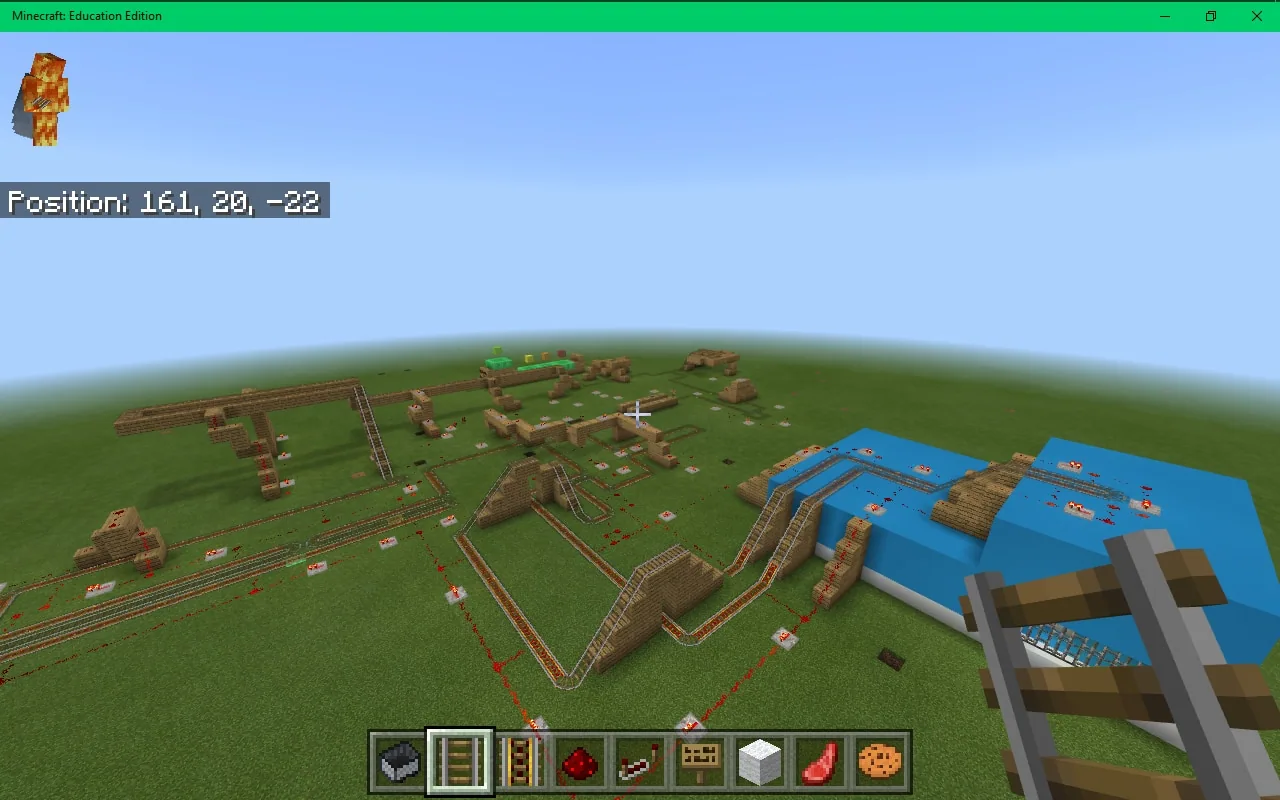
Students construct their energy systems in their own worlds while conferencing with peers to test ideas and gather feedback. Encourage learners to take screenshots or use the in-game camera to compile a visual portfolio tracking how their build evolves over time, referencing the iterative design shown in Engibear's Dream.
- Screen Capture and Presentation45 min
Using screen recording software or presentation tools, students record a demonstration of their working Minecraft creation. Each presentation must include clear narration explaining the scientific forces and energy transformations taking place.
- Reflection and Thinking Routine30 min
Lead the Project Zero Connect / Extend / Challenge thinking routine. Students reflect on how their build connected to prior science knowledge, what new insights extended their thinking, and which scientific questions remain challenging.
Assessment: success criteria
- Completed student checklist and project documentation recorded in OneNote.
- Functional Minecraft build demonstrating a clear contact or non-contact force or energy transformation.
- Visual record capturing sequential changes and refinements made during the design process.
- Accurate use of scientific terminology in student screen capture presentations or discussions.
Differentiation
Display a class-generated ideas list and pair the student with an experienced builder to draft an initial plan focused on a single force concept.
Have advanced students collaborate inside a shared world and connect their separate creations into an interconnected chain powered by energy sources.
Knowledge check
5 questions to check understanding after the lesson. Tap an answer to see if it is right; the score appears at the end.
1What is the primary role of students in the flipped planning approach used in this lesson?
Answer: B. The lesson hands planning over to students by challenging them to use the science syllabus to design demonstrations of force and energy in Minecraft.
2Which collection of in-game items is brainstormed to explore energy and forces?
Answer: C. The class brainstorms items that relate to energy and mechanical action, specifically naming redstone, TNT, pressure plates, and glowstone.
3Why are students instructed to capture photos or screenshots while building?
Answer: A. Images are collected in a portfolio to document how the design developed, evolved, and was modified through testing.
4Which children's book is suggested to illustrate how engineering designs develop and change?
Answer: C. The lesson suggests reading Engibear's Dream by Andrew King to model how design ideas evolve through iteration.
5Which reflection routine is recommended to consolidate student thinking at the end of the lesson?
Answer: A. The lesson uses the Project Zero Connect / Extend / Challenge thinking routine to review prior learning, new ideas, and remaining puzzles.
Resources
- Lesson package (.zip)Everything the author attached to this lesson in one download.
- Science Syllabus Physical WorldThis document is the initial stimulus for the activity. You may use a similar stimulus relevant to your school system.
- Connect Extend ChallengeA thinking routine from Harvard Project Zero useful in gaining a deeper understanding on a topic.
- Question StartsA thinking routine from Harvard Project Zero useful in gaining a deeper understanding on a topic.
Frequently Asked Questions
What digital tools work best for recording student presentations?
Students can use recording or presentation tools such as Screen-Cast-O-Matic, PowerPoint, the iXplain app, or Sketchpad to capture their screen and explain their scientific concepts.
How long does this project take to run in class?
The core activities can be completed in three to four hours, but extending the timeframe gives students more opportunity for peer conferencing, iterative design, and comprehensive portfolio documentation.
Adapted from The Force of Minecraft! by Lynette Barker on Minecraft Education, last updated Jun 21, 2018. This classroom version, the timings and the quiz were written by 9Minecraft Education.






































