- Type
- Lesson plan
- Subject
- Math
- Topics
- Math & Economics
- Ages
- Ages 6-10
- Duration
- about 50 min (suggested)
- Includes
- Quiz: 5 questionsLesson files
How can we use coordinate pairs on a Cartesian plane to locate points and construct pixel art?
Overview
Understanding coordinate geometry begins with learning how two intersecting number lines form a Cartesian plane. By reading ordered pairs, students learn how horizontal and vertical values locate precise points in a two-dimensional space.
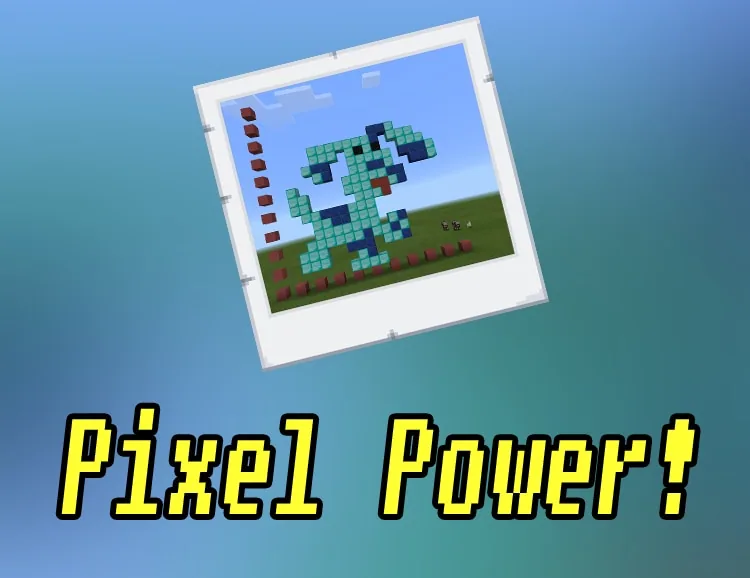
In this lesson, learners transfer coordinate math into Minecraft. Working within the first quadrant, students plot designated coordinates using green blocks and obsidian, gradually unveiling a mystery pixel art image before documenting their work with photos.
Learning objectives
By the end of this lesson students will be able to:
- Identify how coordinate pairs define specific positions on a two-dimensional plane.
- Plot ordered pairs accurately within the first quadrant using designated block types.
- Follow written and peer-directed coordinate instructions to assemble pixel artwork.
- Document the finished block structure using in-game photography tools.
Blocks and items used in this lesson


Key vocabulary
- Cartesian plane
- A two-dimensional grid formed by intersecting horizontal and vertical number lines.
- Coordinates
- A pair of numbers showing the exact position of a point on a grid.
- Quadrant
- One of the four sections created by the axes of a Cartesian plane.
Before class
Lesson sequence
Suggested timing: about 50 minutes in total.
- Warm-up & Demonstration10 min
Introduce two-dimensional geometry and discuss how number lines operate in 2D space. Watch the lesson video together to review what a Cartesian plane is and how to map points on it inside Minecraft.
- Grid Setup & First Quadrant10 min
Have students set up the axes for the first quadrant in an open Minecraft space, numbering or spacing their grid lines clearly so they can track horizontal and vertical placements.
- Plotting Challenge 120 min
Students use the coordinate sheet to place blocks systematically. Any green block is placed at coordinates like (3,1), (4,1), and (1,4), while obsidian is placed at specified coordinates such as (3,10) and (5,12) to reveal the pixel art figure.
- Peer Directions & Documentation10 min
Students pair up to practice reading coordinates aloud, following each other's directions to place blocks. Once finished, learners take in-game pictures of their completed pixel art to document their builds.
Assessment: success criteria
- Demonstrates an understanding of 2D coordinates when navigating the grid.
- Correctly maps designated coordinate points in the first quadrant.
- Accurately places green blocks and obsidian according to the challenge list.
- Successfully follows a partner's spoken coordinate directions.
Differentiation
Allow students to mark the grid axes with numbered signposts and work in pairs to verify coordinate positions before placing blocks.
Challenge advanced students to adapt their plotting skills into three dimensions using 3D coordinates.
Knowledge check
5 questions to check understanding after the lesson. Tap an answer to see if it is right; the score appears at the end.
1What mathematical structure do students build and use in this lesson?
Answer: B. The lesson focuses on using a Cartesian plane to plot coordinates in two dimensions.
2Which part of the Cartesian plane is used for the main building challenge?
Answer: A. Challenge 1 explicitly specifies plotting points within the 1st Quadrant.
3Which two block types are required to complete the challenge figure?
Answer: C. The challenge directions call for any green blocks and obsidian blocks at specified points.
4Which of the following coordinates receives an obsidian block?
Answer: D. The obsidian coordinate list includes (3,10) as one of the target points.
5What bonus extension is suggested for students ready to go beyond 2D mapping?
Answer: A. The performance expectations include a bonus goal centered on 3D coordinates.
Resources
Frequently Asked Questions
Do I need a downloadable world file to run this activity?
No special world download is required. Students can build their axes and plot points in any standard flat or open Minecraft world.
How do students capture evidence of their completed pixel art?
Students use in-game photography tools to take pictures of their finished pixel art once all coordinates have been placed.
Adapted from Pixel Power! Part 1 by Lynne Telfer on Minecraft Education, last updated Nov 29, 2016. This classroom version, the timings and the quiz were written by 9Minecraft Education.