How do the basic elements of Minecraft work together?
Overview
This introductory lesson serves as a day-one orientation and diagnostic tool for teachers. It establishes foundational gaming literacy, allowing educators to gauge prior student experience while ensuring beginners learn essential mechanics in a structured, creative setting.
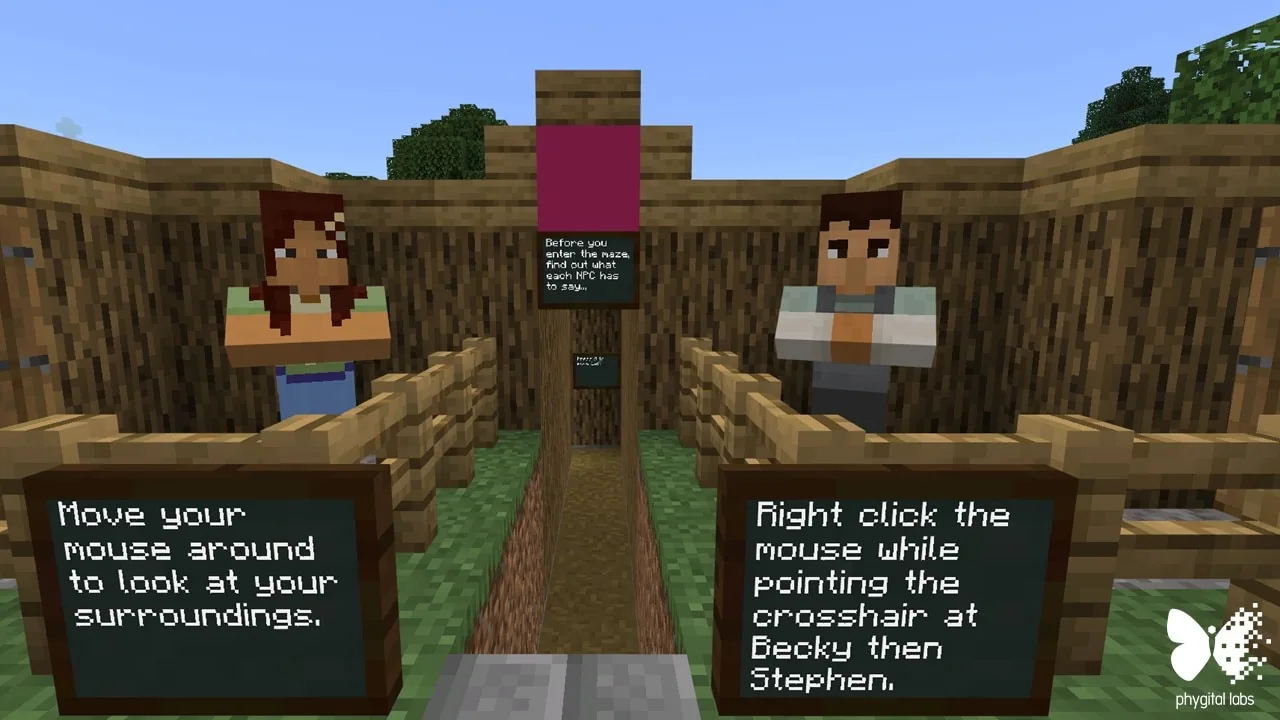
Students begin by spawning at the entrance of a maze, where non-player characters and color-coded path markers guide initial movement. Learners then transition into a self-paced discovery phase across 12 distinct stations to practice breaking blocks, placing materials, and managing their inventory.
Learning objectives
By the end of this lesson students will be able to:
- Navigate through a guided maze using coordinates, signs, and visual block cues.
- Demonstrate basic building and block-destroying mechanics in a controlled environment.
- Access and manage items within the player inventory to complete designated tasks.
- Explore 12 targeted stations to discover essential game mechanics at an individual pace.
Blocks and items used in this lesson


Key vocabulary
- Spawn
- The specific coordinate point where a player enters or appears inside the game world.
- NPC (Non-Player Character)
- An in-game character controlled by the computer that can speak to players and give directions.
- Coordinates
- A set of numbers that defines an exact physical position within the 3D game space.
- Inventory
- The player interface used to store, organize, and select blocks and tools.
Before class
Lesson sequence
- Directed Maze Orientation
Students spawn at coordinates 30, 151, 50 at the entrance of a maze. They interact with NPCs Stephen and Becky, then follow paths, directional signs, and color-changing guide blocks to master basic movement.
- Self-Paced Station Exploration
Students transition to independent exploration, visiting 12 separate stations across the map in any order. At each station, they practice core mechanics including breaking blocks, placing materials, and using items from their inventory.
- Peer Challenge and Wrap-Up
Students verify that they have completed their station checklist. Advanced learners create mini-challenges for classmates to solve, while teachers assess student comfort with basic controls.
Assessment: success criteria
- Student successfully navigates the opening maze using path markers and signs.
- Student demonstrates proper inventory usage, block breaking, and building techniques.
- Student completes tasks at the 12 designated exploration locations.
- Student assists peers or discovers additional world features beyond the basic checklist.
Differentiation
Pair students needing extra assistance with experienced classmates to guide them through device controls and navigation.
Have advanced students design custom challenges within the world and swap devices with classmates to solve them.
Knowledge check
5 questions to check understanding after the lesson. Tap an answer to see if it is right; the score appears at the end.
1Where do students appear when they first enter the lesson world?
Answer: A. The source specifies that students spawn at coordinates 30, 151, 50 at the beginning of a maze.
2Which non-player characters greet students when they enter the world?
Answer: B. The source states that students are greeted by Phygital Labs team members Stephen and Becky as NPCs.
3What visual feature helps guide students through the maze paths?
Answer: C. According to the source, color-changing Phygital blocks, along with paths and signs, direct students through the world.
4How many stations are placed throughout the world for student choice activities?
Answer: D. The lesson plan notes there are 12 locations throughout the world for self-paced exploration.
5How can advanced learners extend their work during this lesson?
Answer: A. The source suggests differentiating for advanced students by having them create custom challenges and trade devices.
Frequently Asked Questions
Can this lesson work if students have never played Minecraft before?
Yes. The lesson is specifically structured as a day-one introduction and baseline assessment, teaching movement, building, and inventory mechanics from the ground up.
Do students have to complete the 12 stations in numerical order?
No. After completing the directed opening maze, students may use the exploration checklist to investigate the 12 locations in whatever sequence they prefer.
Adapted from My First Lesson by Phygital Labs on Minecraft Education, last updated Jan 9, 2020. This classroom version, the timings and the quiz were written by 9Minecraft Education.