- Type
- Lesson plan
- Ages
- Ages 8-13
- Duration
- More than 3 hours
- Level
- Intermediate
- Includes
- Quiz: 5 questions
How can computational thinking help scientists explore geological environments and explain how rocks and minerals form?
Overview
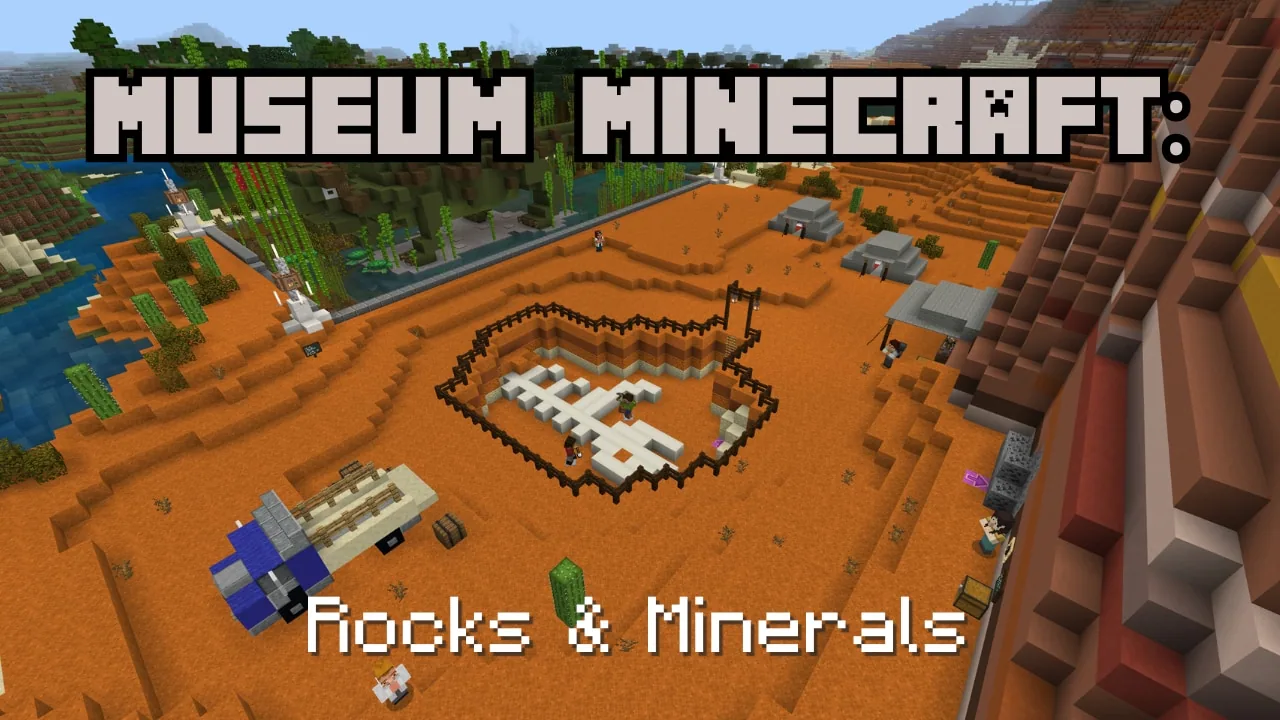
In this interdisciplinary unit, students venture into the world of Rocklandia to assist visiting scientists from the Royal Ontario Museum. As junior field researchers, they travel between distinct geological environments to investigate how igneous, sedimentary, and metamorphic rocks form, making observations and recording evidence with their in-game camera and journal.
Alongside geological research, students encounter physical barriers at each research station. They must use computational thinking to program their agent using sequential, looping, nested, and concurrent code, as well as debug broken scripts, before compiling their findings into an inclusive museum exhibit.
Learning objectives
By the end of this lesson students will be able to:
- Identify and classify rock samples as igneous, sedimentary, or metamorphic using environmental observations.
- Differentiate between intrusive and extrusive igneous rocks by building a two-column bar graph.
- Program the agent using consecutive, repeated, nested, and concurrent code to clear trail obstacles.
- Debug existing code to create an opening large enough to navigate while riding a horse.
- Design an accessible and inclusive museum exhibit displaying collected geological specimens and field notes.
Blocks and items used in this lesson


Key vocabulary
- Intrusive Rock
- Igneous rock formed from magma that cools slowly beneath the Earth's surface.
- Extrusive Rock
- Igneous rock formed from lava that cools quickly on or above the Earth's surface.
- Consecutive Code
- A set of programming commands executed one after another in a fixed order.
- Nested Code
- Code structures, such as loops or conditionals, placed inside other code structures.
- Debugging
- The process of identifying, analyzing, and fixing errors in a computer program.
Before class
Lesson sequence
Suggested timing: about 220 minutes in total.
- Research Centre Briefing20 min
Introduce the mission at the Rocklandia Research Centre. Explain that researchers from the Royal Ontario Museum need field assistance collecting rock specimens and that paths between sites contain obstacles requiring agent programming.
- Volcano Camp: Lava Obstacle and Graphing50 min
Students pass through the white door, meet Indigenous Scientist Sarabeth, and code the agent with consecutive commands to activate an emergency cooling system over lava. At camp, they meet Katherine Dunnell, photograph clues, collect samples, and assist Aaron by categorizing rocks into intrusive and extrusive stacks to create a physical bar graph.
- Dig Site: Bridge Building and Code Debugging60 min
Students head through the blue door to assist Indigenous Scientist Cedar by writing nested and looping code to rebuild a washed-out bridge. Further along, they meet Felix and intern Jakub, where they must debug an incomplete script to clear a fallen tree large enough for a horse to pass before collecting sedimentary specimens with Veronica DiCecco.
- Mountain Camp: Concurrency and Water Crossing50 min
Students enter the red door, meeting Jesse to remove an invasive plant using concurrent and nested agent code. They then work with Dio at the shoreline to engineer a pathway across islands so their horses can cross safely to conduct mountain field research.
- Museum Curation and Exhibition40 min
Using the photographs and notes recorded in their book and quill, student teams build an accessible museum display inside the game. They label rock types, detail their formation processes, and showcase their specimens for peer review.
Assessment: success criteria
- Student agent successfully clears all environmental obstacles using correct consecutive, nested, or concurrent code.
- The bar graph correctly distinguishes between extrusive and intrusive igneous rock specimens.
- Field journal entries and photographs accurately identify how collected rocks were formed.
- Final museum exhibit includes clear, accessible interpretive labels communicating geological concepts.
Differentiation
Pair students during coding sections and review basic agent movement commands before attempting multi-step loops.
Challenge students to optimize their agent code using fewer blocks and add detailed accessibility features to their final museum exhibit.
Knowledge check
5 questions to check understanding after the lesson. Tap an answer to see if it is right; the score appears at the end.
1What coding skill is required to help intern Jakub clear the fallen tree on the path to the Dig Site?
Answer: B. Students assist ROM Intern Jakub by identifying the error in his partial code and completing it so the horse can pass.
2How did Aaron ask students to organize rocks to form a two-column bar graph at Volcano Camp?
Answer: A. Aaron directs students to sort rocks based on whether they cooled slowly inside the Earth (intrusive) or quickly outside (extrusive).
3Which tool do students use in Rocklandia to record visual evidence and clues about rock formation?
Answer: C. The lesson directs students to use their camera and book and quill to document environmental clues and specimen details.
4Why must the agent clear a pathway through the fallen savannah tree that is both wide and tall?
Answer: C. The opening through the tree must accommodate both the player and the horse they are riding.
5What obstacle must students solve with their agent when traveling to the Mountain Camp with Jesse?
Answer: C. Jesse explains that an invasive plant species blocks the trail and will harm the player and their horse if not removed.
Frequently Asked Questions
How can students access extra support materials while remaining inside the Minecraft world?
Students can open the game menu by pressing Escape and selecting the Student Site button to view in-game guidance at any time.
What coding background is recommended before running this unit?
Teachers and students are encouraged to complete Coding FUNdamentals Block 1 (Lessons 1 through 4) to become comfortable with consecutive, repeated, and nested commands.
Adapted from Museum Minecraft: Rocks and Minerals by ROM (Royal Ontario Museum) on Minecraft Education, last updated Apr 8, 2026. This classroom version, the timings and the quiz were written by 9Minecraft Education.