- Type
- Lesson plan
- Ages
- Ages 8-18
- Includes
- Quiz: 5 questions
How can exploring individual personal perspectives help us understand historical events?
Overview
Studying history requires more than memorizing dates and major events; it involves understanding the human emotions and viewpoints of the people who lived through them. By researching diaries, quotes, and primary accounts, students discover how real individuals experienced turning points in government, politics, and society.
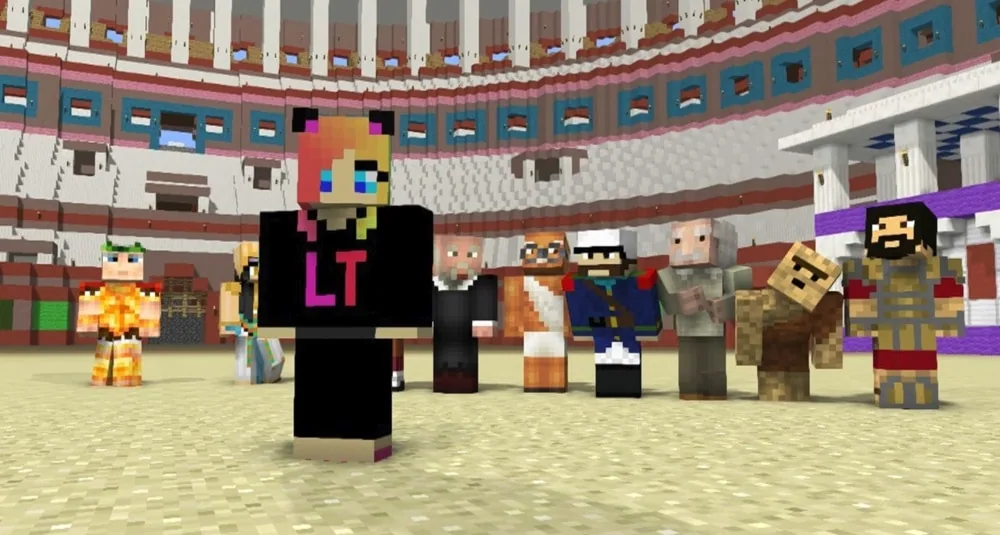
In Minecraft Education, students collaborate in a shared world to construct a physical timeline. Each student represents a specific historical figure at a distinct moment in time by creating a custom non-player character (NPC), writing responses that express the character's perspective, and adding research links and background posters for classmates to explore.
Learning objectives
By the end of this lesson students will be able to:
- Investigate significant historical events and the people involved in them using primary sources and quotes.
- Analyze the personal emotions and viewpoints of individuals during major historical eras.
- Build a chronological timeline segment featuring a named non-player character and informative posters.
- Program non-player characters to respond to questions about identity, circumstances, and feelings using commands and dialogue buttons.
Blocks and items used in this lesson

Key vocabulary
- Timeline
- A chronological display showing the sequence of historical events along a line.
- Non-Player Character (NPC)
- A Minecraft character placed in the world that can be programmed to speak, share links, and interact with players.
- /say command
- A text command used in Minecraft to make an entity or character broadcast a message to players.
- Slate
- A small slate board item used in Minecraft Education to display written text such as dates or labels.
Before class
Lesson sequence
- Inquiry and Research
Introduce the project and guide each student to select a significant historical figure tied to a specific date and event. Students research diaries, quotations, and personal stories to identify who the person was, what occurred, and how they felt during the event.
- Constructing the Timeline
Students log into the shared timeline world and locate the proper chronological position for their chosen event. Along the central line, students build small stages on either side and place Slates to label the exact date.
- Configuring the NPC
Students spawn a non-player character on their stage and set its display name. Using the /say command and interactive dialogue buttons, they configure the NPC to answer three specific questions: Who are You?, What is happening?, and How do you feel about it? They also add a web link button labeled More... connecting to an informative website.
- Adding Context Displays
Students construct posters directly behind their character's stage to share additional background information, facts, and context about the event for visitors to read.
- Interactive Gallery Walk
The class tours the completed human timeline. Students interview their classmates' NPCs, read the background posters, and explore external links to compare perspectives across different historical moments.
Assessment: success criteria
- The NPC is positioned correctly on the chronological timeline and labeled with an accurate date using a Slate.
- The NPC answers the three required questions regarding identity, current events, and emotional perspective.
- The NPC contains a functioning 'More...' button that links to an appropriate external research URL.
- Informational posters positioned near the character provide clear context about the historical event.
- The student can articulate how their historical figure's viewpoint compares with others on the timeline.
Differentiation
Provide students with pre-selected primary source quotes and a step-by-step syntax guide for setting up the NPC buttons and commands.
Have advanced students act as reporters who take in-game photos and write a news article evaluating whether the figures were inspirational or harmful to society.
Knowledge check
5 questions to check understanding after the lesson. Tap an answer to see if it is right; the score appears at the end.
1What item from Minecraft Education is placed along the timeline to indicate the date of an event?
Answer: A. The lesson instructions state that students can use Slates to show the time along the timeline.
2Where did the lesson recommend placing additional information posters relative to the character?
Answer: B. The source notes that posters with more information were added behind the person.
3Which three questions must the NPC be programmed to answer?
Answer: C. The project guidelines require NPCs to answer 'Who are You?', 'What is happening?', and 'How do you feel about it?' using commands and buttons.
4What label should students give to the NPC button that links out to a website?
Answer: D. The guide instructs students to put a URL linking to a relevant website with a button named 'More...'.
5What extension activity is suggested for students who finish their timeline stage early?
Answer: C. The 'Extra Awesomeness' section suggests pretending to be a reporter, taking photos, and writing a news article about the interviewed people.
Frequently Asked Questions
Does this lesson come with a pre-built world file to download?
No downloadable world file is included. The teacher needs to host a shared multiplayer world where students collaborate to lay out the timeline line and stages together.
Can the same historical person appear more than once on the timeline?
Yes. A single person may appear at multiple points on the timeline, but each NPC entry must focus on a specific event at a specific time.
What Minecraft command is used to make the NPCs speak in dialogue?
Students use the /say command connected to clickable buttons within the NPC interface to display their character's statements.
Adapted from Meet and Greet! by Lynne Telfer on Minecraft Education, last updated Aug 23, 2018. This classroom version, the timings and the quiz were written by 9Minecraft Education.