How can we design and build a playable Minecraft game that challenges players to solve problems?
Overview
In this project, students step into the role of game designers to create interactive learning experiences for their peers. By exploring core design principles—such as setting clear boundaries, establishing victory conditions, and determining difficulty levels—students discover how gameplay elements like puzzles, quizzes, and labyrinths can be used to teach academic concepts or challenge critical thinking.
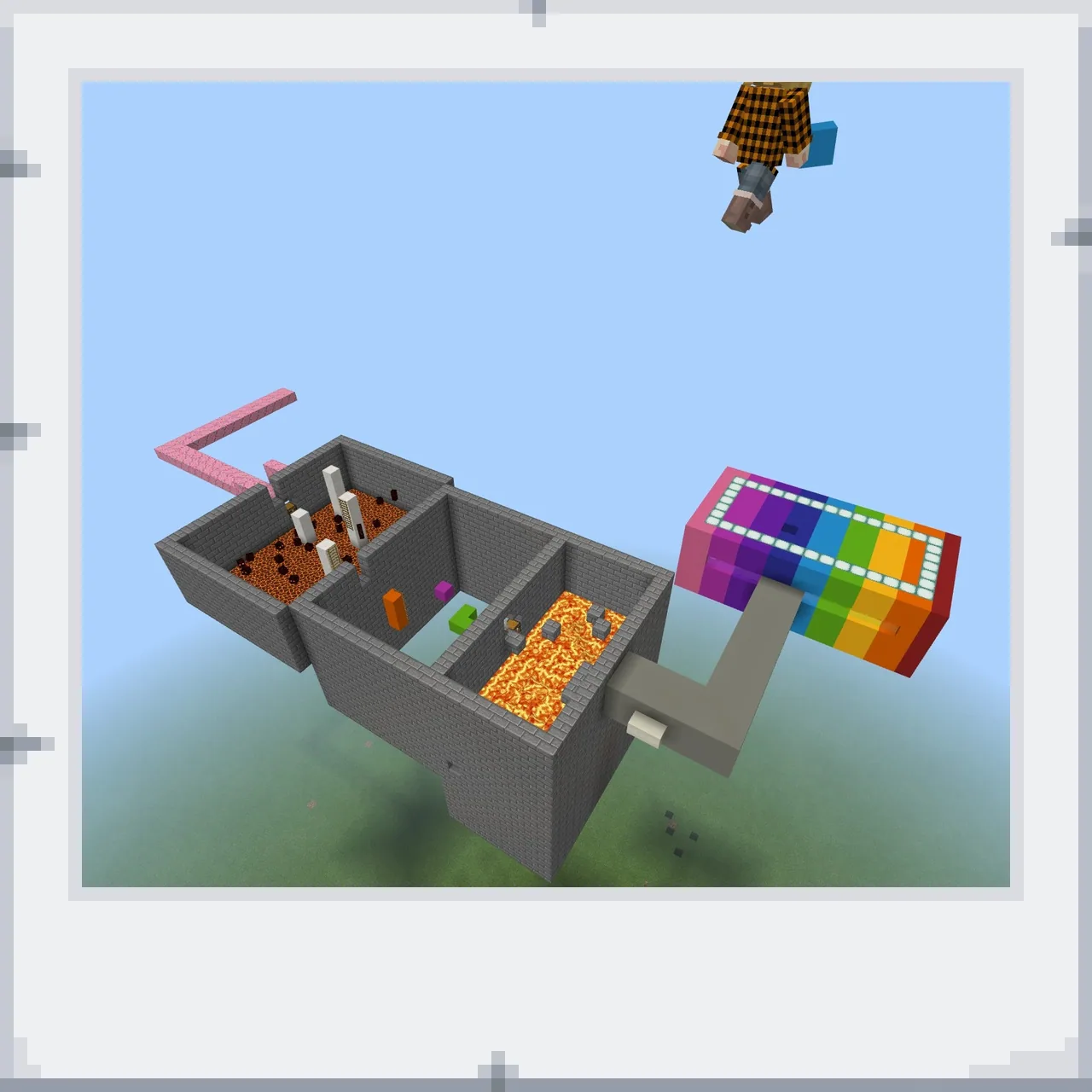
Using Minecraft as a development platform, learners choose a target audience, map out mechanics in digital or paper notebooks, and construct functional challenges. Whether building math-based quiz doors that drop failing players into mazes or designing multi-room survival puzzles, students test each other's games, offer constructive feedback, and iterate on their builds to improve player experience.
Learning objectives
By the end of this lesson students will be able to:
- Design a game concept that requires problem-solving or academic skills such as math.
- Build a functional game environment featuring clear rules, obstacles, and end conditions.
- Collaborate with peers to test gameplay, evaluate difficulty, and exchange feedback.
- Revise and improve game builds using suggestions gathered from playtesting.
Blocks and items used in this lesson


Key vocabulary
- Target Audience
- The specific group of players for whom a game is created.
- Mind Map
- A visual diagram used to brainstorm and organize ideas, features, and rules.
- Labyrinth
- An intricate maze or network of paths designed to challenge a player's navigation.
- Feedback
- Constructive advice and observations shared by players to help a creator improve their work.
Before class
Lesson sequence
Suggested timing: about 420 minutes in total.
- Game Concepts and Brainstorming45 min
Lead a class discussion on what elements make a game engaging, such as puzzles, labyrinths, quizzes, difficulty balance, and surprise mechanics. Create a collective mind map to record student ideas and analyze how constraints keep games structured.
- Planning and Documentation45 min
Students define their game parameters, including their target audience, victory conditions, and world size. In OneNote or on paper, students draft their game layout, rules, and problem-solving elements (such as math questions with branching consequence paths).
- World Building and Mechanic Construction240 min
Students generate a suitable Minecraft world and construct their playable challenges. If working in pairs, partners share the world to build collaboratively, implementing features like button-activated doors, labyrinths, and puzzle rooms.
- Peer Playtesting and Review45 min
Students swap worlds to playtest each other's creations. Players evaluate whether instructions are clear, if the difficulty level is appropriate, and record constructive feedback for the creator.
- Iteration and Showcase45 min
Game creators review peer feedback and repair or rebalance their mechanics. Optionally, students can record a walkthrough video showing how to solve the puzzles or invite other classes to play the finished games.
Assessment: success criteria
- The student submitted a written plan or mind map defining target audience, rules, and win conditions.
- The student constructed a functional game world with working problem-solving or subject-based challenges.
- The student provided constructive, respectful feedback during peer playtesting sessions.
- The student made observable modifications to their game based on received peer feedback.
Differentiation
Provide a simplified template for a single-room quiz door puzzle with predefined answer options.
Have students record a video guide demonstrating puzzle solutions or invite students from another class to test the game.
Knowledge check
5 questions to check understanding after the lesson. Tap an answer to see if it is right; the score appears at the end.
1What should students do before they begin building their game in Minecraft?
Answer: B. Planning and drawing ideas in OneNote or on paper is the required first phase before world construction.
2What is the primary role of peer testing in this lesson?
Answer: C. Students play each other's games to give feedback that creators use to make repairs.
3If a game uses math questions, what guidance is given regarding the problems?
Answer: A. The source specifies that if the game is related to math, students must ensure the problems are appropriately challenging.
4In the lesson's example math puzzle, what happens if a player pushes the wrong button?
Answer: C. The source illustrates an example where a wrong answer causes the player to drop into a labyrinth to find their way back.
5Which skill is practiced when students work in small groups to make a game?
Answer: B. The source identifies collaboration as a key learning objective when students build games in small groups.
Frequently Asked Questions
How many class periods does this game design unit require?
This unit takes at least eight lessons, typically divided into one to two lessons for planning, six to seven lessons for building, and one to two lessons for playtesting and feedback.
Must the game focus on math concepts?
No. Math is suggested as an example, but games can focus purely on logic puzzles, survival rooms, code breaking, or other problem-solving mechanics.
How can students document their game plans before building?
Students can sketch blueprints, write rules, and organize mind maps using digital notebooks like OneNote or standard paper.
Adapted from Make a game by Piia Martikainen on Minecraft Education, last updated Jun 14, 2018. This classroom version, the timings and the quiz were written by 9Minecraft Education.