
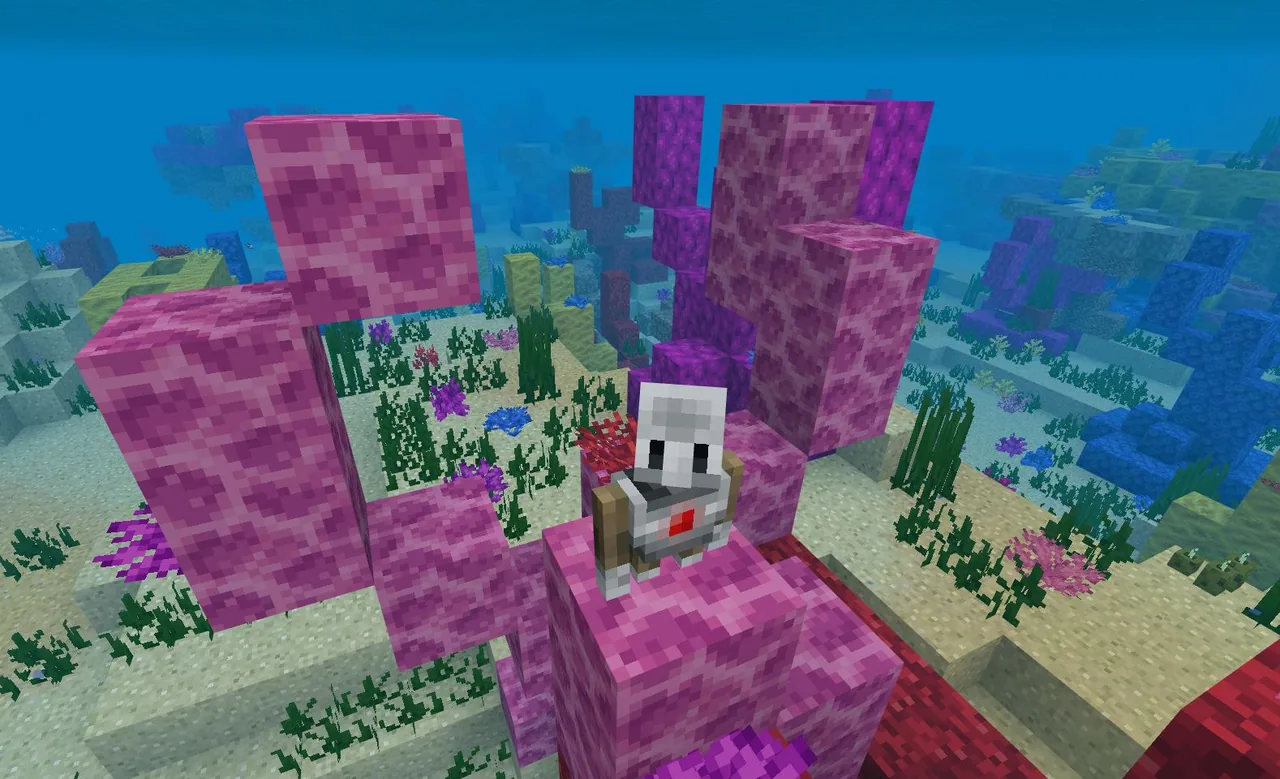
- Type
- Lesson plan
- Ages
- Ages 8-18
How can computer programming functions help us model the formation and structure of different coral reef ecosystems?
Overview
Our oceans feature four distinct coral reef formations: fringing reefs, barrier reefs, atolls, and patch reefs. Each reef type develops under particular environmental conditions and supports unique marine biodiversity, while also confronting serious survival challenges such as coral bleaching and habitat destruction.Learning objectives
By the end of this lesson students will be able to:
- Identify the four major types of coral reefs and their real-world examples.
- Write MakeCode functions to assemble modular coral clusters in Minecraft.
- Program the Agent to place coral clusters and construct a designated reef layout.
- Export a 3D reef model using a Structure Block and present research on reef formation, biodiversity, and ecological threats.
Blocks and items used in this lesson


Key vocabulary
- Fringing Reef
- A coral reef that forms adjacent to land along coastlines and shallow shores.
- Barrier Reef
- A coral reef separated from the mainland or island coast by a deep channel or lagoon.
- Atoll
- A circular coral reef formation that encloses a central body of water called a lagoon.
- Patch Reef
- An isolated, relatively small outcrop of coral growing on shallow sea floors.
- Function
- A named block of computer code that performs a specific set of instructions and can be called repeatedly.
- Structure Block
- An in-game Minecraft block used to save, load, and export 3D architectural models.
Before class
Lesson sequence
- Introduction & Reef Types
Introduce the four global reef types: fringing reefs, barrier reefs, atolls, and patch reefs. Review real-world examples, including South Molokai, the Great Barrier Reef, Aldabra Atoll, and Buck Island Reef, discussing how different environments shape reef formation.
- Group Assignments & Rubric Creation
Organize students into small teams and assign each group one specific reef type. Collaborate with the class to establish a shared evaluation rubric outlining expectations for coding, biological research, and presentations.
- Coding Coral Functions
Students use MakeCode to program distinct coral clusters, assigning each cluster to a named function. Teams then code the Agent to navigate the world and call these functions repeatedly to form their assigned reef pattern.
- 3D Export & Presentation Setup
Groups place a Structure Block to capture and export a 3D model of their finished reef. They import the 3D asset into a PowerPoint deck detailing reef formation, geographic location, biodiversity, and threats like bleaching.
- Class Presentations & Comparison
Student groups present their research and virtual builds to the class. Peers take notes during each presentation to compare the characteristics and preservation needs across all four reef systems.
Assessment: success criteria
- MakeCode programs successfully define and execute functions to assemble coral clusters using the Agent.
- The in-game reef model accurately represents the assigned formation (fringing, barrier, atoll, or patch).
- The final presentation integrates an exported 3D model and covers reef formation, real-world locations, biodiversity, and environmental risks.
- Peer notes reflect an accurate understanding of the differences between the four reef classifications.
Differentiation
Provide starter code blocks demonstrating how to command the Agent and structure a basic coral cluster function.
Challenge students to code multiple unique cluster functions to vary the biodiversity and density across their reef structure.
Knowledge check
5 questions to check understanding after the lesson. Tap an answer to see if it is right; the score appears at the end.
1Which real-world location is cited as an example of an atoll?
Answer: C. The source specifically lists Aldabra Atoll as the example for the atoll reef type.
2How do students build their reef models in the Minecraft world?
Answer: A. The lesson directs students to write MakeCode programs that move the Agent to place function-based coral clusters.
3What tool is used to transfer the Minecraft reef into a slide deck?
Answer: B. Students place a Structure Block to export a 3D model directly into their PowerPoint presentations.
4Which example reef represents a patch reef in this lesson?
Answer: A. Buck Island Reef is the provided example for a patch reef.
5Which computer science concept is central to generating the coral clusters?
Answer: C. Students create distinct coral sections in code and label each cluster with a function name.
Resources
- Worlds & MakeCode Files
- Lesson worldOpens the world page in Minecraft Education (sign-in with a school account may be needed).
Frequently Asked Questions
How is the grading rubric developed for this lesson?
The teacher and students collaborate at the start of the project to create a shared rubric that guides student progress and sets assessment expectations.
What slide presentation tool does the lesson specify for 3D models?
The lesson plans for students to import their 3D models directly into PowerPoint using files exported via Minecraft Structure Blocks.
What specific environmental threats should students investigate?
Student research and presentations must address coral bleaching, environmental destruction, and how human activities impact reef ecosystems.
Adapted from Function Reefs by Minecraft Education on Minecraft Education, last updated Sep 16, 2023. This classroom version, the timings and the quiz were written by 9Minecraft Education.






































