- Type
- Lesson plan
- Ages
- Ages 8-13
- Duration
- 2 hours
- Level
- Beginner
How can engineers use specific structural bridge designs to solve unique environmental challenges and reconnect communities?
Overview
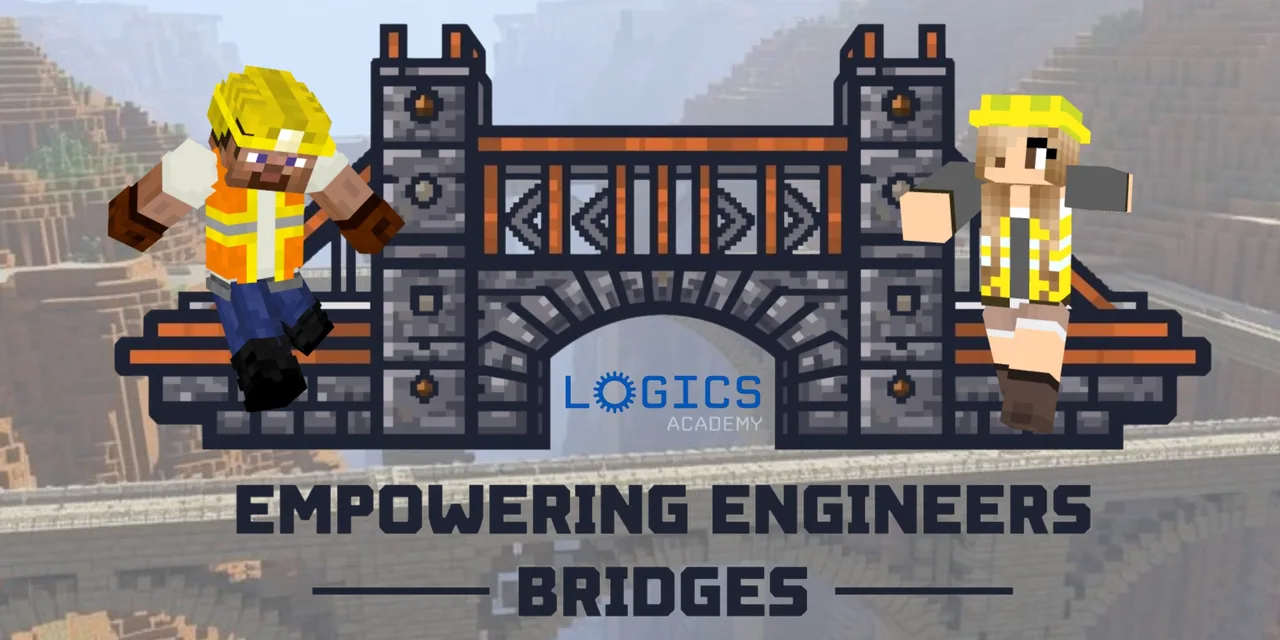
In this lesson, students explore the structural mechanics and history of major bridge styles, including truss, arch, cantilever, cable-stayed, and suspension bridges. Guided by three robot helpers named Trusser, Archie, and Cables, learners examine eleven in-game bridge models and linked real-world case studies like the Golden Gate Bridge and Sydney Harbour Bridge to understand how engineers solve wide spans and support heavy loads.
Students then apply these engineering concepts to a collaborative problem: the fictional town of Voidville has lost its historic stone crossing and sits isolated from the mainland. Working in teams, students photograph model features, debate structural choices in chat, build a functional bridge across the canyon, and present their engineering decisions to the class.
Learning objectives
By the end of this lesson students will be able to:
- Identify the structural features and historical purposes of truss, arch, cantilever, cable-stayed, and suspension bridges.
- Photograph and label Minecraft bridge reference models to guide engineering decisions.
- Collaborate with peers to select, design, and construct a functional bridge in Minecraft that reconnects Voidville.
- Present a completed bridge design, justifying structural choices with engineering reasoning.
Blocks and items used in this lesson


Key vocabulary
- Truss Bridge
- A bridge supported by a rigid framework of interconnected triangles that distribute weight.
- Arch Bridge
- A bridge designed with a curved structure that redirects load outward toward abutments on either side.
- Suspension Bridge
- A bridge whose deck is hung below vertical suspenders connected to massive overhead cables.
- Cable-Stayed Bridge
- A bridge where supporting diagonal cables run directly from one or more towers straight down to the deck.
- Cantilever Bridge
- A bridge built using beams that project horizontally outward and are supported on only one end.
Before class
Lesson sequence
Suggested timing: about 120 minutes in total.
- Bridge Exploration and Field Notes25 min
Students enter the world and explore eleven pre-built bridge models. They talk to the robot NPCs—Trusser, Archie, and Cables—to learn about the history, mechanics, and defining features of truss, arch, cantilever, cable-stayed, and suspension designs.
- Reference Gathering and Real-World Analysis20 min
Learners take in-game screenshots of bridge components and label each image with its bridge type and key feature. Students also access embedded media links to examine real-world structures, such as the Golden Gate Bridge and Sydney Harbour Bridge, recording how engineers solved real environmental obstacles.
- Voidville Engineering Challenge45 min
Teams discover Voidville and inspect the collapsed bridge site over the canyon pass. Using Minecraft chat, students debate the canyon gap, consider the town's Redstone resources, choose an appropriate bridge type, and collaborate to build their new bridge using in-game blocks and reference screenshots.
- Bridge Presentations20 min
Each team records a short video walk-through or captures screenshots to present their completed span. Teams share their screens to show at least three structural elements of their chosen design and explain how their aesthetic choices support the town of Voidville.
- Class Reflection10 min
Students write a short reflection in a digital journal or chat board discussing their team collaboration, key engineering lessons learned, and how their structure resolved Voidville's isolation.
Assessment: success criteria
- The bridge includes at least 3 recognizable structural components matching the selected bridge type, such as triangular trusses, curved arches, or diagonal cables.
- In-game chat logs show team members debating and justifying bridge choices using engineering reasoning.
- Students reference their labeled field screenshots during the building process through signs or side-by-side notes.
- The completed build features at least 2 non-structural aesthetic or thematic elements that add environmental storytelling for Voidville.
Differentiation
Allow students to build an arch or truss bridge directly referencing their labeled screenshots as step-by-step visual templates.
Require advanced teams to integrate functional Redstone elements, such as illuminated lanterns or toll stations, and justify why their bridge accommodates heavy Redstone transport.
Knowledge check
5 questions to check understanding after the lesson. Tap an answer to see if it is right; the score appears at the end.
1What event triggers the engineering challenge in Voidville?
Answer: B. Voidville was cut off from the mainland when its centuries-old stone bridge collapsed.
2Which three robot NPCs guide students through the bridge types?
Answer: A. The quirky robot trio named Trusser, Archie, and Cables shares bridge history and engineering facts.
3Which real-world bridge is specifically named as an example to study in this lesson?
Answer: C. The Sydney Harbour Bridge and Golden Gate Bridge are provided as real-world media examples.
4According to the assessment guidelines, how many specific structural elements must a student bridge include?
Answer: C. The assessment expectations state students must correctly incorporate at least 3 structural elements matching their chosen bridge type.
5How should teams demonstrate collaborative decision-making during the challenge?
Answer: A. The rubric looks for chat logs showing team members proposing, debating, and agreeing on designs using engineering reasoning.
Resources
- Lesson package (.zip)Everything the author attached to this lesson in one download.
- 10 Enrichment Activities10 Enrichment Activities
- Open Questions for EducatorsOpen Questions for Educators
- Lesson worldOpens the world page in Minecraft Education (sign-in with a school account may be needed).
Frequently Asked Questions
How do students select which bridge design to construct?
The teacher may assign a bridge style, student groups can pick their favorite based on canyon needs, or the in-game NPCs can provide a random assignment.
What should students do with their screenshots during the build?
Students should keep their labeled screenshots open on a second screen or place in-game signs linking their current build steps to the reference models they photographed.
Adapted from Empowering Engineers - Bridges by Logics Academy on Minecraft Education, last updated Nov 11, 2025. This classroom version, the timings and the quiz were written by 9Minecraft Education.