- Type
- Lesson plan
- Ages
- Ages 8-13
- Duration
- about 2.2 hours (suggested)
How can we develop algorithms and adjust variables to build and resize 3D geometric shapes in Minecraft?
Overview
This interdisciplinary lesson bridges mathematics and computer science by challenging learners to translate spatial geometry into programmatic algorithms. Students analyze the structural characteristics of cubes, cuboids, triangular prisms, and pyramids, exploring how faces, edges, and vertices relate to sequential movement and placement commands.Learning objectives
By the end of this lesson students will be able to:
- Identify and describe the geometric properties of a cube, cuboid, triangular prism, and pyramid.
- Write functional algorithms in Microsoft Code Builder to guide the Agent in building 3D shapes.
- Apply debugging strategies when the Agent produces unexpected construction results.
- Adjust algorithm variables to modify the physical dimensions of built shapes.
Blocks and items used in this lesson


Key vocabulary
- Algorithm
- A step-by-step set of instructions designed to accomplish a specific task.
- Debugging
- The process of identifying and correcting errors in computer code.
- Variable
- A changeable value in a program that can define attributes such as shape dimensions.
- Cuboid
- A solid three-dimensional shape bounded by six rectangular faces.
- Triangular Prism
- A three-dimensional solid with two parallel triangular bases joined by rectangular sides.
Before class
Lesson sequence
Suggested timing: about 130 minutes in total.
- Shape Properties Discussion30 min
Review the properties of the four required three-dimensional shapes: cube, cuboid, triangular prism, and pyramid. Discuss how spatial dimensions such as height, width, and base shape determine how an automated builder must move.
- Planning in the Amazing Code World30 min
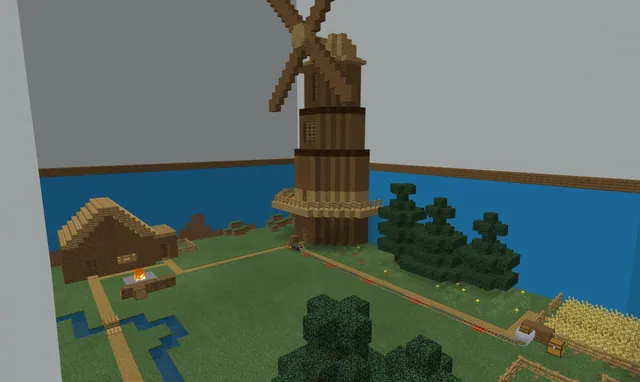
Have students launch the Amazing Code world and locate their designated building zones. Learners draft a step-by-step plan or pseudocode outlining how the Agent will navigate each layer of the target shapes.
- Writing and Debugging Code45 min
Students open Microsoft Code Builder to write algorithms directing the Agent to construct the shapes. When the Agent makes building errors, learners inspect their logic, test variations, and debug the code until the geometric forms are accurate.
- Modifying Dimensions with Variables25 min
Learners refine their scripts by incorporating variables to adjust shape dimensions. Students test their modified code to confirm that altering numerical values dynamically resizes the structures without breaking the base algorithm.
Assessment: success criteria
- The Agent successfully constructs a cube, cuboid, triangular prism, and pyramid in the Amazing Code world.
- The student explains and demonstrates effective debugging methods when code fails.
- The student successfully modifies code variables to change the dimensions of their structures.
Differentiation
Provide a simplified sequence chart mapping out the Agent's movements for the cube before attempting irregular shapes.
Challenge students to design a parameterized algorithm where modifying a single variable scales the height and base of a pyramid proportionally.
Knowledge check
5 questions to check understanding after the lesson. Tap an answer to see if it is right; the score appears at the end.
1Which set of four 3D shapes are students challenged to build in this lesson?
Answer: B. The lesson specifically targets the cube, cuboid, triangular prism, and pyramid.
2What tool within Minecraft Education is used to instruct the Agent?
Answer: A. Students write algorithms for their Agent using Microsoft Code Builder.
3What is the primary purpose of modifying variables in the construction algorithms?
Answer: C. Learners adjust variables specifically to change the dimensions of their geometric structures.
4What should a learner do when their Agent fails to build a shape correctly?
Answer: C. Debugging is highlighted as the systematic way to inspect and fix faulty code when results do not match expectations.
5Which downloadable world file serves as the setting for this activity?
Answer: C. The source identifies the Amazing Code world as the environment for this challenge.
Resources
- Lesson package (.zip)Everything the author attached to this lesson in one download.
- Challenge Coding your Agent!Challenge PDF document that provides the granularity for the steps of the Challenge
- Amazing Code WorldA Minecraft world to use as a catalyst for the Challenge
Frequently Asked Questions
What materials are needed before starting the coding challenge?
You will need devices with Minecraft Education installed, access to Microsoft Code Builder, the downloadable Amazing Code World, and the supporting challenge documentation.
How should this challenge be paced across class sessions?
Because the challenge is estimated at roughly two or more hours, teachers can easily split it into separate sessions focusing first on 3D geometry and planning, followed by programming, debugging, and variable experimentation.
Adapted from Coding Your Agent by Hwb MLCs on Minecraft Education, last updated Jun 3, 2022. This classroom version, the timings and the quiz were written by 9Minecraft Education.