
- Type
- Lesson plan
- Ages
- Ages 8-18
- Duration
- 1 hour
- Level
- Intermediate
- Includes
- Quiz: 5 questions
How can we break down complex system failures into precise coding instructions to save a damaged spaceship?
Overview
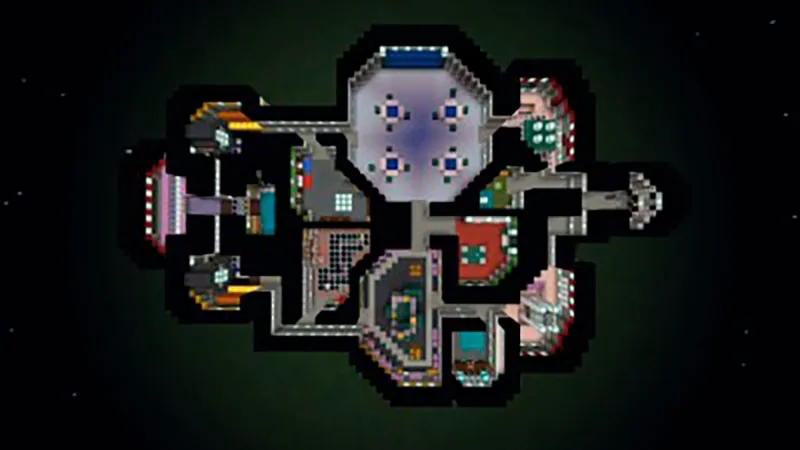
A software virus threatens a spaceship with catastrophic failure, requiring students to step in as systems engineers. To save the vessel, learners must program their Agent to navigate corridors, collect critical elements, repair electrical lines, and restore operational shields before time runs out.
Using Minecraft: Education Edition in survival mode, students decompose complex problems into precise MakeCode algorithms. Tasks are divided across green, orange, and red difficulty tiers, guiding learners from fundamental movement commands to multi-step routines involving block placement, inventory collection, and lever activation.
Learning objectives
By the end of this lesson students will be able to:
- Deconstruct technical spaceship problems into sequential coding instructions.
- Program the Agent using loops and directional movements within MakeCode.
- Test, debug, and iterate on coding routines across tiered challenge levels.
- Document technical solutions and completed repairs using the in-game camera and portfolio.
Blocks and items used in this lesson


Key vocabulary
- Agent
- A programmable companion in Minecraft that executes commands to navigate, break, place, and inspect blocks.
- Sequence
- An ordered set of instructions executed step-by-step by a computer program.
- Loop
- A coding structure that repeats a block of instructions multiple times.
- Material Reducer
- A chemistry tool that breaks down Minecraft blocks into their constituent chemical elements.
Before class
Lesson sequence
Suggested timing: about 60 minutes in total.
- Mission Briefing10 min
Introduce the mission scenario: a software virus is causing critical shipwide failures. Review how to summon the Agent using the C key or the touch icon, and explain that challenges are organized by difficulty wall colors: green (low), orange (medium), and red (hard).
- Tiered System Repairs35 min
Students work individually or in groups to resolve the nine ship challenges using MakeCode. Encourage starting with green tasks (cleaning oxygen tanks, retrieving the master key) before advancing to orange tasks (repairing electricity, organizing the storehouse, connecting engines) and red challenges (activating the reactor, clearing meteorites, and recharging shields).
- System Verification and Logbook10 min
Learners travel to the ship cafeteria to verify that green indicator blocks have appeared on the wall for each solved challenge. Students use the camera and portfolio to photograph their completed stations and record how they coded their solutions.
- Debrief and Extensions5 min
Conclude with a brief discussion on which coding sequences required debugging. Early finishers can hunt for the secret button in the med room to access the underbelly of the ship, or switch to creative mode to design a custom challenge room.
Assessment: success criteria
- Green status blocks appear on the cafeteria wall to verify completed repair missions.
- The Agent successfully executes MakeCode sequences to manipulate blocks, flip levers, and navigate rooms.
- Ship logbooks created with the camera and portfolio describe the specific steps used to solve challenges.
- Challenge 9 is unlocked and solved by correctly feeding rocks gathered in Challenge 8 into the shield vessels.
Differentiation
Have struggling students start strictly with the green-rated missions and focus on basic Agent directional movements before attempting multi-step tasks.
Switch game mode to creative so advanced students can design a brand new ship room containing their own custom puzzle, or search for the hidden med room hatch.
Knowledge check
5 questions to check understanding after the lesson. Tap an answer to see if it is right; the score appears at the end.
1How do students using a computer summon the Agent to begin coding?
Answer: B. On a computer, pressing the C key opens the code window and calls the Agent.
2What color indicates that a spaceship challenge has low difficulty?
Answer: D. The world rates task difficulty using green for low, orange for medium, and red for hard.
3Where in the spaceship can students and teachers view the wall that tracks completed challenges?
Answer: A. The cafeteria features a tracking wall where a green block appears for each completed mission.
4Which of the nine challenges does not require any code to complete?
Answer: C. The source specifies that Challenge 3: Place The Master Key does not require coding.
5Which mission must be completed before students can reactivate the shields in Challenge 9?
Answer: B. Students must complete Challenge 8 to gather the meteorite rocks required to fill the shield vessels in Challenge 9.
Frequently Asked Questions
Can students use coding languages other than MakeCode for these missions?
The in-game instruction boards are written specifically for MakeCode. If students switch to other editors such as Tynker or JavaScript, the syntax and instructions provided on the ship's boards will not match.
What default game mode and settings should be used?
The lesson is intended to run in survival mode with cheats turned off. Teachers can re-enable cheats or switch to creative mode later if students take on the room-building extension activity.
How can teachers quickly check class progress without looking at each screen?
Teachers can check the wall in the cafeteria inside each student's world, where green blocks automatically display to indicate which challenges have been successfully resolved.
Adapted from Coding Among Us by Andrea Plaza on Minecraft Education, last updated Jun 26, 2022. This classroom version, the timings and the quiz were written by 9Minecraft Education.






































