
- Type
- Lesson plan
- Ages
- Ages 8-13
- Includes
- Quiz: 5 questionsLesson files
How can we use code and scientific research to model the relative sizes and positions of planets in our solar system?
Overview
Understanding the structure of our solar system requires students to grasp how planetary scale, order, and distinctive physical properties relate to the Sun. Through research using library resources and curated websites, learners collect key data on each planet's radius, coloring, and distance from the center of the solar system.
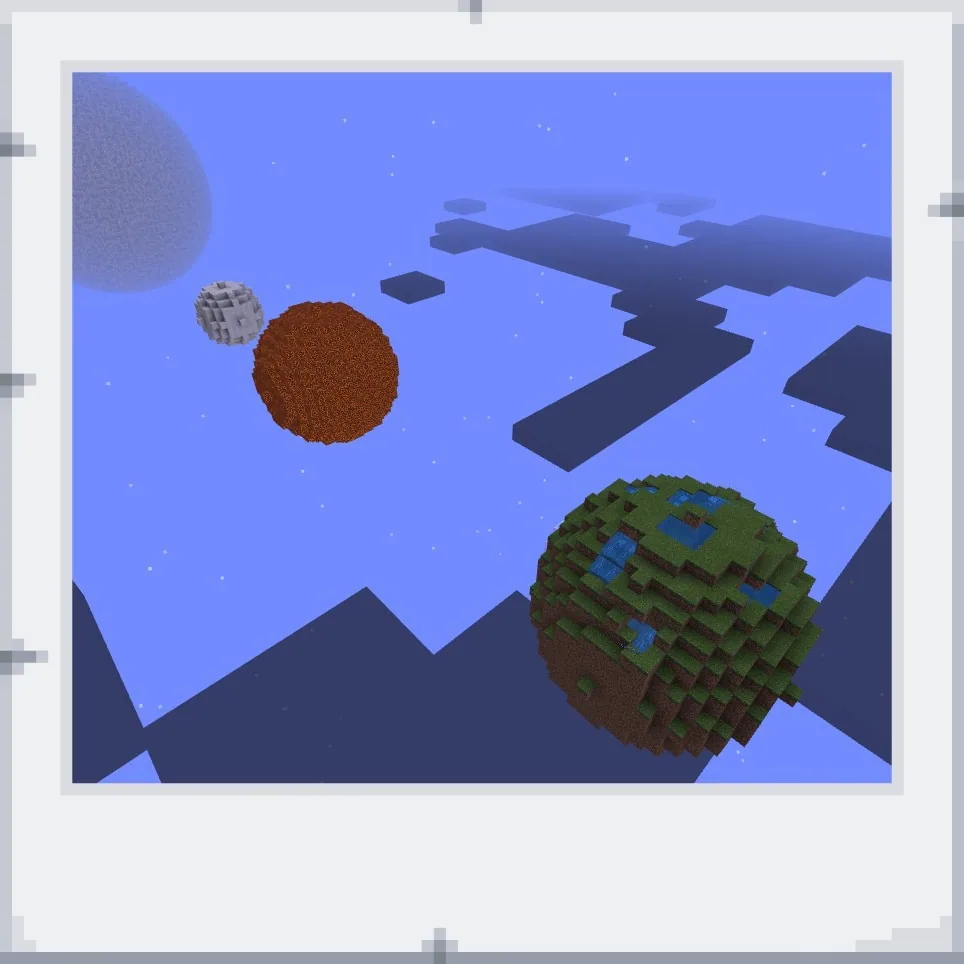
Using Minecraft Education and Code Builder, students translate their research into three-dimensional models. Working alongside a pre-generated Sun with a radius of twenty-five blocks, students write code to generate spherical planets, label each body with in-game signs, and document their completed work for presentation.
Learning objectives
By the end of this lesson students will be able to:
- Research the size, color, order, and distinguishing characteristics of the eight planets.
- Calculate relative planetary radii using the template Sun's radius of twenty-five as a baseline.
- Construct three-dimensional spherical models of each planet using Code Builder commands.
- Document and label each planet's core attributes using in-game boards, signs, or portfolios.
Blocks and items used in this lesson


Key vocabulary
- Radius
- The distance from the center of a sphere or circle to its outer edge.
- Code Builder
- The coding interface inside Minecraft Education used to write and run automated build commands.
- Sphere
- A perfectly round three-dimensional shape where every point on the surface is equidistant from the center.
Before class
Lesson sequence
- Research Scoot
Introduce the project by showing the template world featuring the pre-built Sun. Organize students into a scoot rotation across planetary stations to record data on each planet's radius, appearance, orbital position, and key facts using library books or curated sites.
- World Setup and Grouping
Have students sign into their Minecraft Education accounts individually or in assigned teams. If collaborating, have one student host the template world while group members join via the Friends tab or direct server connection.
- Coding the Planets
Students open Code Builder and construct spheres for each planet. They select appropriate block colors and set radii relative to the Sun's starting radius of twenty-five, placing each planet in its proper sequence from the Sun.
- Labeling and Documentation
Learners place boards, posters, or signs next to each planet to record its name and distinct characteristics. Students capture images of their builds with the camera tool to assemble an exportable portfolio.
- Presentations and Review
Students showcase their planetary models through in-person classroom walk-throughs, recorded Flipgrid video tours, or exported portfolio files submitted for teacher review.
Assessment: success criteria
- All eight planets are present and placed in their correct sequence outward from the Sun.
- Planetary sphere sizes reflect logical proportional scaling against the template Sun's radius of twenty-five.
- Each planet includes an informative sign, board, or poster detailing its key attributes.
- A completed portfolio, Flipgrid recording, or oral presentation clearly explains the model to peers or the teacher.
Differentiation
Provide students with a pre-calculated radius chart and step-by-step block code snippets for generating basic spheres.
Challenge students to code additional planetary features, such as distinct ring systems or moon arrangements, using precise coordinate offsets.
Knowledge check
5 questions to check understanding after the lesson. Tap an answer to see if it is right; the score appears at the end.
1What radius size is used for the pre-built Sun in the template world?
Answer: B. The source explicitly states that the Sun in the template has a radius of 25 to serve as a reference point.
2Which tool within Minecraft Education do students use to generate the spherical planets?
Answer: A. Students write and run commands inside Code Builder to construct the spheres representing each planet.
3How can students working in groups access the same template world?
Answer: C. The lesson instructions specify that one student acts as the host and partners join through the Friends tab or by adding a server.
4What in-game items are used to display research information beside the planetary builds?
Answer: D. The activity outlines using boards, posters, or signs to label each model with names and planetary characteristics.
5Which option is suggested for recording and submitting visual evidence of the final build?
Answer: B. Students can take pictures with the camera tool, assemble them into an in-game portfolio, and export it for teacher review.
Resources
Frequently Asked Questions
How many days should I plan for this project?
This unit is flexible and can be split across multiple sessions, such as dedicated days for library research, in-game coding and construction, and final student presentations.
Can students complete this project independently?
Yes. The project is designed so students can either work individually on their own template world or collaborate in small teams hosted by one student.
What methods can students use to present their finished models?
Students can present live to the class, record a guided walk-through video using Flipgrid, or submit an exported Minecraft portfolio containing photos and notes.
Adapted from Code the Solar System by Sherri Rickman on Minecraft Education, last updated May 14, 2019. This classroom version, the timings and the quiz were written by 9Minecraft Education.






































