- Type
- Lesson plan
- Grade
- Primary (Grades 3-5)
- Ages
- Ages 8-10
- Duration
- about 65 min (suggested)
How can solving division problems help us map out and build a 3D model using pixels?
Overview
This lesson bridges elementary math and computer science by introducing students to the concept of pixels and pixel measurement. Learners practice basic division facts using a color-by-number grid worksheet, where correct answers correspond to specific colors that slowly reveal a mystery pixel graphic.
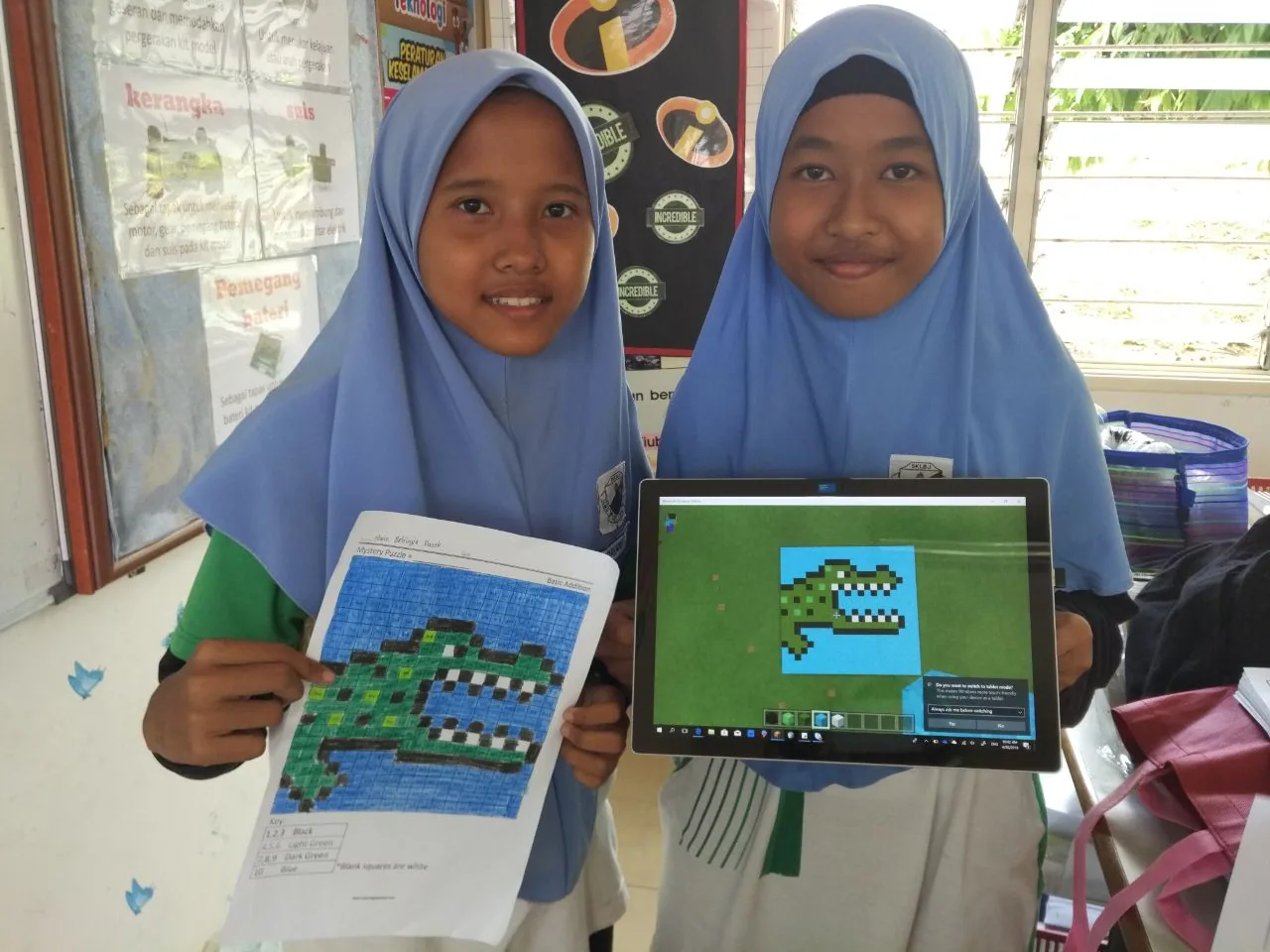
Once the math is checked and the mystery alligator is revealed, students transition into Minecraft to translate their flat, two-dimensional pixel design into a tangible 3D block model. The lesson wraps up with digital documentation, prompting students to capture their build for portfolio reflection.
Learning objectives
By the end of this lesson students will be able to:
- Explain what a pixel is and how it is measured in grid designs.
- Solve basic division facts to identify colors on a grid worksheet.
- Construct a 3D alligator model in Minecraft based on the completed 2D worksheet.
- Capture an image of the final 3D structure and save it to a student portfolio.
Blocks and items used in this lesson


Key vocabulary
- Pixel
- A single square or dot of color that combines with others to make a digital picture.
- Division
- A mathematical process of splitting a number into equal groups.
- 3D Model
- A digital build or object that has height, width, and depth.
Before class
Lesson sequence
Suggested timing: about 65 minutes in total.
- Concept Introduction10 min
Introduce the concept of a pixel. Ask students what they know about pixels and explain how digital images are made of tiny colored squares measured across a grid.
- Division & Pixel Coloring20 min
Distribute the worksheet. Students solve simple division equations in each cell and use the answer key to determine which color belongs in each square. Once solutions are verified, students receive colored pencils and color their grid to uncover the mystery picture.
- Teacher Check & Minecraft 3D Build25 min
Students present their completed coloring page to the teacher and guess the mystery animal (an alligator). Upon teacher approval, students log into Minecraft and build a 3D model based directly on their colored worksheet grid.
- Portfolio Capture & Reflection10 min
After finishing their 3D alligator, students take a screenshot of their build and save it to their digital portfolio to reflect on their math and modeling work.
Assessment: success criteria
- Accurate solutions to the basic division problems on the worksheet.
- Correct color mapping that reveals the alligator pixel art.
- Faithful recreation of the worksheet design as a 3D Minecraft structure.
- Successful capture and saving of the build in the student portfolio.
Differentiation
Allow students to use physical counters or a basic division reference chart while solving worksheet cells.
Challenge students to add realistic 3D depth, posture, or a surrounding swamp habitat to their Minecraft alligator.
Knowledge check
5 questions to check understanding after the lesson. Tap an answer to see if it is right; the score appears at the end.
1What is a pixel?
Answer: B. A pixel is a single square unit of color used to build digital pictures on a screen.
2What animal appears when the division worksheet is colored correctly?
Answer: D. The worksheet is titled Alligator- Basic Division and reveals an alligator image.
3What must students do before they are allowed to start building in Minecraft?
Answer: A. Students must finish coloring the worksheet, show it to the teacher, and guess the subject correctly to earn computer time.
4Which math operation is practiced to find the colors on the worksheet?
Answer: C. The activity focuses on solving basic division problems to match the color key.
5How do students record and reflect on their finished Minecraft model?
Answer: B. The source requires students to capture their 3D model and save it in their portfolio for assessment and reflection.
Resources
- Lesson package (.zip)Everything the author attached to this lesson in one download.
- WorksheetLink to download: https://www.coloringsquared.com/wp-content/uploads/2013/10/free-division-problems-DDEC6-Alligator-math-for-kids-page.pdf
- Worksheet AnswerLink to download: https://www.coloringsquared.com/wp-content/uploads/2013/10/free-division-problems-DDE6-Alligator-Color-math-for-kids-page.pdf
Frequently Asked Questions
Is a specific Minecraft world download required for this lesson?
No, there is no downloadable world required. Students can build their 3D alligator in any standard Minecraft creative world or flat world.
What should I do if a student guesses the animal before finishing the math?
Remind students that every division problem must be solved accurately to determine the right colors before they receive permission to build on the computer.
Adapted from Alligator- Basic Division by Mohd Zulhilmi Ahmad on Minecraft Education, last updated Jul 10, 2018. This classroom version, the timings and the quiz were written by 9Minecraft Education.