- Type
- Lesson plan
- Ages
- Ages 8-18
- Duration
- about 3 hours (suggested)
- Includes
- Quiz: 5 questionsLesson files
How can we design hazardous maze challenges and program an Agent to navigate them safely?
Overview
This lesson connects personal safety concepts with computational thinking and game design. Students begin by examining dangers such as open water, fire, and poor visibility in low light, considering how individuals stay safe and remain visible in outdoor environments. They translate these concepts into interactive maze obstacles that present navigational challenges for others to solve.
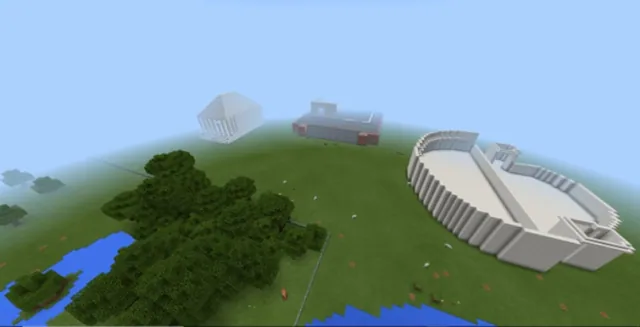
Inside Minecraft: Education Edition, learners construct their obstacle courses within a flat terrain, documenting rules and hints using chalkboards and non-player characters. Students then swap worlds to program their Agent using Code Builder, writing and debugging step-by-step algorithms to safely guide the Agent past each hazard.
Learning objectives
By the end of this lesson students will be able to:
- Identify real-world safety hazards such as fire, water, and darkness.
- Draft a maze layout on grid paper incorporating distinct obstacles.
- Build a navigable maze game in Minecraft featuring instructional chalkboards and NPCs.
- Write and debug algorithms in Code Builder to guide the Agent through a classmate's maze.
Blocks and items used in this lesson


Key vocabulary
- Algorithm
- A step-by-step set of instructions designed to accomplish a specific task.
- Debugging
- The process of identifying and correcting mistakes in computer code or instructions.
- Agent
- A programmable helper character in Minecraft: Education Edition that carries out coded commands.
- NPC
- A non-player character used to share dialogue, directions, or information with players.
Before class
Lesson sequence
Suggested timing: about 180 minutes in total.
- Safety Discussion and Paper Prototyping45 min
Lead a class discussion on staying safe and remaining visible outdoors, focusing on environmental hazards such as deep water, fire, and darkness. Introduce introductory questions about what dangers learners will include in their games.
Have students research maze structures and sketch their own layouts on squared or graph paper, labeling where obstacles and hazards will be placed.
- World Building and In-Game Documentation65 min
Direct students to open a Blocks of Grass world in Minecraft: Education Edition and build their paper maze designs with structural blocks and chosen hazard elements.
Students place chalkboards and NPCs at critical checkpoints to provide written instructions explaining how another player can safely navigate each section.
- Peer Testing, Coding, and Debugging70 min
Have students share their worlds with a peer. Each learner opens their partner's maze, reads the written chalkboard and NPC guidance, and opens Code Builder.
Students construct algorithms to move their Agent safely through each maze section, actively testing their code and debugging any commands that do not produce the expected movement.
Assessment: success criteria
- Student paper sketch shows a clear maze route containing planned hazards.
- Minecraft maze contains functional pathways supplemented with instructional chalkboards or NPCs.
- Student writes an algorithm in Code Builder that successfully guides the Agent through an obstacle course.
- Student identifies errors and applies debugging techniques when an algorithm fails.
Differentiation
Provide a pre-printed grid template with basic turn symbols and encourage paired programming during the Code Builder phase.
Challenge students to add multi-stage hazards requiring conditional turns or shorter, more efficient algorithms.
Knowledge check
5 questions to check understanding after the lesson. Tap an answer to see if it is right; the score appears at the end.
1What planning tool do students use before building their maze in Minecraft?
Answer: A. Step One specifies that learners research maze games and design their layout on squared or graph paper.
2How do students share written instructions with visitors inside their maze world?
Answer: B. Step Two instructs learners to use chalkboards and NPCs to provide written information for completing each section.
3Which environmental hazards are highlighted as inspiration for maze obstacles?
Answer: C. The source specifically notes dangers such as water, fire, and darkness when discussing outside safety and obstacle design.
4Which world type does the lesson recommend using for the maze construction?
Answer: D. Step Two states that learners build their maze game using the Blocks of Grass world.
5What should a student do if their Agent does not move as intended through the maze?
Answer: C. Step Three notes that learners need to debug their algorithm if commands do not work out as expected.
Resources
Frequently Asked Questions
Approximately how much class time is needed to complete this challenge?
The source outlines three distinct steps designed to take approximately 3 hours in total, which can be split over multiple class periods.
Do students need to download a custom world file beforehand?
No custom world download is required; students build directly inside the standard Blocks of Grass world available in Minecraft: Education Edition.
Which tool controls the Agent during the peer-testing stage?
Students launch Code Builder from within Minecraft: Education Edition to create the algorithms that guide the Agent through the maze.
Adapted from That’s an A-maze-ing Game! by Hwb MLCs on Minecraft Education, last updated Apr 27, 2021. This classroom version, the timings and the quiz were written by 9Minecraft Education.