- Type
- Lesson plan
- Subject
- Language Arts
- Topics
- Reading and Writing
- Grade
- Primary (Grades 3-5)
- Ages
- Ages 8-10
- Includes
- Quiz: 5 questionsMinecraft world
How can we use descriptive details and visual evidence to tell the story of a mysterious shipwreck?
Overview
In this literacy lesson, students examine how authors use descriptive language and visual evidence to tell compelling stories. By analyzing mentor texts and inspecting a sunken vessel, learners consider the backstory of a maritime disaster, focusing on who was aboard, what goods were transported, and what events caused the ship to sink.
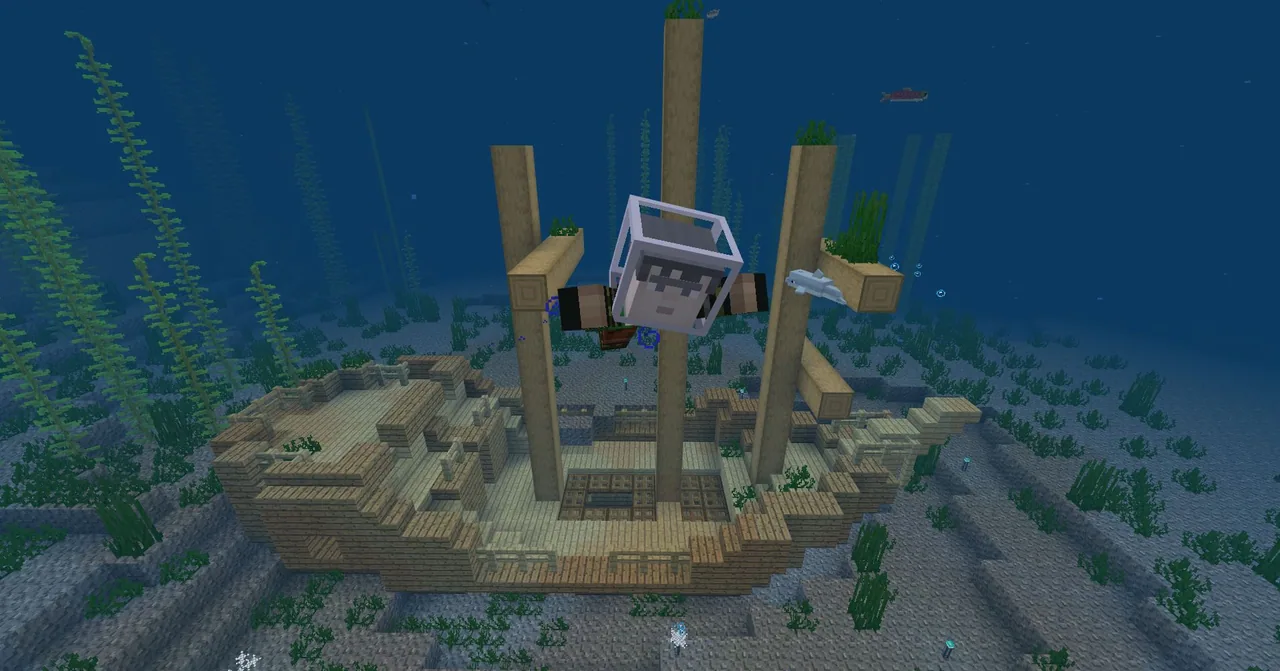
Students step into Minecraft to investigate a shipwreck firsthand, gathering clues and recording observations. After drafting an original narrative that details the vessel\'s journey and downfall, learners return to the game to construct physical evidence matching their plot and capture digital illustrations to accompany their written work.
Learning objectives
By the end of this lesson students will be able to:
- Observe and record descriptive details from an in-game shipwreck.
- Write a structured narrative explaining who was on the ship, what cargo it carried, and how it sank.
- Build physical details onto the shipwreck in Minecraft to provide visual evidence for the story.
- Capture digital illustrations using screenshots or the in-game camera and portfolio to support the text.
Blocks and items used in this lesson


Key vocabulary
- Narrative
- A spoken or written account of connected events or a story.
- Shipwreck
- The remains of a destroyed or sunken vessel at sea.
- Cargo
- Goods or materials carried on a ship or other transport.
- Temporal words
- Words or phrases that signal the order in which events happen, such as first, next, or finally.
Before class
Lesson sequence
- Mentor Text Warm-Up
Share passages from a familiar book or work of fiction that feature rich descriptions of settings, people, or objects. Ask volunteers to read aloud, then view the accompanying book illustrations to compare written descriptions with visual representations.
- Shipwreck Investigation
Have students load the provided shipwreck world or locate one using the /locate chat command. Learners explore the vessel, inspect the wreckage, and record detailed observational notes about its condition and surroundings.
- Drafting the Narrative
Working outside Minecraft, students write an informative narrative explaining how the ship came to rest on the ocean floor. Offer guiding questions: Who might have been on the ship? What cargo was it carrying? Where was it going? Remind students to establish characters, use temporal words to order events, and provide a clear ending.
- Building Supporting Evidence
Students log back into their Minecraft world to modify and expand the shipwreck. They place blocks and items that represent evidence from their narrative, such as spilled cargo, damage from a storm, or clues about the crew.
- Digital Illustration and Sharing
Using screenshots or the in-game camera and portfolio, students take pictures of their modified shipwreck. These images serve as digital illustrations alongside their finished writing pieces.
Assessment: success criteria
- Student wrote an informative narrative that explains the ship\'s purpose and how it sank.
- Student incorporated concrete facts and descriptive details to develop the plot and setting.
- Student built evidence in Minecraft that directly reflects the events described in their text.
- Student produced clear digital illustrations using in-game capture tools to support the narrative.
Differentiation
Provide a graphic organizer based on the guiding prompts to help students structure their plot and temporal sequence before writing.
Challenge students to integrate character dialogue and rich sensory descriptions of thoughts and feelings during the ship\'s final moments.
Knowledge check
5 questions to check understanding after the lesson. Tap an answer to see if it is right; the score appears at the end.
1Which chat command can students use in Minecraft to find a sunken ship if not using the provided world?
Answer: A. The source notes that players can find a shipwreck by typing the /locate command into the chat window.
2What should students do while exploring the shipwreck during the initial game phase?
Answer: C. Students are instructed to observe the details of the shipwreck and take notes to prepare for their writing.
3Which guiding question is suggested to help students plan the background of their shipwreck story?
Answer: D. The lesson suggests prompting students with questions about who was on the ship, what cargo was aboard, and where it was traveling.
4Why do students return to the Minecraft world after writing their draft?
Answer: B. Students return to the game to build onto the shipwreck to add physical details and evidence that back up their written narrative.
5Which tool set can students use inside Minecraft to create illustrations for their finished stories?
Answer: C. The source states students can take screenshots or use the in-game camera and portfolio to produce digital illustrations.
Resources
Frequently Asked Questions
What if students cannot find a shipwreck on their own?
You can load the downloadable world supplied with the lesson, or show students how to enter the /locate command in the chat window to receive coordinates to the nearest wreck.
How can students export their illustrations out of the game?
Students can use the in-game camera and portfolio to export photos into an illustrated book or take standard system screenshots to paste directly into word-processing documents.
Adapted from Shipwreck Narrative by Minecraft Education on Minecraft Education, last updated Feb 20, 2024. This classroom version, the timings and the quiz were written by 9Minecraft Education.