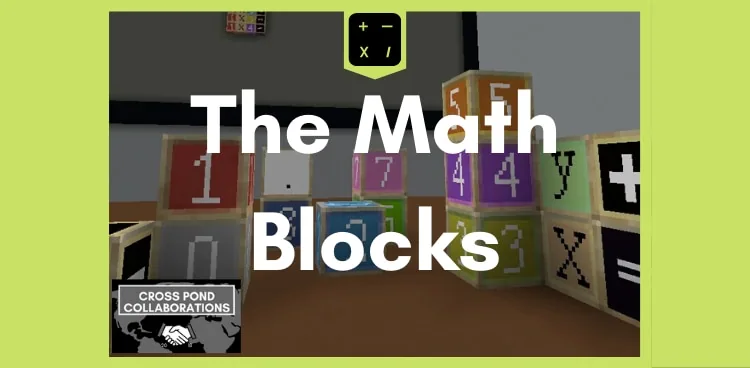
How can we use custom math blocks to build equations and represent numbers in Minecraft?
Overview
This lesson introduces custom, math-specific blocks and non-player characters (NPCs) designed to help learners visualize mathematical concepts. By working with dedicated number blocks, students across all ages and learning levels can manipulate values directly inside a digital space to reinforce core numeracy concepts.
Students begin inside a virtual classroom where they can construct equations and explore pre-built environments. They also learn how to apply the custom Math Resource Pack to their own worlds, allowing them to collaborate, think critically, and build custom mathematical challenges.
Learning objectives
By the end of this lesson students will be able to:
- Represent numbers visually using specialized math blocks.
- Construct mathematical equations within a virtual classroom world.
- Activate the Math Resource Pack in a new world through the Add-Ons menu.
- Design original number tasks to illustrate mathematical understanding.
Blocks and items used in this lesson

Key vocabulary
- Resource Pack
- A collection of custom files that modifies or adds new textures and blocks to Minecraft.
- NPC
- A non-player character placed in the world to deliver instructions or guide activities.
- Equation
- A mathematical statement showing that two expressions or values are equal.
- Add-Ons
- A menu section in world settings used to manage and attach custom resource packs.
Before class
Lesson sequence
- Introduction to Math Blocks
Introduce the lesson by explaining that students will be using dedicated math blocks and NPCs to build math problems. Demonstrate how numbers can be represented spatially using the new blocks.
- Exploring the Virtual Classroom
Have students load the downloadable world. Direct them to explore the virtual classroom, examine the custom NPCs, and open their inventory to locate the math blocks.
- Building Equations
Instruct students to create equations and number representations inside the virtual classroom. Encourage them to work together to verify each other's equations for accuracy.
- Exporting to Custom Worlds
Guide students through applying the pack to their own projects:
- Create a new world in Minecraft.
- Navigate to Add-Ons and select Resource Packs.
- Choose the Math Resource Pack and click the + button.
- Click Play and access the blocks from the inventory.
- Task Creation and Review
Ask students to build an original number task or equation layout for a classmate to solve. Conclude with a brief walk-through where learners share their creations.
Assessment: success criteria
- Students accurately place math blocks to represent specific numeric values.
- Students build valid mathematical equations inside the virtual classroom.
- Students successfully activate the Math Resource Pack in a newly generated world.
- Students design clear number tasks that demonstrate their mathematical knowledge.
Differentiation
Provide students with simple addition or number-matching prompts to build using the math blocks before attempting larger equations.
Challenge advanced students to build multi-step equations or create interactive number tasks using both blocks and NPCs in a brand-new world.
Knowledge check
5 questions to check understanding after the lesson. Tap an answer to see if it is right; the score appears at the end.
1What unique elements are included in the downloadable Math world?
Answer: A. The source explicitly states that the pack contains unique, math-specific blocks and NPCs.
2Where do students first build their equations in the provided world?
Answer: B. The student activities specify that learners download the world and create equations inside the virtual classroom.
3Under which settings category can students find Resource Packs when making a new world?
Answer: C. The instructions note that students should look under Add-Ons to click on Resource Packs.
4What action must students take to activate the Math Resource Pack after selecting it?
Answer: D. The guide instructs students to select the Math Resource Pack and click the + button to apply it.
5How do students demonstrate their understanding in this lesson?
Answer: A. Assessment involves students illustrating math knowledge by creating their own equations, representations, or tasks using the math blocks.
Frequently Asked Questions
Can the math blocks be used in student-created worlds?
Yes. Students can start a new world, open Add-Ons, navigate to Resource Packs, select the Math Resource Pack, and click the + button to use the blocks anywhere.
Which subjects and age groups does this lesson target?
The resource is suitable for all ages and is cataloged under Math & Economics as well as Special Education.
Adapted from Math Blocks by Cross Pond Collaborations on Minecraft Education, last updated Nov 30, 2023. This classroom version, the timings and the quiz were written by 9Minecraft Education.