- Type
- Lesson plan
- Ages
- Ages 8-13
- Includes
- Quiz: 5 questionsLesson files
How can we use Spanish vocabulary and digital design to introduce ourselves and build a supportive classroom community?
Overview
This introductory lesson connects foreign language acquisition with digital art and community building. Learners begin by learning Spanish numbers and colors to draft their own block avatar on paper, building an appreciation for planned design before translating their sketches into a shared virtual environment.
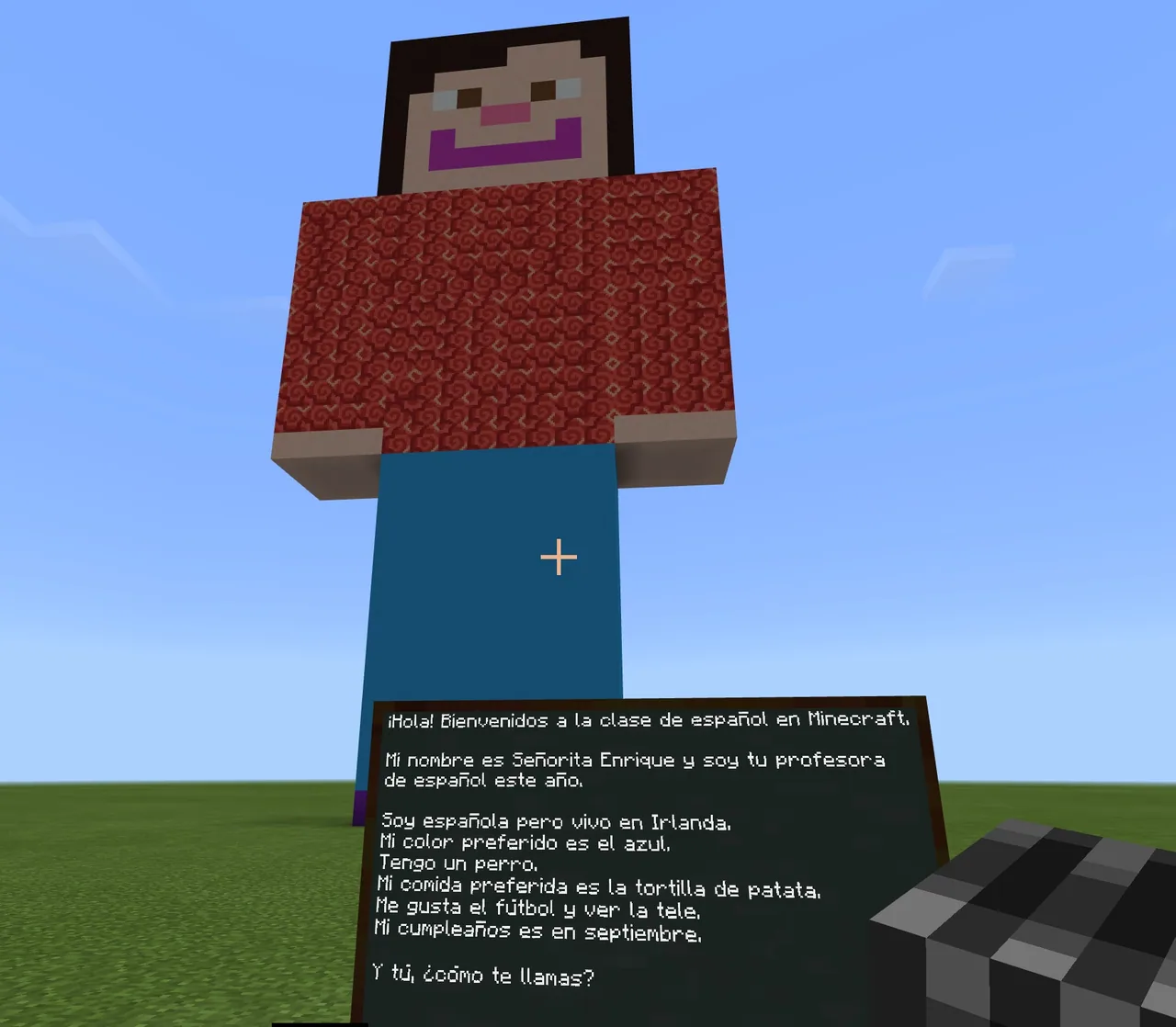
Using Minecraft Education, students construct their three-dimensional characters, capture screenshots using the in-game camera, and compile their work. They then export these images into a shared OneNote digital space to write personal profiles in Spanish and participate in a conversational Human Bingo activity with peers.
Learning objectives
By the end of this lesson students will be able to:
- Design a character avatar using pixel paper and basic Spanish color and number vocabulary.
- Build a 3D avatar in Minecraft Education matching an original paper blueprint.
- Capture and export character images using the in-game camera and portfolio commands.
- Write personal introductory profiles in Spanish using targeted categories such as age, hobbies, and favorites.
- Interact with peers in Spanish to complete a communicative Human Bingo activity.
Blocks and items used in this lesson


Key vocabulary
- Pixel Paper
- Grid paper where each square corresponds to a single colored block or pixel.
- Portfolio
- An in-game item that collects photographs taken by the player so they can be exported.
- Learning Community
- A supportive group of peers working together toward common learning goals.
- Collaboration Space
- A shared digital notebook area in OneNote where all classmates can contribute and view each other's work.
Before class
Lesson sequence
- Character Blueprint (Unplugged)
Introduce Spanish vocabulary for numbers and colors. Distribute pixel paper and instruct students to draft their avatar design square by square, counting how many blocks they will need and labeling colors in Spanish.
- Building in Minecraft
Have students sign into Minecraft Education and reconstruct their paper character designs as 3D block builds. Provide items using the chat commands /give @a Camera and /give @a Portfolio so students can photograph their finished avatar.
- OneNote Digital Introductions
Students export their avatar pictures from the portfolio and upload them to their assigned section in the OneNote Collaboration Space. Alongside their photo, they write their personal information in Spanish, including their name, age, favorite color, pet name, favorite food, hobbies, and birthday.
- Human Bingo Interaction
Hand out the Mis Compañeros de Clase Bingo sheets. Students walk around the classroom, asking one another questions in Spanish to locate classmates who match each category heading and recording their names on the card.
Assessment: success criteria
- Student pixel paper blueprint clearly identifies colors and block quantities.
- In-game avatar accurately reflects the student's initial paper design.
- OneNote profile contains an exported portfolio photo and required personal descriptors written in Spanish.
- Active participation in asking and answering peer questions during the Human Bingo game.
Differentiation
Provide a bilingual sentence-starter reference sheet for the OneNote profile and Bingo questions.
Challenge students to add additional Spanish sentences describing their avatar's clothing or personality traits.
Knowledge check
5 questions to check understanding after the lesson. Tap an answer to see if it is right; the score appears at the end.
1What tool do students use to design their avatars during the unplugged planning phase?
Answer: B. The lesson directs students to plan and design their avatars on pixel paper before entering the game.
2Which command is used to distribute a camera to all students in Minecraft Education?
Answer: A. The lesson specifically uses the command /give @a Camera to issue cameras to everyone.
3Where do students share their exported avatar photos alongside their written Spanish bios?
Answer: C. Students insert their exported portfolio pictures into their named page in the OneNote Collaboration Space.
4Which personal detail is explicitly listed as a required element of the Spanish OneNote profile?
Answer: D. The profile instructions specify name, age, favorite color, pet name, favorite food, hobbies, and birthday.
5What is the goal of the Human Bingo activity at the end of the lesson?
Answer: B. Students move around the room asking questions to find peers who meet the heading criteria on their bingo cards.
Resources
Frequently Asked Questions
Do I need a custom downloadable Minecraft world file to run this lesson?
No special world download is required. Any standard creative world allows students to place blocks, use the camera, and access the portfolio.
How do students transfer their in-game photos into OneNote?
Students capture an image using the in-game Camera item, view it in the Portfolio, export the picture file to their device, and then insert that image into the OneNote Collaboration Space.
Adapted from ¡Hola Mundo! by Gloria Enrique on Minecraft Education, last updated Aug 23, 2018. This classroom version, the timings and the quiz were written by 9Minecraft Education.