- Type
- Teacher training
- Subject
- Computer Science & Coding
- Duration
- about 30 min (suggested)
- Includes
- Quiz: 5 questions
How can chalkboard blocks be selected, placed, and edited to display written information in Minecraft?
Overview
Displaying written text within a Minecraft environment is an important tool for sharing instructions, background information, and learning cues. Minecraft: Education Edition provides chalkboard blocks to give players a simple, integrated method for presenting readable notes directly in the game space.
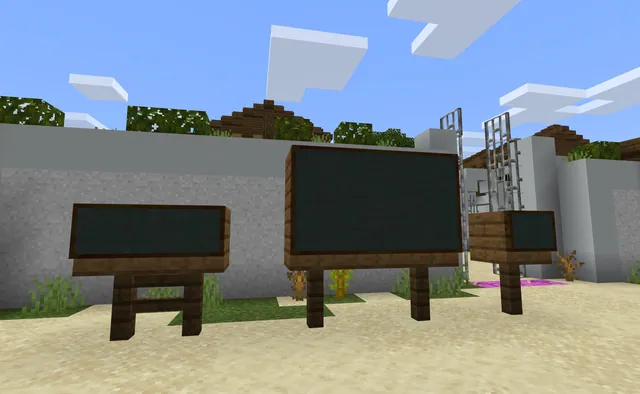
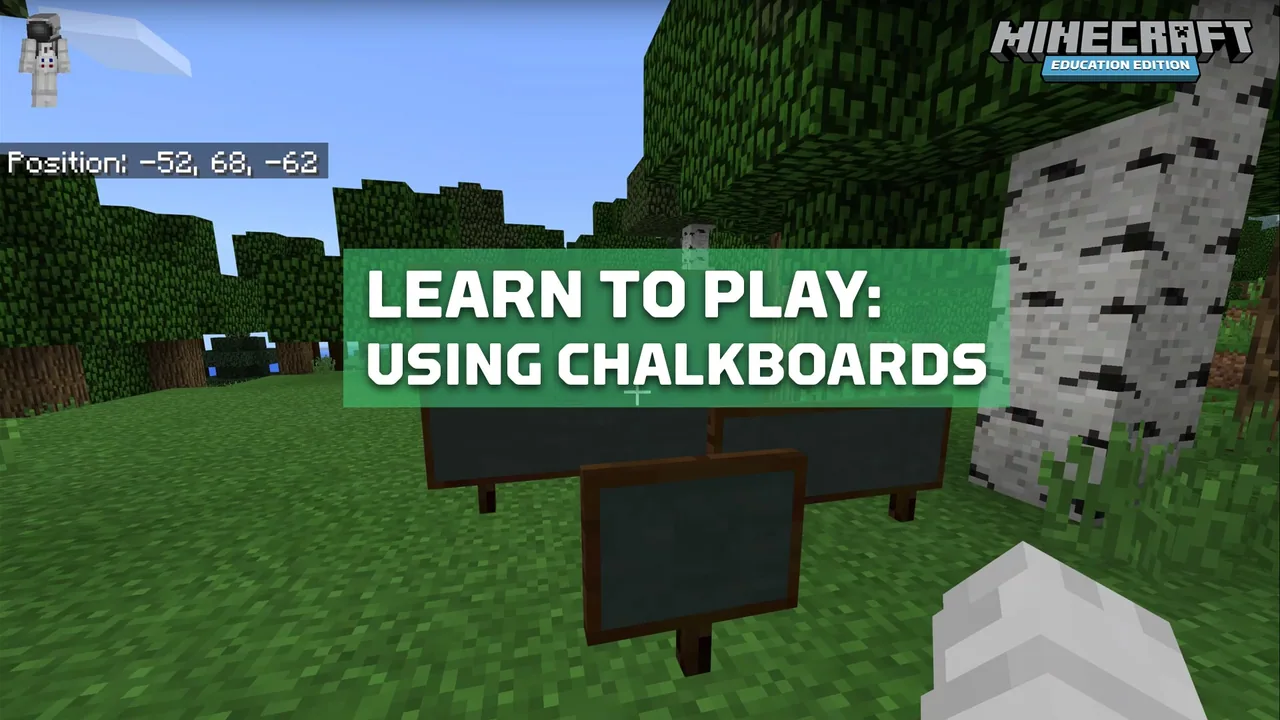
Chalkboards come in three distinct blocks known as Slate, Poster, and Board, each scaled to a different size and text capacity. Educators and students can find these items in the inventory, mount them on walls or floors, and easily enter custom text using standard game controls.
Learning objectives
By the end of this activity students will be able to:
- Identify the three chalkboard block types and their respective dimensions.
- Locate chalkboard blocks within the Items tab of the inventory.
- Place chalkboard blocks on horizontal ground surfaces and vertical walls.
- Edit chalkboard text using in-game controls.
Blocks and items used in this lesson

Key vocabulary
- Chalkboard
- A special block type in Minecraft: Education Edition used to write and display in-world text.
- Slate
- A 1x1 chalkboard block suited for short text entries.
- Poster
- A 2x1 chalkboard block providing medium text capacity.
- Board
- A 2x3 chalkboard block providing the largest writing area among chalkboards.
Before class
Lesson sequence
Suggested timing: about 30 minutes in total.
- Introduction to Chalkboard Blocks5 min
Introduce the purpose of chalkboards in Minecraft: Education Edition as blocks that display custom written text in the world. Clarify that the term chalkboard includes three separate items: Slate, Poster, and Board.
- Locating Items in the Inventory5 min
Direct participants to open the player inventory and select the Items tab. Have them locate the Slate, Poster, and Board blocks and place each into their active hotbar.
- Surface Placement10 min
Demonstrate selecting a board from the hotbar and right-clicking to place it. Guide learners to test placement on both horizontal ground blocks and vertical walls, observing the physical size differences among the 1x1, 2x1, and 2x3 options.
- Text Entry and Editing10 min
Instruct participants to right-click on each placed chalkboard to open the text field. Have them type short messages to observe how text fits into each size.
Assessment: success criteria
- Participant correctly names all three chalkboard types and their dimensions.
- Participant finds and retrieves chalkboards from the Items tab in the inventory.
- Participant successfully mounts chalkboards onto both ground and wall surfaces.
- Participant opens the text editor via right-click and enters text into placed boards.
Differentiation
Practice placing and typing on the 1x1 Slate block first before moving to larger multi-block sizes.
Place all three chalkboard sizes side by side on a wall to compare how line length and total text capacity vary by block size.
Knowledge check
5 questions to check understanding after the lesson. Tap an answer to see if it is right; the score appears at the end.
1What are the dimensions of a Slate chalkboard block?
Answer: A. The Slate is the smallest chalkboard block, measuring 1x1.
2Where in the inventory are chalkboard blocks located?
Answer: B. Chalkboards are found inside the Items tab of the inventory.
3Which chalkboard block provides the largest text capacity?
Answer: D. The Board measures 2x3, giving it the largest text capacity of the three chalkboard blocks.
4What action is used to place a chalkboard and to open its text editor?
Answer: C. Right-clicking places the selected board, and right-clicking a placed board opens its text space for editing.
5On which surfaces can chalkboard blocks be attached?
Answer: B. Chalkboard blocks can be attached to walls as well as placed on the ground.
Frequently Asked Questions
What are the dimensions of the Poster chalkboard?
A Poster chalkboard block measures 2 blocks wide by 1 block high (2x1), offering a medium text capacity between a Slate and a Board.
How do players add or modify text on an existing chalkboard?
Right-click directly on the placed chalkboard block in the world to open the text interface and type into the space provided.
Adapted from Learn to Play: Using Chalkboards by Minecraft Education on Minecraft Education, last updated Aug 22, 2018. This classroom version, the timings and the quiz were written by 9Minecraft Education.