- Type
- Teacher training
- Subject
- Computer Science & Coding
- Duration
- about 30 min (suggested)
- Includes
- Quiz: 5 questionsMinecraft world
How can educators effectively place, edit, and remove different chalkboard types to guide student learning?
Overview
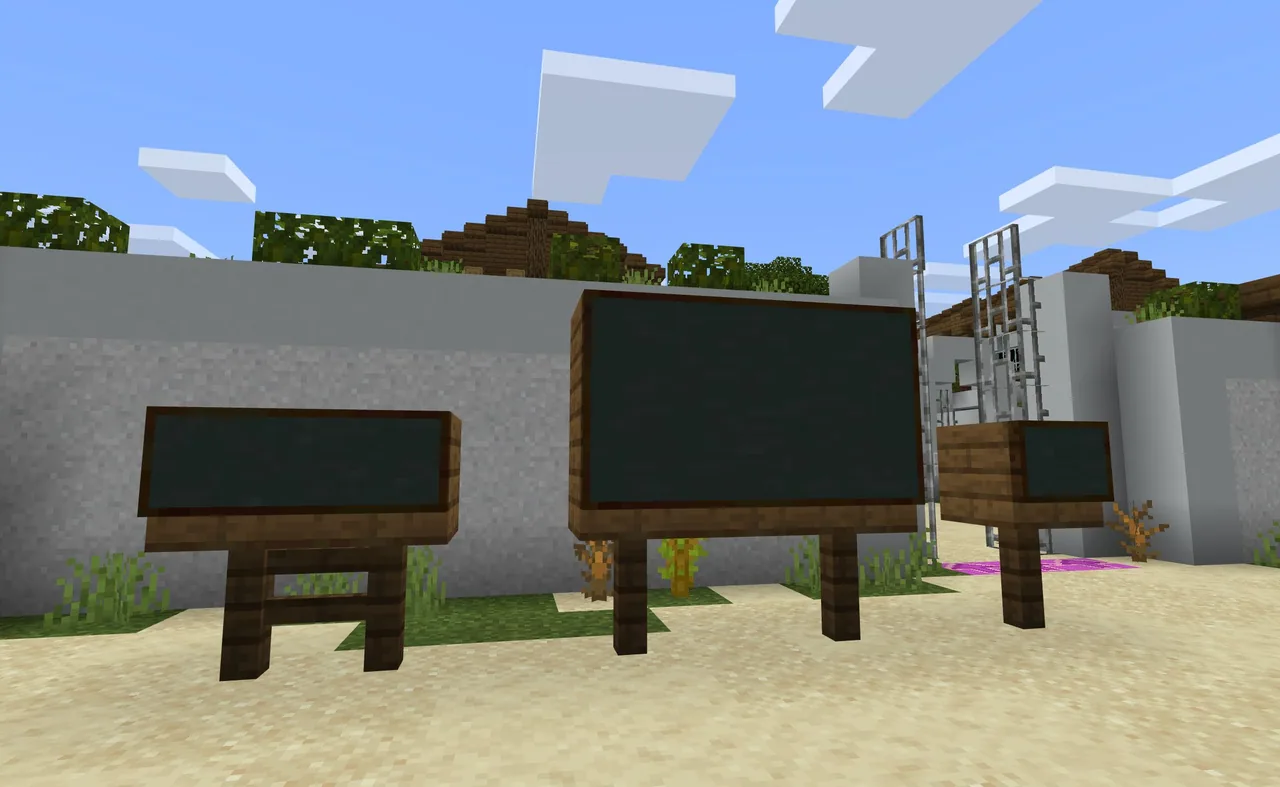
Chalkboards are dedicated communication tools in Minecraft Education designed to present text directly to students. Educators use them to display instructional prompts, task descriptions, and classroom guidelines right within the learning space.
This course examines the three functional formats of chalkboards: slates, boards, and posters. Participants will learn how to place each format on surfaces, input and adjust instructional writing, and clear boards away when an activity concludes.
Learning objectives
By the end of this activity students will be able to:
- Identify the three types of chalkboards available in Minecraft Education.
- Place slates, boards, and posters onto appropriate surfaces.
- Edit text on placed chalkboards to provide clear instructions.
- Remove chalkboards from the game environment as needed.
Blocks and items used in this lesson

Key vocabulary
- Slate
- One of three chalkboard types used to present short instructions.
- Poster
- One of three chalkboard types used for displaying medium-length text.
- Board
- One of three chalkboard types used for displaying larger blocks of text.
Before class
Lesson sequence
Suggested timing: about 30 minutes in total.
- Understanding Chalkboard Types5 min
Examine the three distinct varieties of chalkboards: slates, boards, and posters. Discuss how using them to provide direct instructions helps learners stay focused on lesson goals.
- Placing Chalkboards10 min
Select each chalkboard type from the inventory and place it in the training area. Compare how slates, boards, and posters occupy space across different surfaces.
- Editing Written Instructions10 min
Interact with the placed chalkboards to open the text interface. Practice typing clear prompts, refining the wording, and saving the updated instructions.
- Removing Chalkboards5 min
Practice breaking and removing chalkboards from walls and floors to reset areas or prepare for new learning activities.
Assessment: success criteria
- Teacher names all three chalkboard formats: slates, boards, and posters.
- Teacher successfully places each chalkboard type in the world.
- Teacher inputs and modifies text to display clear instructions.
- Teacher removes chalkboards cleanly from the workspace.
Differentiation
Begin by placing and editing a single slate before moving on to larger boards.
Set up a sequenced task that distributes different instructions across a slate, a board, and a poster.
Knowledge check
5 questions to check understanding after the lesson. Tap an answer to see if it is right; the score appears at the end.
1How many types of chalkboards are available in Minecraft Education?
Answer: B. The source identifies three types of chalkboards: slates, boards, and posters.
2According to the tutorial, what is the main purpose of chalkboards?
Answer: A. Chalkboards are used to deliver instructions directly to students.
3Which of the following is one of the three chalkboard styles?
Answer: C. Slates, boards, and posters make up the three chalkboard options.
4What three basic actions are taught in this chalkboard tutorial?
Answer: D. The tutorial focuses on how to place, edit, and remove chalkboards.
5Which list contains all three types of chalkboards mentioned in the source?
Answer: B. The three types explicitly listed in the source are slates, boards, and posters.
Resources
Frequently Asked Questions
Why would an educator use a chalkboard instead of verbal directions?
Chalkboards keep persistent written instructions directly in the workspace, allowing students to reread expectations at their own pace.
Can the text on a placed chalkboard be modified later?
Yes, educators can interact with a placed chalkboard at any time to edit the text or remove the board entirely.
Adapted from Tutorial 5. Chalkboards by Minecraft Education on Minecraft Education, last updated Jun 10, 2026. This classroom version, the timings and the quiz were written by 9Minecraft Education.