- Type
- Lesson plan
- Ages
- Ages 8-13
- Includes
- Quiz: 5 questionsLesson files
How much detail is required to communicate a mental image to someone else through writing?
Overview
Students explore the power of written communication by collaborating on a shared project without verbal conversation. By partnering with peers in another class, learners experience firsthand how specific and clear their descriptions must be to convey a mental vision to someone else.
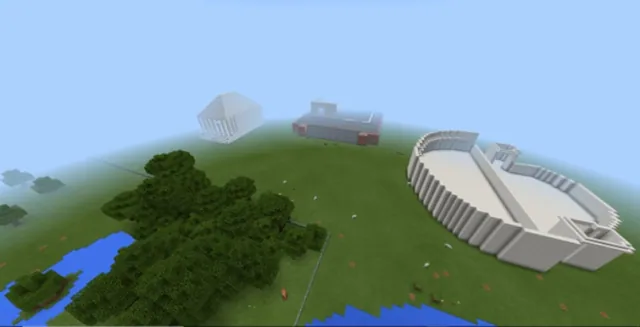
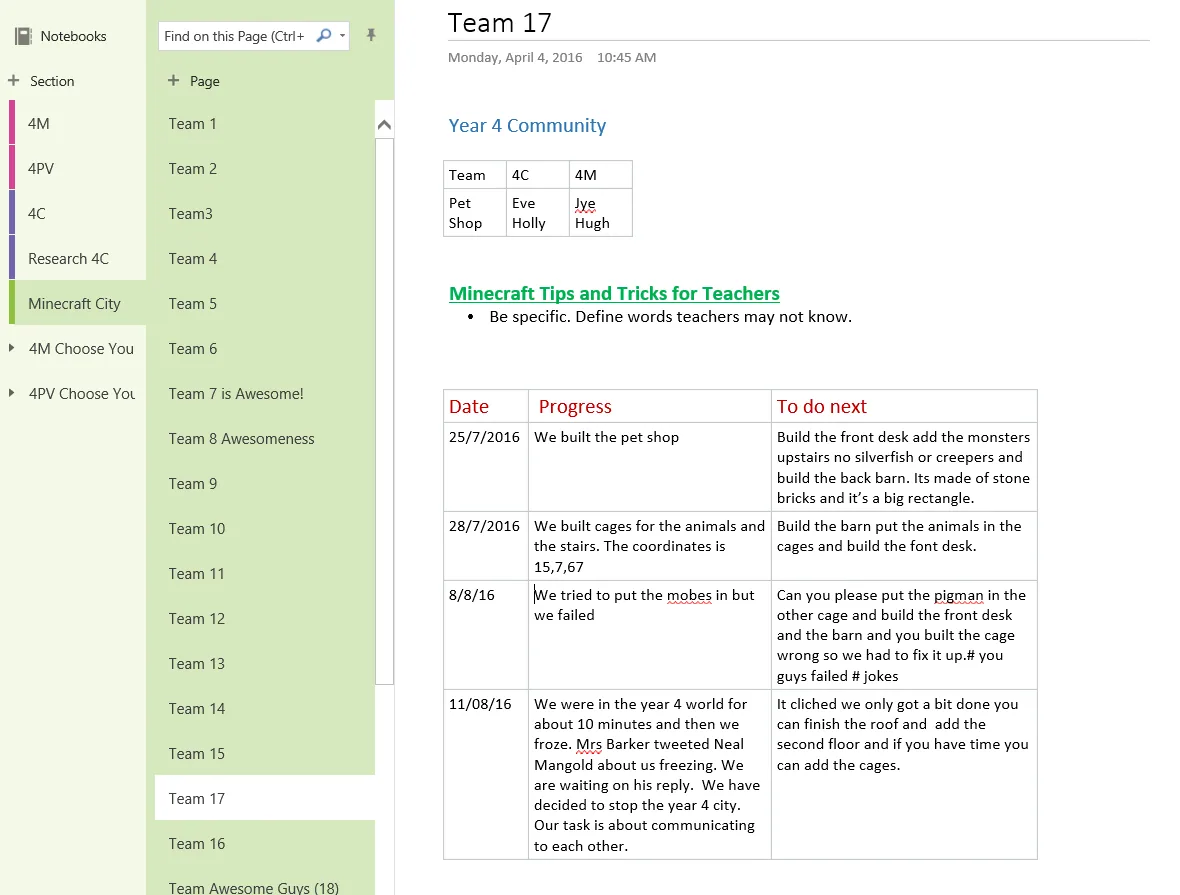
Minecraft Education provides the shared canvas where student pairs alternately construct a city in a creative flat world. Between building sessions, teams use shared OneNote pages to document their construction progress, explain revisions, and leave instructional suggestions for their partners.
Learning objectives
By the end of this lesson students will be able to:
- Collaborate with peers from another class to design and construct a shared city in Minecraft.
- Write clear, descriptive progress reports and instructional suggestions on a shared OneNote page.
- Adapt and refine written communication based on peer responses and construction outcomes.
- Evaluate the effectiveness of non-verbal communication methods during a group reflection.
Blocks and items used in this lesson


Key vocabulary
- Progress Report
- A written summary detailing tasks completed during a work session and outlining upcoming steps.
- Multi-modal Communication
- Sharing information using different formats, such as text, diagrams, or recorded audio.
- Asynchronous Collaboration
- Working together on a shared project at different times rather than simultaneously.
Before class
Lesson sequence
- Brainstorming and Group Planning
Bring both classes together to brainstorm common city locations, such as parks, shops, and sports grounds. Groups of four select the specific part of the city they want to build and receive their designated OneNote page.
- Initial Construction and Log Entry
The first class logs into the Year 4 City world in pairs to begin building their assigned section. At the end of the session, students access OneNote to log what they built and write suggestions for the next group.
- Asynchronous Handoff and Continuation
The second class reads the OneNote instructions and continues construction. If they modify suggested plans, they record these changes in their progress report along with new recommendations for the next session.
- Cohort Reflection and Feedback
Gather both classes together to review the finished city and evaluate their communication. Students discuss how effectively their notes conveyed instructions and explore enhancements like diagrams or audio recordings.
Assessment: success criteria
- Students maintain an organized, practical OneNote page through regular, independent contributions.
- Written communication in OneNote logs demonstrates noticeable improvement in precision and detail over time.
- Teams successfully complete their designated section of the Year 4 City world.
Differentiation
Provide sentence frames or structured headings in OneNote to guide students when writing their progress updates and suggestions.
Encourage students to incorporate multi-modal communication elements into their OneNote logs, such as planning diagrams or recorded audio clips.
Knowledge check
5 questions to check understanding after the lesson. Tap an answer to see if it is right; the score appears at the end.
1How do student pairs communicate their building plans to the other class during construction?
Answer: B. The lesson specifies that students communicate their building progress and suggestions solely via OneNote.
2What type of Minecraft world is set up for the Year 4 City project?
Answer: D. The preparation instructions require creating a creative, flat Minecraft world.
3What must students record in OneNote if they alter a teammate's suggested build design?
Answer: A. Students who make changes to proposed plans must record those updates in their progress report.
4How are student groups organized across the two participating classes?
Answer: C. Groups of four are formed by combining two students from one class with two from another.
5During the final cohort discussion, what communication improvement does the lesson suggest exploring?
Answer: D. The final lesson invites students to suggest improvements such as including diagrams or audio podcasts.
Resources
Frequently Asked Questions
Where can students find the link to the shared OneNote notebook?
The teacher pastes a link with editing permissions directly onto the school library website so students can access it quickly and easily.
Do the two classes build inside Minecraft at the exact same time?
No, the classes take turns logging into the shared world in alternating sessions, using OneNote notes to coordinate their progress asynchronously.
What should students include at the end of each building session?
Each pair should write a summary of the construction they completed and provide actionable suggestions for their partners to tackle in the next session.
Adapted from Minecraft Mates by Lynette Barker on Minecraft Education, last updated Jun 8, 2018. This classroom version, the timings and the quiz were written by 9Minecraft Education.