- Type
- Build challenge
- Subject
- Computer Science & Coding
- Topics
- Computer Science
- Duration
- about 60 min (suggested)
- Includes
- Quiz: 5 questionsMinecraft world
How can we design courses and write accurate code to guide an Agent safely through obstacles?
Overview
Computer programming relies on logical sequencing, spatial reasoning, and iterative testing. In this challenge, learners explore core computer science concepts by structuring navigation puzzles and finding programmatic solutions to movement problems.
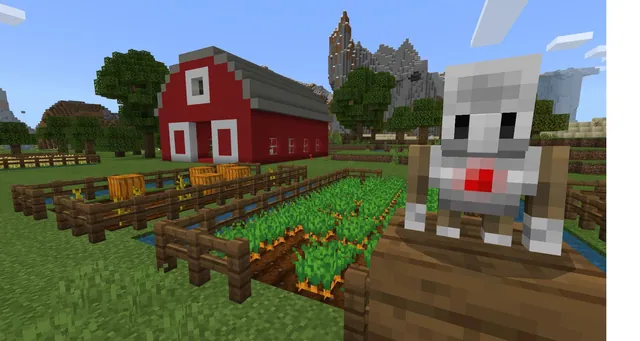
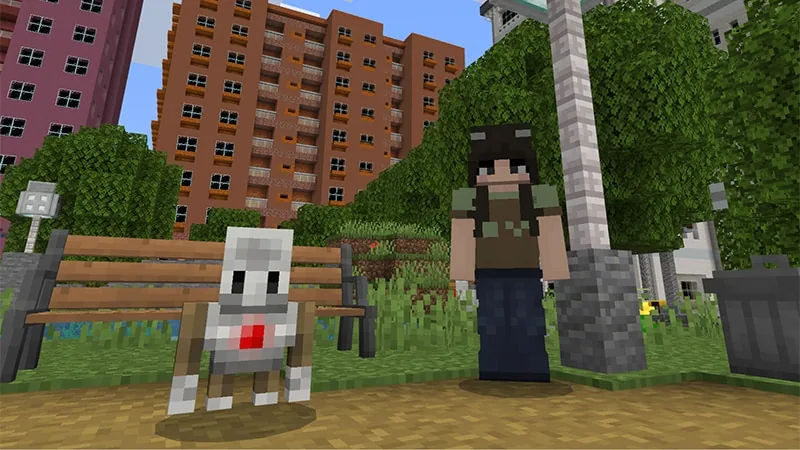
Using Minecraft Education, students set up physical paths and obstacles within a city park setting. They then write and test code to direct their Agent from a designated starting point to the finish line, refining their scripts whenever obstacles block the way.
Learning objectives
By the end of this activity students will be able to:
- Construct pathways and obstacles to define a navigation course.
- Program the Agent using sequential code commands to reach a finish line.
- Test, debug, and modify coding scripts to overcome course obstacles.
- Record navigation strategies and step-by-step code in a written log.
Blocks and items used in this lesson


Key vocabulary
- Agent
- A programmable character in Minecraft Education that executes code commands.
- Obstacle
- A physical structure placed along a route that prevents direct movement.
- Sequence
- The ordered list of instructions given to a program to accomplish a task.
Before class
Lesson sequence
Suggested timing: about 60 minutes in total.
- Introduction and Course Planning10 min
Introduce the challenge of guiding an Agent through a park environment. Discuss how breaking a path into individual movement steps helps programmers plan accurate code.
- Path and Obstacle Construction15 min
Students build pathways and place physical obstacles in the park to create clear routes for their coding challenges.
- Agent Coding and Testing20 min
Learners write code to navigate the Agent through the custom route. They run their scripts, observe any errors when interacting with obstacles, and modify the commands until the Agent safely reaches the end.
- Documentation and Peer Challenges15 min
Students log their code steps and strategies using a book and quill, or enter the free build area to construct a new challenge for a classmate to solve.
Assessment: success criteria
- The student constructs a distinct route featuring paths and obstacles.
- The Agent successfully travels from start to finish using coded instructions.
- The student demonstrates debugging by altering code when encountering navigation errors.
- The student records their problem-solving strategy and code sequence.
Differentiation
Allow students to work in pairs to plan course routes and write code together.
Have students design a custom maze in the free build area and challenge a peer to program the Agent through it.
Knowledge check
5 questions to check understanding after the lesson. Tap an answer to see if it is right; the score appears at the end.
1What entity do students write code to control during this challenge?
Answer: A. The challenge specifies using coding to guide your Agent safely from start to finish.
2In what environment is this series of coding problems set?
Answer: B. The source states that students enter a city park filled with coding challenges.
3What do students physically build to set up each challenge?
Answer: C. Learners solve problems by building paths and obstacles before coding the Agent.
4Which item can students use to record their coding steps and strategies?
Answer: D. The source mentions using the book and quill to create a notebook explaining code steps and strategy.
5Where can students build an original challenge for a partner to complete?
Answer: B. The extension suggests designing a new challenge in the free build area for a partner to code.
Resources
Frequently Asked Questions
Can students collaborate during these activities?
Yes, students can work in pairs or small groups to plan pathways, solve the coding tasks, and test their instructions together.
How can students document their learning during the lesson?
Learners can use the in-game book and quill to record their code sequences, describe obstacles, and explain the logic behind their solutions.
Adapted from Coding Park by Minecraft Education on Minecraft Education, last updated Nov 2, 2026. This classroom version, the timings and the quiz were written by 9Minecraft Education.