- Type
- Build challenge
- Topics
- GamingComputer Science
- Duration
- about 60 min (suggested)
- Includes
- Quiz: 5 questionsMinecraft world
How can we use code and creative design to fix and improve an arcade game?
Overview
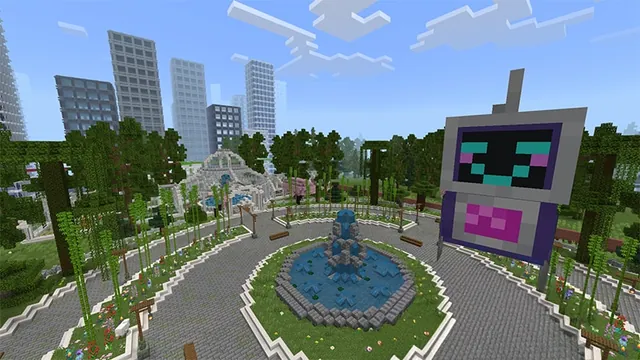
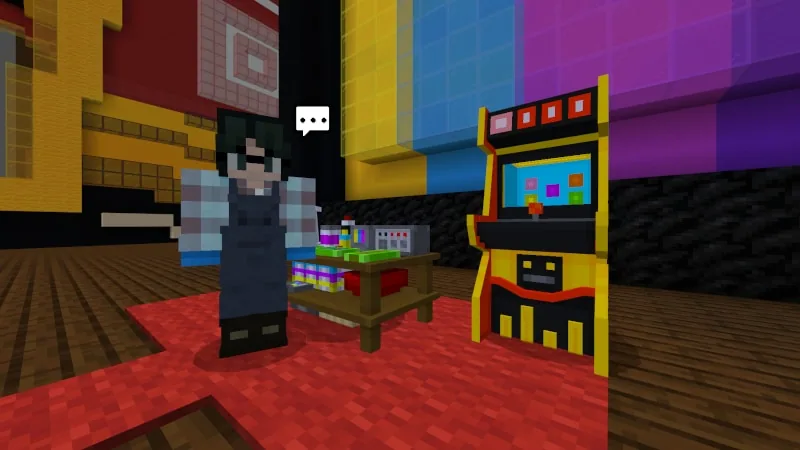
In this computer science build challenge, students step into an arcade setting to troubleshoot and repair malfunctioning gaming machines. Learners combine critical thinking and block-based programming to inspect underlying game logic and resolve functional errors.
Using Minecraft and MakeCode, students follow guidance from in-game characters and video tutorials to restore the machine's emerald payout system. Once the game operates correctly, students apply design thinking to renovate the cabinet and gameplay features to draw in new visitors.
Learning objectives
By the end of this activity students will be able to:
- Identify and repair coding errors in an arcade machine using MakeCode.
- Restore the reward system so the game correctly awards emeralds to players.
- Redesign the arcade cabinet and game environment to attract more players.
- Apply critical thinking and problem-solving strategies throughout the design process.
Blocks and items used in this lesson


Key vocabulary
- MakeCode
- A visual coding platform used to program actions and mechanics within Minecraft.
- Arcade Game
- A game machine designed for public entertainment that often dispenses prizes or rewards.
- Troubleshooting
- The process of identifying, analyzing, and fixing problems or bugs in a program.
Before class
Lesson sequence
Suggested timing: about 60 minutes in total.
- Introduction10 min
Introduce the arcade scenario to the class. Explain that students are stepping in as game technicians to investigate an arcade machine that has stopped giving out emerald prizes.
- Code Repair20 min
Students interact with in-game characters and watch the provided video tutorials to locate the problem in MakeCode. They adjust the scripts until the machine properly distributes emeralds to winning players.
- Redesign Challenge20 min
Once the machine functions properly, students use their creativity to rebuild and improve the game cabinet. The goal is to make the game visually engaging and attractive to new players.
- Showcase and Reflection10 min
Learners test one another's renovated arcade machines to confirm the prize payout works and discuss how coding powers interactive games.
Assessment: success criteria
- The arcade game successfully dispenses emeralds when played.
- MakeCode scripts show corrected logic aligned with the challenge objectives.
- The arcade cabinet exhibits thoughtful visual redesign to attract players.
Differentiation
Refer to the completed code solutions in the educator guide to help students pinpoint where the emerald payout script is broken.
Direct students to the GameCode curriculum so they can create their own arcade-style mini-games from scratch.
Knowledge check
5 questions to check understanding after the lesson. Tap an answer to see if it is right; the score appears at the end.
1What issue needs fixing in the arcade game at the start of the challenge?
Answer: C. The challenge specifies that the arcade machine must be repaired because it is not awarding emeralds as prizes.
2Which tool do students use to repair the broken game?
Answer: A. The source explicitly states that students use MakeCode to fix the arcade game.
3What resources inside the world guide students toward solving the coding problem?
Answer: B. The challenge notes that in-game characters and video tutorials provide guidance to students.
4What are students asked to do after the game code is fixed?
Answer: D. Once the machine is fixed, the challenge instructs students to redesign the game using their creativity.
5Where can teachers find section walkthroughs and full code solutions?
Answer: C. The educator guide provides walkthroughs for each section along with completed code solutions.
Resources
Frequently Asked Questions
Where can I find answer keys for the coding tasks?
The Earning Emeralds Educator Guide contains complete walkthroughs and finished code solutions for all repair tasks.
What instruction helps students who have little coding experience?
Learners can rely on in-game characters and built-in video tutorials that demonstrate the steps needed to repair the code.
What is the recommended next step after completing this challenge?
Students can continue with GameCode, an extended curriculum where they design and program their own arcade mini-games.
Adapted from Earning Emeralds by Minecraft Education on Minecraft Education, last updated Feb 2, 2026. This classroom version, the timings and the quiz were written by 9Minecraft Education.