- Type
- Build challenge
- Subject
- Art, Music & Design
- Topics
- Art and Design
- Duration
- about 50 min (suggested)
- Includes
- Quiz: 5 questionsMinecraft world
How can we represent primary, secondary, and tertiary color relationships using items found in Minecraft?
Overview
Color theory is a foundational element of visual art and design. Understanding the relationship between primary, secondary, and tertiary colors allows learners to make intentional artistic choices and see how colors interact with one another.
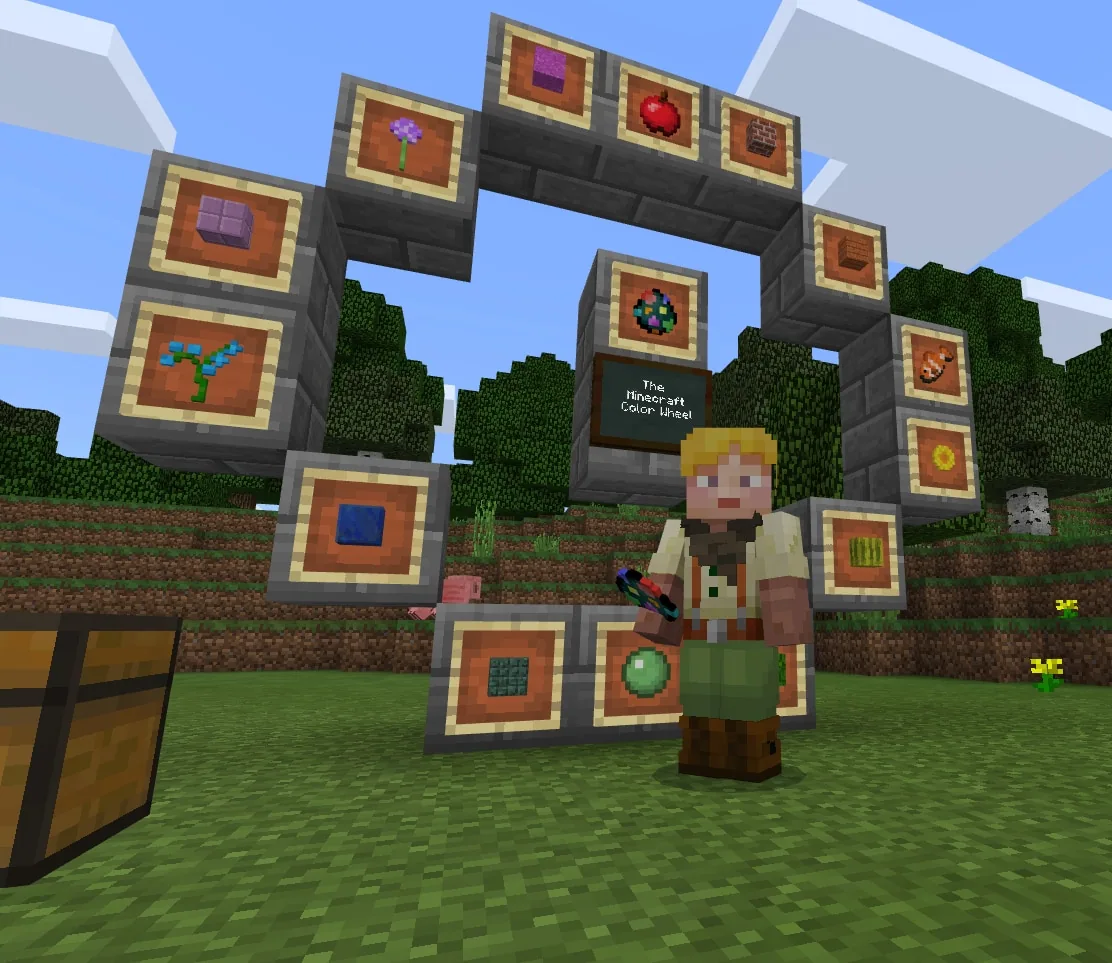
Using the Color Wheel world, students apply these concepts in Minecraft by identifying blocks and items that match specific hues. Learners place these materials into a circular layout, testing their ability to categorize hues using either the creative menu or materials gathered from the environment.
Learning objectives
By the end of this activity students will be able to:
- Identify primary, secondary, and tertiary colors.
- Select matching Minecraft blocks or items for each position on a color wheel.
- Construct and complete a color wheel layout within the game world.
- Document the finished color wheel using the in-game camera.
Blocks and items used in this lesson


Key vocabulary
- Color Wheel
- A circular chart that displays colors organized by their relationships to each other.
- Primary Colors
- Base colors that cannot be created by mixing other colors.
- Secondary Colors
- Colors made by combining equal parts of two primary colors.
- Tertiary Colors
- Colors formed by mixing a primary color with an adjacent secondary color.
Before class
Lesson sequence
Suggested timing: about 50 minutes in total.
- Color Theory Review10 min
Introduce the structure of the color wheel. Guide students in identifying which colors belong to the primary, secondary, and tertiary categories.
- Item Scouting15 min
Learners launch the Color Wheel world and locate blocks or items matching each hue, using either the creative inventory or searching the landscape around them.
- Wheel Assembly15 min
Students place their selected items onto the designated color wheel structure, ensuring each color is placed in its correct relative position.
- Documentation and Extensions10 min
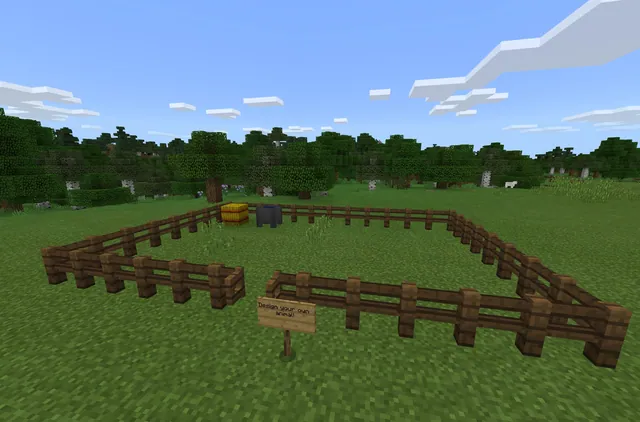
Students photograph their completed wheel with the in-game camera to share with classmates. Fast finishers can test color mixing in nearby cauldrons or dye sheep to gather wool.
Assessment: success criteria
- The color wheel correctly displays primary, secondary, and tertiary colors in order.
- Blocks and items chosen accurately represent the designated color for each section.
- A clear photo of the finished wheel is captured using the in-game camera.
Differentiation
Allow learners to pick colorful blocks directly from the creative inventory to focus purely on proper color sequencing.
Require students to gather dyes from the landscape, dye sheep, and shear wool to assemble the entire wheel without using the creative menu.
Knowledge check
5 questions to check understanding after the lesson. Tap an answer to see if it is right; the score appears at the end.
1Which three color groups are students asked to identify on the color wheel?
Answer: B. The challenge asks students to identify primary, secondary, and tertiary colors.
2What tool should students use to document and share their completed build with the class?
Answer: A. The extension activity instructs students to snap a picture of their color wheel using the in-game camera.
3Which block can students use nearby to experiment with mixing colors?
Answer: C. The extension suggests using a nearby cauldron to test color mixing.
4What animal can students dye and shear to collect wool for their color wheel?
Answer: D. The lesson suggests dyeing sheep different colors and shearing their wool as an extra challenge.
5Where can students quickly find colored objects if they do not search the surrounding world?
Answer: A. The challenge notes that students can use the creative menu to find their objects.
Resources
Frequently Asked Questions
Can students complete this challenge entirely in Creative mode?
Yes. Students may pull blocks directly from the creative menu, though gathering resources from the surrounding landscape is suggested as an optional extra challenge.
How can students share their finished builds for grading?
Learners can take a photograph of their completed color wheel using the in-game camera and share the captured image with the class.
Adapted from Color Wheel by Minecraft Education on Minecraft Education, last updated Jun 12, 2025. This classroom version, the timings and the quiz were written by 9Minecraft Education.